
StatusPage | Uptime Monitors & Public Status Page for WordPress
Uptime, keyword, port, SSL and domain monitors; a public status page with 90-day bars; incidents, maintenance, subscribers, alerts and a weekly SLA PDF.
Highlights
All 10 features →StatusPage | Uptime Monitors, a Public Status Page, Incidents & Alerts for WordPress
Try StatusPage liveThe real admin, ready to explore — no sign-up, nothing to install.Live demoDemo detailsHide details
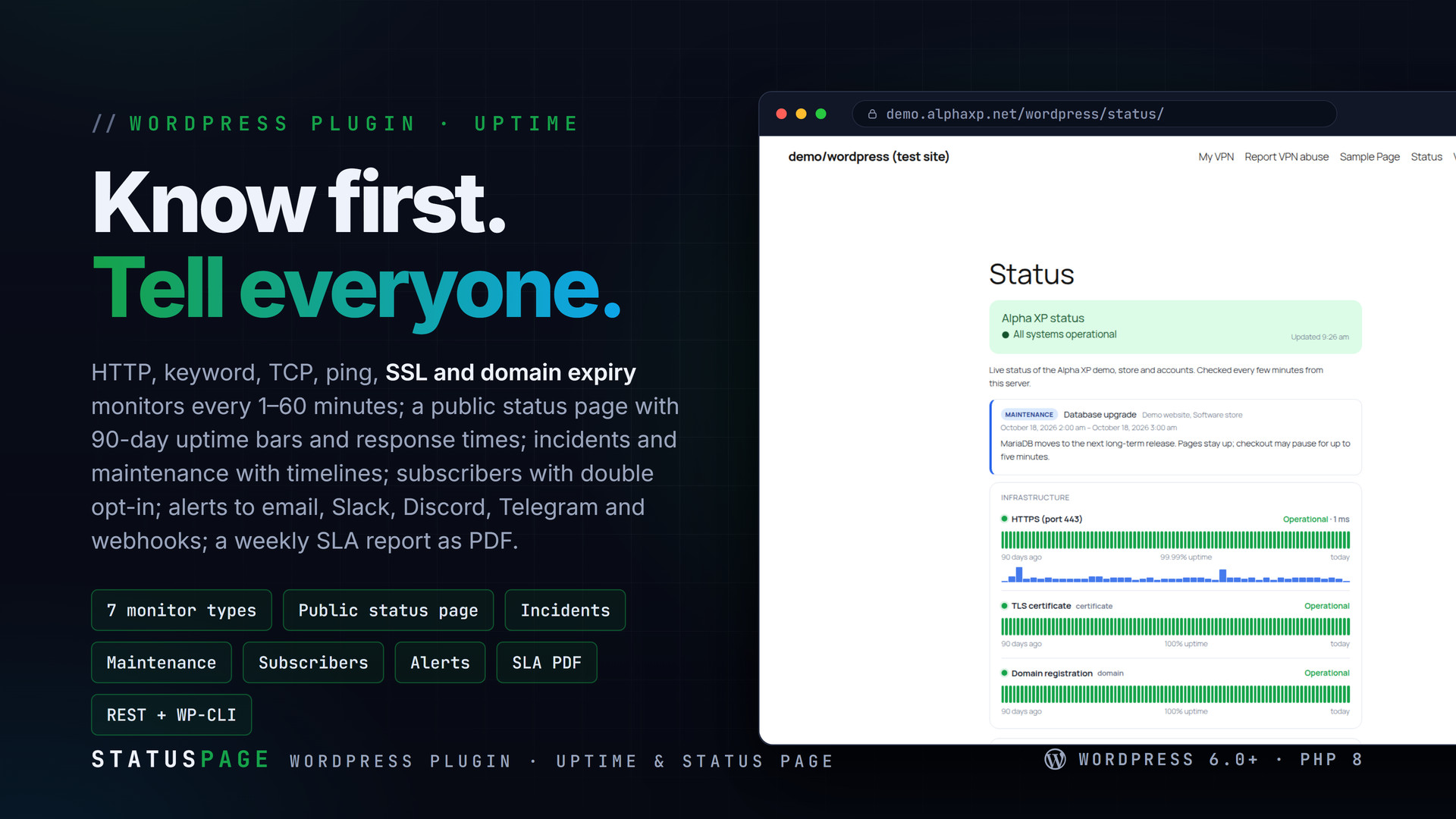
StatusPage watches your websites, APIs, ports, certificates and domains from your own WordPress, publishes a status page your customers can subscribe to, and tells your team the moment something breaks — by email, Slack, Discord, Telegram or a webhook. Incidents and maintenance have timelines, every week brings an SLA report as PDF, and other installs can act as probe locations so "down" really means down.
Key Features
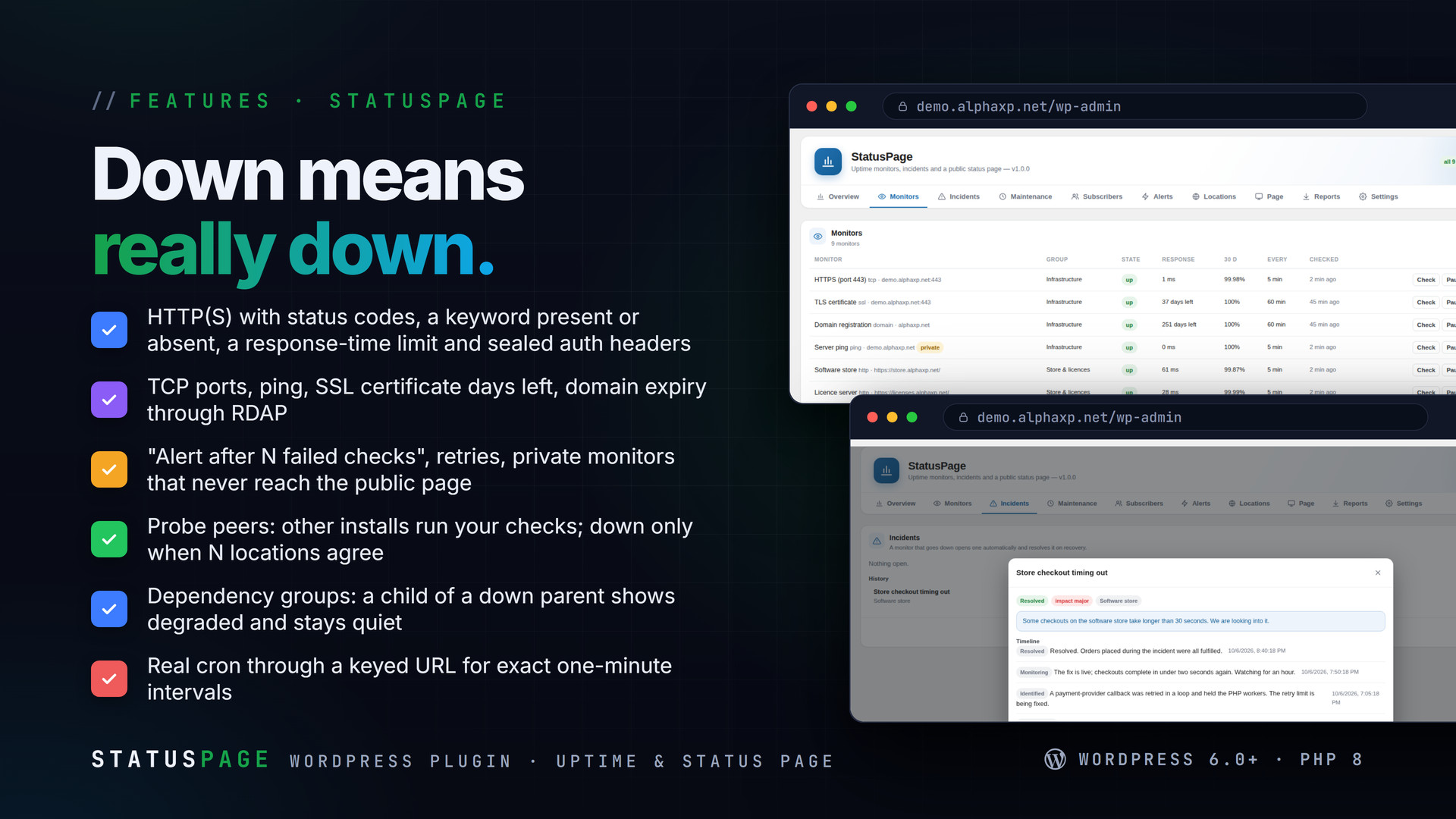
- Seven monitor types: HTTP(S) with expected codes, keyword present / absent, response-time limit, custom headers (sealed) and HEAD / GET / POST; TCP port; ping (or a labelled TCP probe where ICMP is not allowed); SSL certificate expiry; domain expiry via RDAP
- Intervals from 1 to 60 minutes, timeouts, retries, "alert after N failed checks", private monitors; checks from WP-Cron or from real cron through a keyed URL
- Locations: this server plus probe peers (other StatusPage installs running your checks over REST); a monitor is down only when N locations agree
- Public status page as a shortcode or block: overall state, grouped components, 90-day uptime bars with daily tooltips, response-time sparklines, open incidents and maintenance, history, optional password, auto-refresh
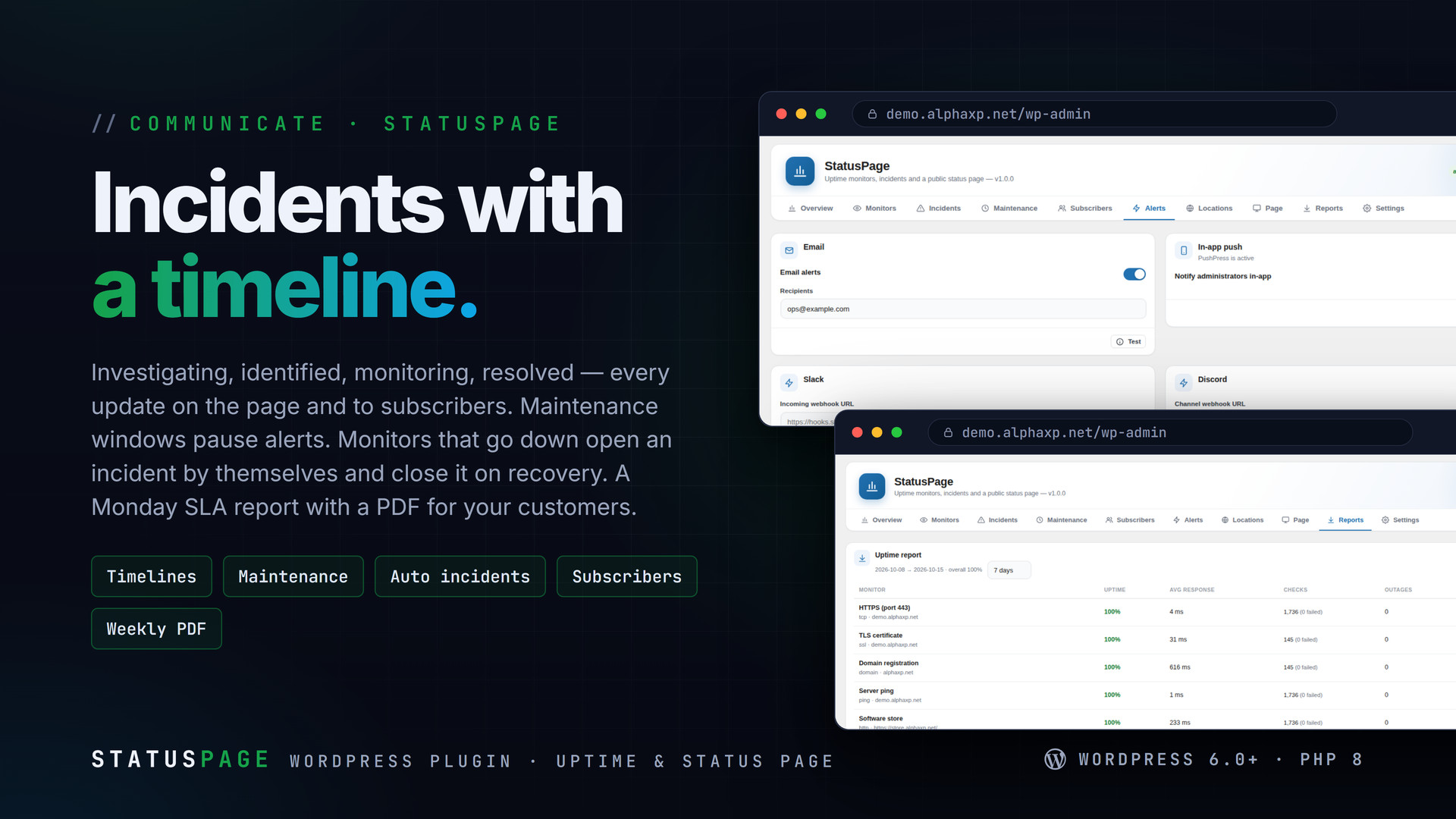
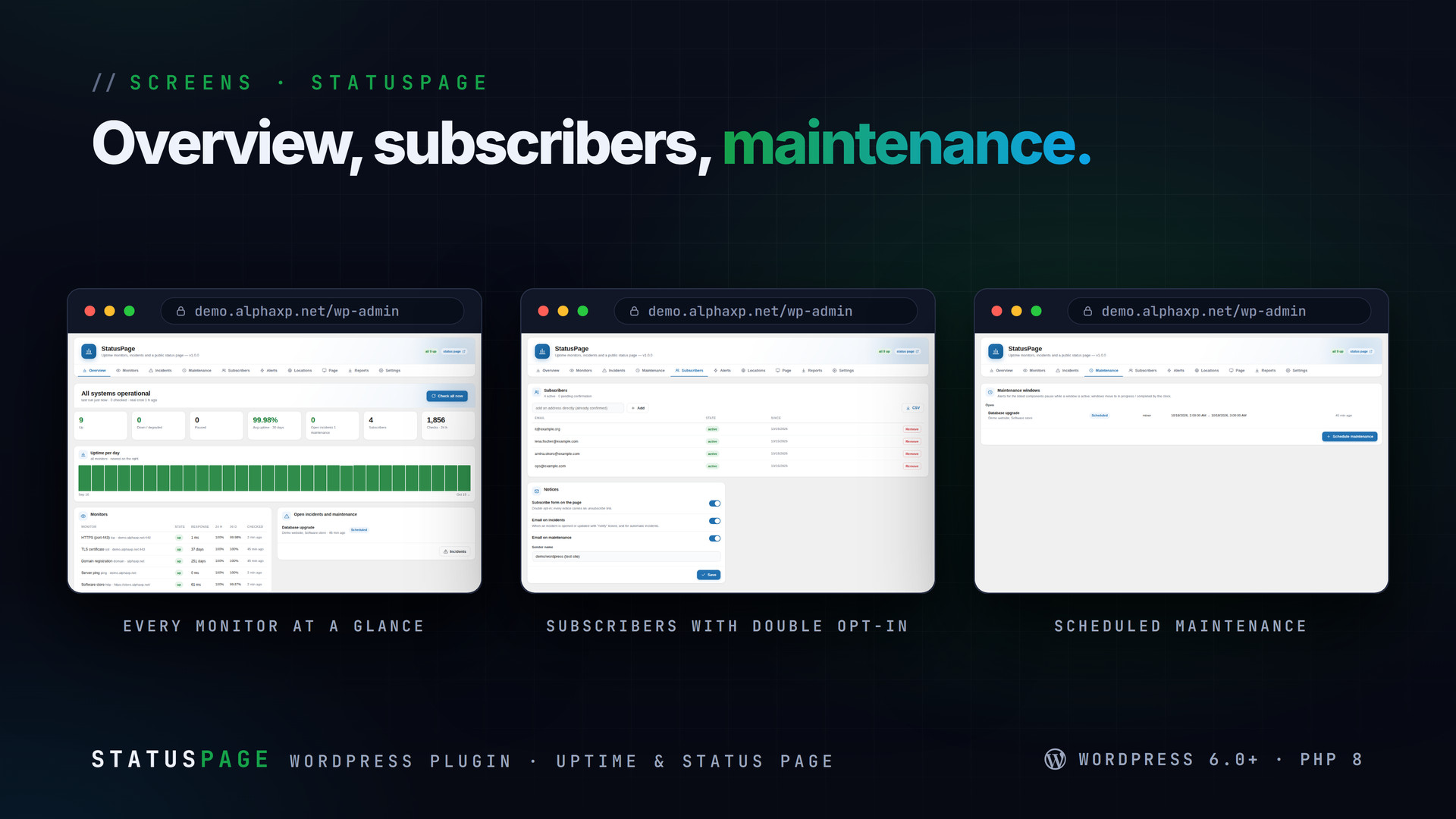
- Incidents with investigating / identified / monitoring / resolved and a timeline; maintenance windows that pause alerts; automatic incidents when a monitor goes down, resolved on recovery
- Subscribers: double opt-in form on the page, unsubscribe in every notice, admin import and CSV export; PushPress in-app notices when installed
- Alerts to email, PushPress, Slack, Discord, Telegram, a signed JSON webhook and an SMS-gateway webhook, per monitor, with cooldown and recovery notices
- Dependency groups: when a parent is down its children show degraded and stay quiet
- Weekly SLA report by email with a PDF (uptime, average response, checks, outages, incidents) and CSV downloads; SVG status badges per monitor or for the whole page
- REST statuspage/v1 (status, incidents, monitors, check, probe) with an API token for CI; wp statuspage list|check|incident|report|subscribers; Site Health check
How a Check Becomes an Incident
- A monitor fails its check; retries run first, then it must fail N times in a row
- With probe peers, the other locations must agree before it counts as down
- An incident opens by itself, subscribers and your alert channels are told (once, with a cooldown)
- When checks pass again the incident resolves and a recovery notice goes out


Installation
- Download the zip from your Library
- In wp-admin go to Plugins › Add New › Upload Plugin, choose the zip and activate it
- A new menu entry appears in the admin sidebar; open it
- StatusPage › Monitors: add your sites; Page: create the public page in one click; Settings: copy the cron URL into a real crontab for exact intervals
Requirements
- WordPress 6.0 or newer (tested up to 7.0)
- PHP 8.0 or newer
- Outgoing HTTPS from the server for HTTP, SSL and RDAP checks
- Optional: a real cron job (every minute) for exact intervals
What You Get
- StatusPage 1.0.0 for WordPress (
statuspage-1.0.0.zip) - Full, readable PHP and JavaScript source, no obfuscation
- Updates for the term of your licence
Works With
Part of the Alpha WordPress line, built with one admin kit; PushPress delivers its notices in-app: PushPress, ServerPulse, MailDoctor, SiteStats, SecureShield, AlphaLogin.
The screenshots show the plugin on our demo site with sample data.
Everything included
- Seven monitor types: HTTP(S) with expected codes, keyword present / absent, response-time
- Intervals from 1 to 60 minutes, timeouts, retries, "alert after N failed checks", private
- Locations: this server plus probe peers (other StatusPage installs running your checks ove
- Public status page as a shortcode or block: overall state, grouped components, 90-day upti
- Incidents with investigating / identified / monitoring / resolved and a timeline; maintena
- Subscribers: double opt-in form on the page, unsubscribe in every notice, admin import and
- Alerts to email, PushPress, Slack, Discord, Telegram, a signed JSON webhook and an SMS-gat
- Dependency groups: when a parent is down its children show degraded and stay quiet
- Weekly SLA report by email with a PDF (uptime, average response, checks, outages, incident
- REST statuspage/v1 (status, incidents, monitors, check, probe) with an API token for CI; w
Platforms
Requirements
- WordPress 6.0+
- PHP 8.0+
- Outgoing HTTPS from the server
In the download
Personal
One non-commercial project
- 1 activation seat
- 1 year of updates
- One end product
- Non-commercial use
- Community support
- 14-day refund window
Commercial
Ship paid products
- 5 activation seats
- 1 year of updates
- One paid end product
- Unlimited end users
- Priority support
- Source files
- 14-day refund window
Extended
Resell & white-label
- Unlimited activation seats
- Lifetime updates
- Unlimited end products
- White-label & resell
- 1-hour SLA
- Seat-free team use
- 14-day refund window
One purchase per product, no subscription. Each licence comes with a signed key — 1 seat on Personal, 5 seats on Commercial, unlimited seats on Extended. Paid licences can be refunded within 14 days from your order page.
- v1.0.0LatestOct 14, 2026
- First release
Be the first to review StatusPage | Uptime Monitors & Public Status Page for WordPress — reviews come from customers who bought it, so every one is a verified purchase.
Frequently asked
How exact are one-minute checks?
WP-Cron runs when visitors arrive, so a quiet site may check late. Put the keyed cron URL from Settings in a real crontab and checks run on the minute.
Can checks come from another country?
Yes. Install StatusPage on a second site, copy its probe token into Locations, and every check also runs there. Choose how many locations must fail before a monitor is down.
Will my customers get spammed during an outage?
No. Subscribers get one notice per incident update you choose to send; alerts have a cooldown, and children of a down parent stay quiet.
Does ping work on shared hosting?
Only where PHP may run the system ping. Otherwise the monitor uses a TCP reachability probe and labels it as such.
How do I get the files after paying?
Straight after checkout you land on your order page with the download button and your licence key. A receipt is emailed to you, and every order stays in My library.
Which licence do I need?
Personal — One non-commercial project. Commercial — Ship paid products. Extended — Resell & white-label. The Licences tab compares them side by side.
On how many devices can I activate it?
1 seat on Personal, 5 seats on Commercial, unlimited seats on Extended.
How long do I get updates?
Personal: 1 year of updates, Commercial: 1 year of updates, Extended: lifetime updates, counted from your purchase.
Can I get a refund?
Yes — paid licences can be refunded within 14 days, straight from your order page.
Is the download safe?
The file was scanned with ClamAV when it was published. Its SHA-256 checksum is listed under Features → In the download, so you can verify the file you receive.
Do I need an account?
No. Checkout only needs your email. Signing in keeps all your purchases, keys and downloads together in My library.
More like this
FolderPress — Media Library Folders for WordPress
media library, media folders, folders, file manager, media organizer, image optimization, webp, cdn, share links, private files, two factor…
★★★★★ No reviews yetTTechHarbour$29.00AlphaLogin | Passkeys, 2FA & SSO for WordPress
Passkeys, two-factor codes, magic links and SSO through your Alpha accounts portal, with brute-force protection, session control, login des…
★★★★★ No reviews yetTTechHarbour$19.00MeetPress | Video Meetings & Bookings for WordPress
AlphaCall video rooms on any page, a booking calendar with services and weekly availability, a private room per booking, confirmations with…
★★★★★ No reviews yetTTechHarbour$29.00LicenseGuard | Licence Keys & Update Server for WordPress
A licence server for the software you sell: signed keys, seat-limited activations, a private update server with staged rollouts, a REST API…
★★★★★ No reviews yetTTechHarbour$29.00