
MailDoctor | SMTP, Mail Log & DNS Doctor for WordPress
SMTP and API routing with failover, a searchable mail log with resend, a DNS doctor that writes your SPF, DKIM and DMARC records, blocklist checks and a queue.
Highlights
All 12 features →MailDoctor | SMTP, Mail Log, DNS Doctor & Deliverability for WordPress
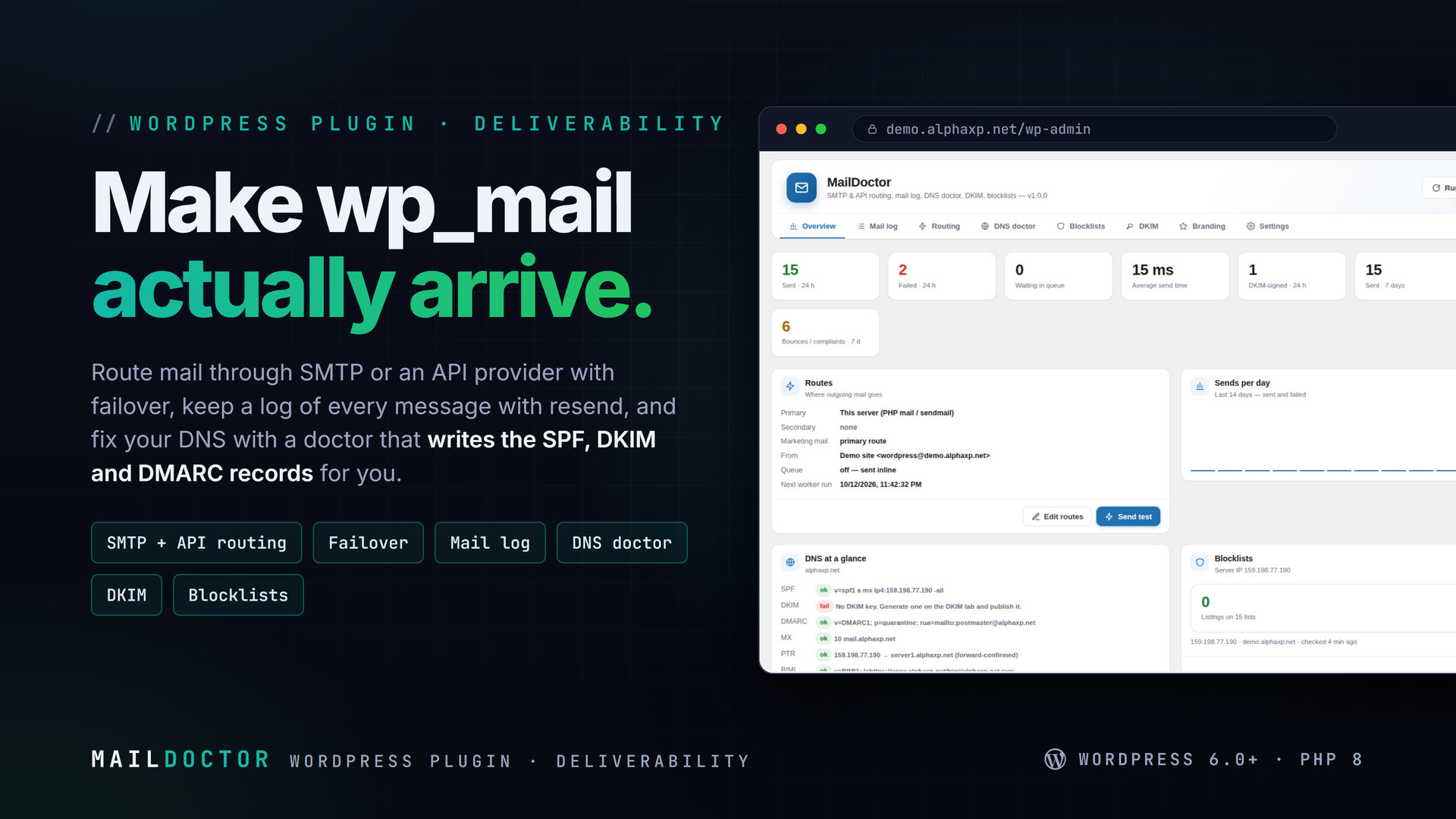
MailDoctor makes wp_mail() arrive. It routes every message WordPress sends through SMTP or an API provider, falls over to a second route when the first fails, keeps a log of every email you can search and resend, and diagnoses the DNS side with a doctor that writes the SPF, DKIM and DMARC records for you. Then it keeps watching: blocklists every day, bounces as they come in.
Key Features
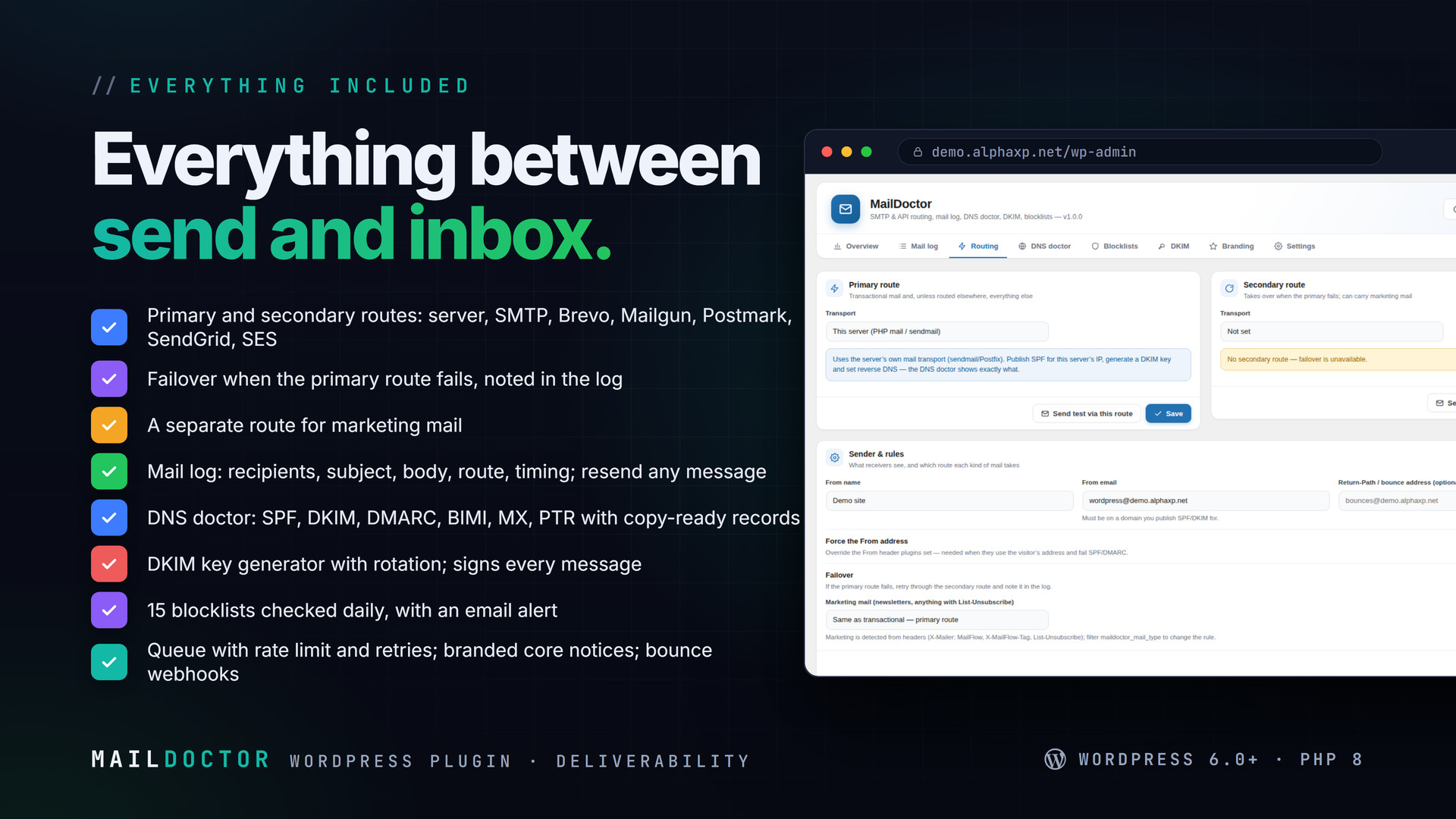
- Primary and secondary routes: this server, SMTP, Brevo, Mailgun, Postmark, SendGrid or Amazon SES (SigV4), no SDKs
- Failover: when the primary route fails, the message goes through the secondary one and the log says so
- A separate route for marketing mail (MailFlow, anything with List-Unsubscribe) so campaigns never hurt your transactional sender
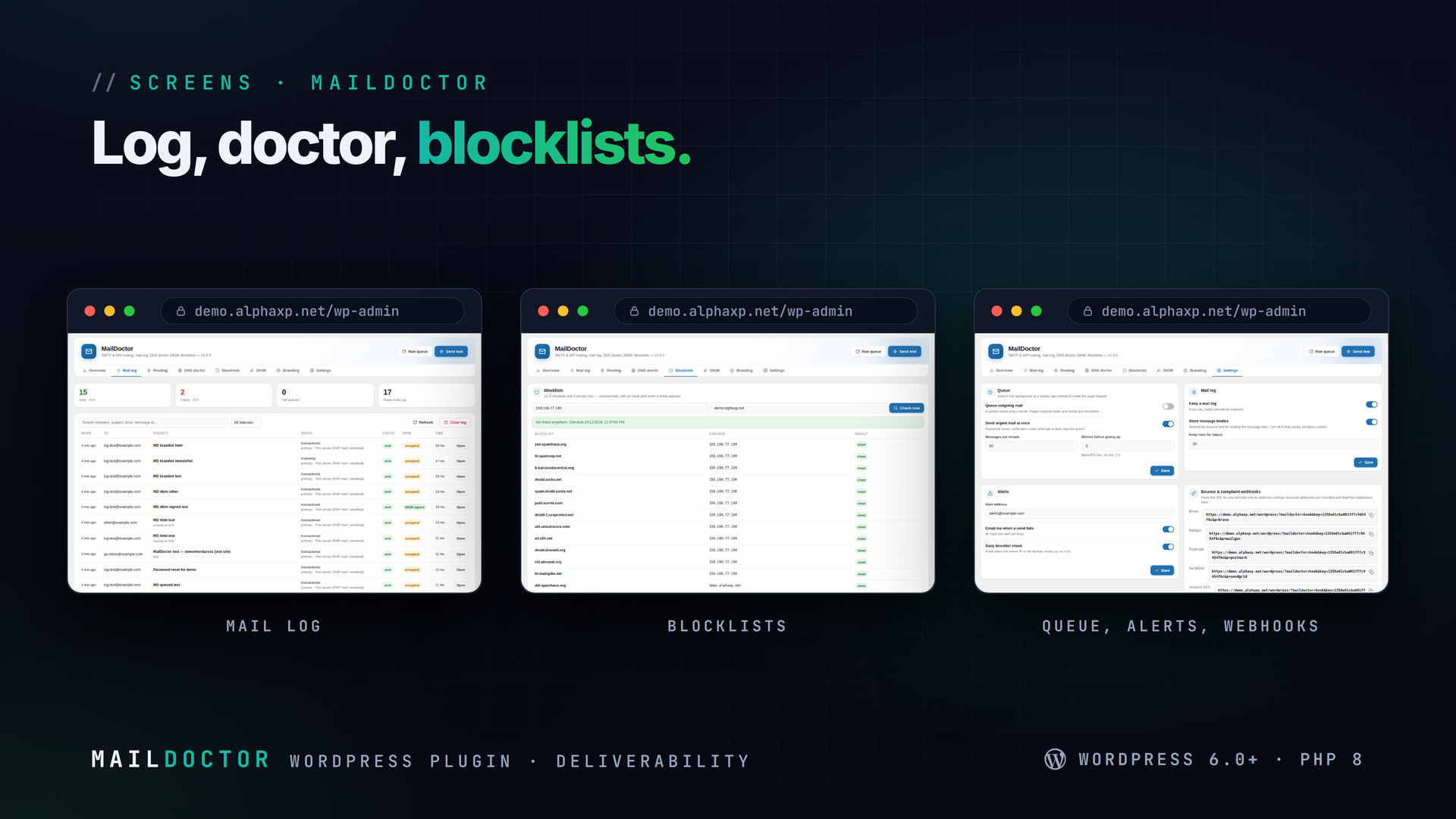
- Mail log: recipients, subject, headers, body, route, transport, status, provider message id, timing, DKIM state; search, filter, resend to anyone
- Test send with a report: route taken, time, DKIM, SPF and DMARC state
- DNS doctor: SPF, DKIM, DMARC, BIMI, MX and reverse DNS, each with a copy-ready record
- DKIM key generator (RSA-2048) with the TXT record, a live check and rotation; signs every message from the domain
- Blocklist monitor: 12 IP blocklists and 3 domain lists, checked daily with an email alert
- Background queue with a per-minute rate limit, retries with backoff, urgent mail sent directly
- Bounce and complaint webhooks for Brevo, Mailgun, Postmark, SendGrid and SES; MailFlow suppresses the addresses
- Branded core notices: plain-text WordPress mail wrapped in a template with your logo, colour and footer
- Failure alerts, a Site Health test, force-From and Return-Path controls
The DNS Doctor
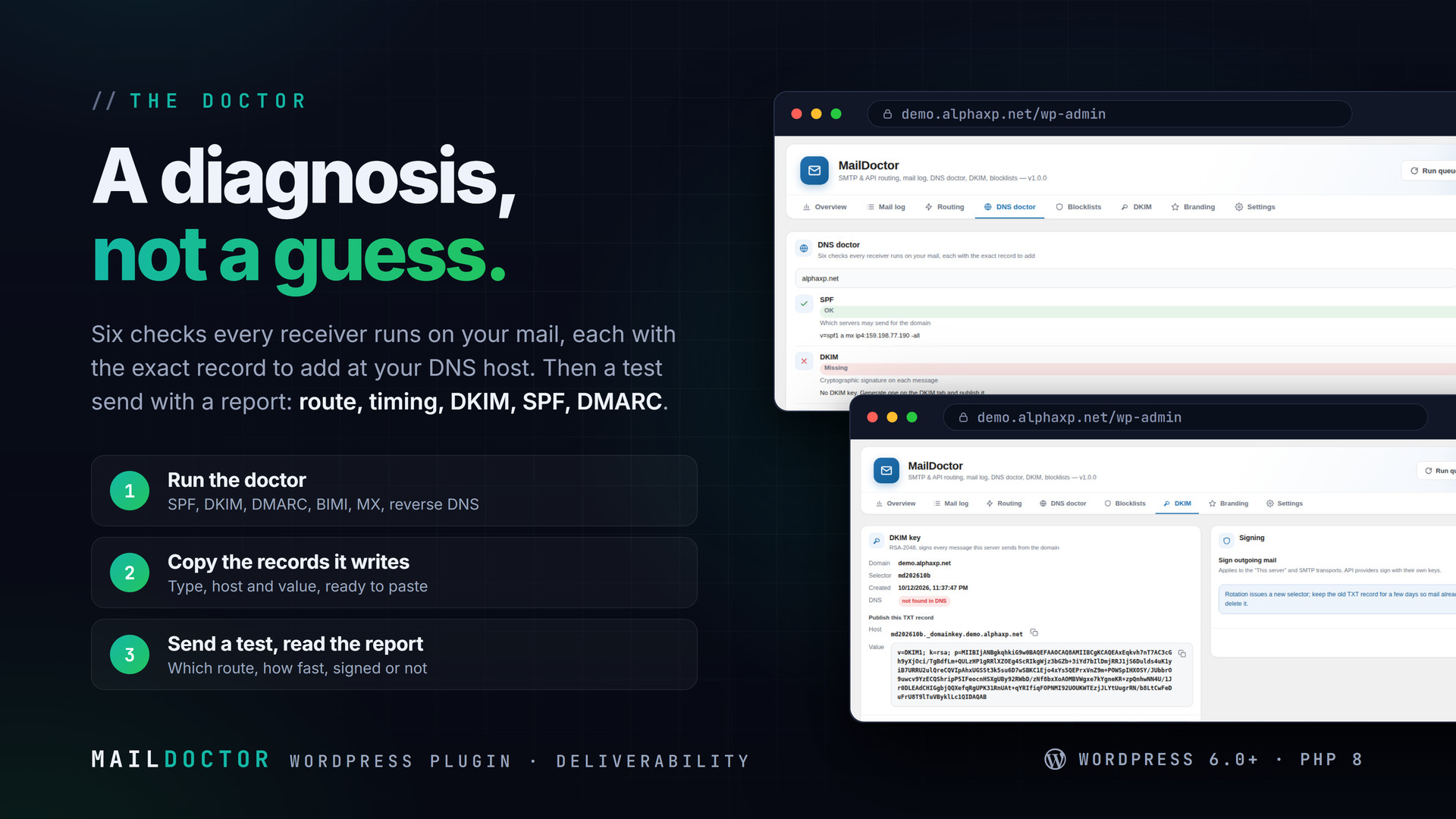
- Run it for your sending domain: six checks, each OK, Improve or Missing, with the reason
- Copy the record it writes (type, host, value) into your DNS host
- Generate a DKIM key on the DKIM tab if you send from this server; publish the TXT record and press Check
- Send a test and read the report: route, timing, signed or not, SPF and DMARC
Webhooks
Each provider gets its own URL with a secret key. Bounces and complaints are recorded, shown on the Settings tab and announced through do_action('maildoctor_bounce'); MailFlow listens and suppresses the address.


Installation
- Download the zip from your Library
- In wp-admin go to Plugins › Add New › Upload Plugin, choose the zip and activate it
- A new menu entry appears in the admin sidebar; open it
- MailDoctor › Routing: choose the primary transport, save, press Send test
- DNS doctor: publish the records it shows
- Optional: a secondary route for failover, the queue, branded notices
Requirements
- WordPress 6.0 or newer (tested up to 7.0)
- PHP 8.0 or newer
- OpenSSL in PHP (for DKIM keys)
- WP-Cron or a system cron for the queue and the daily checks
What You Get
- MailDoctor 1.0.0 for WordPress (
maildoctor-1.0.0.zip) - Full, readable PHP and JavaScript source, no obfuscation
- Updates for the term of your licence
Works With
Replaces WP Mail SMTP-style plugins. Pairs with MailFlow for newsletters, and with: MailFlow, PushPress, AlphaLogin, LicenseGuard, MeetPress, FolderPress.
The screenshots show the plugin on our demo site with sample data.
Everything included
- Primary and secondary routes: this server, SMTP, Brevo, Mailgun, Postmark, SendGrid or Ama
- Failover: when the primary route fails, the message goes through the secondary one and the
- A separate route for marketing mail (MailFlow, anything with List-Unsubscribe) so campaign
- Mail log: recipients, subject, headers, body, route, transport, status, provider message i
- Test send with a report: route taken, time, DKIM, SPF and DMARC state
- DNS doctor: SPF, DKIM, DMARC, BIMI, MX and reverse DNS, each with a copy-ready record
- DKIM key generator (RSA-2048) with the TXT record, a live check and rotation; signs every
- Blocklist monitor: 12 IP blocklists and 3 domain lists, checked daily with an email alert
- Background queue with a per-minute rate limit, retries with backoff, urgent mail sent dire
- Bounce and complaint webhooks for Brevo, Mailgun, Postmark, SendGrid and SES; MailFlow sup
- Branded core notices: plain-text WordPress mail wrapped in a template with your logo, colo
- Failure alerts, a Site Health test, force-From and Return-Path controls
Platforms
Requirements
- WordPress 6.0+
- PHP 8.0+ with OpenSSL
- WP-Cron or a system cron
In the download
Personal
One non-commercial project
- 1 activation seat
- 1 year of updates
- One end product
- Non-commercial use
- Community support
- 14-day refund window
Commercial
Ship paid products
- 5 activation seats
- 1 year of updates
- One paid end product
- Unlimited end users
- Priority support
- Source files
- 14-day refund window
Extended
Resell & white-label
- Unlimited activation seats
- Lifetime updates
- Unlimited end products
- White-label & resell
- 1-hour SLA
- Seat-free team use
- 14-day refund window
One purchase per product, no subscription. Each licence comes with a signed key — 1 seat on Personal, 5 seats on Commercial, unlimited seats on Extended. Paid licences can be refunded within 14 days from your order page.
- v1.0.0LatestOct 13, 2026
- First release
Be the first to review MailDoctor | SMTP, Mail Log & DNS Doctor for WordPress — reviews come from customers who bought it, so every one is a verified purchase.
Frequently asked
Does it replace WP Mail SMTP?
Yes. MailDoctor hooks pre_wp_mail, so every plugin that calls wp_mail() goes through the route you choose, with a log, failover and the DNS tools on top.
Will it change my newsletters?
Marketing mail can take its own route (or the same one), and the branded template is never applied to it. MailFlow’s campaigns look exactly as designed.
Does the DNS doctor change my DNS?
No. It reads your records and writes the ones you should add; you paste them at your DNS host. It can check again until they are live.
What does DKIM signing need?
A key generated on the DKIM tab and its TXT record published. Signing applies to the "This server" and SMTP transports; API providers sign with their own keys.
How do I get the files after paying?
Straight after checkout you land on your order page with the download button and your licence key. A receipt is emailed to you, and every order stays in My library.
Which licence do I need?
Personal — One non-commercial project. Commercial — Ship paid products. Extended — Resell & white-label. The Licences tab compares them side by side.
On how many devices can I activate it?
1 seat on Personal, 5 seats on Commercial, unlimited seats on Extended.
How long do I get updates?
Personal: 1 year of updates, Commercial: 1 year of updates, Extended: lifetime updates, counted from your purchase.
Can I get a refund?
Yes — paid licences can be refunded within 14 days, straight from your order page.
Is the download safe?
The file was scanned with ClamAV when it was published. Its SHA-256 checksum is listed under Features → In the download, so you can verify the file you receive.
Do I need an account?
No. Checkout only needs your email. Signing in keeps all your purchases, keys and downloads together in My library.
More like this
AlphaLogin | Passkeys, 2FA & SSO for WordPress
Passkeys, two-factor codes, magic links and SSO through your Alpha accounts portal, with brute-force protection, session control, login des…
★★★★★ No reviews yetTTechHarbour$19.00NewMeetPress | Video Meetings & Bookings for WordPress
AlphaCall video rooms on any page, a booking calendar with services and weekly availability, a private room per booking, confirmations with…
★★★★★ No reviews yetTTechHarbour$29.00NewLicenseGuard | Licence Keys & Update Server for WordPress
A licence server for the software you sell: signed keys, seat-limited activations, a private update server with staged rollouts, a REST API…
★★★★★ No reviews yetTTechHarbour$29.00NewPushPress | Web Push & In-app Notifications for WordPress
Web push from your own server, an in-app notification centre and mobile push through Firebase: prompt designer, segments, schedules, automa…
★★★★★ No reviews yetTTechHarbour$19.00