
MailFlow | Newsletters, Automations & Email Builder for WordPress
Newsletters inside WordPress: a drag-and-drop builder with 28 templates, lists with double opt-in, segments, automations, send-time optimisation and tracking.
Highlights
All 12 features →MailFlow | Newsletters, Automations & Email Builder for WordPress
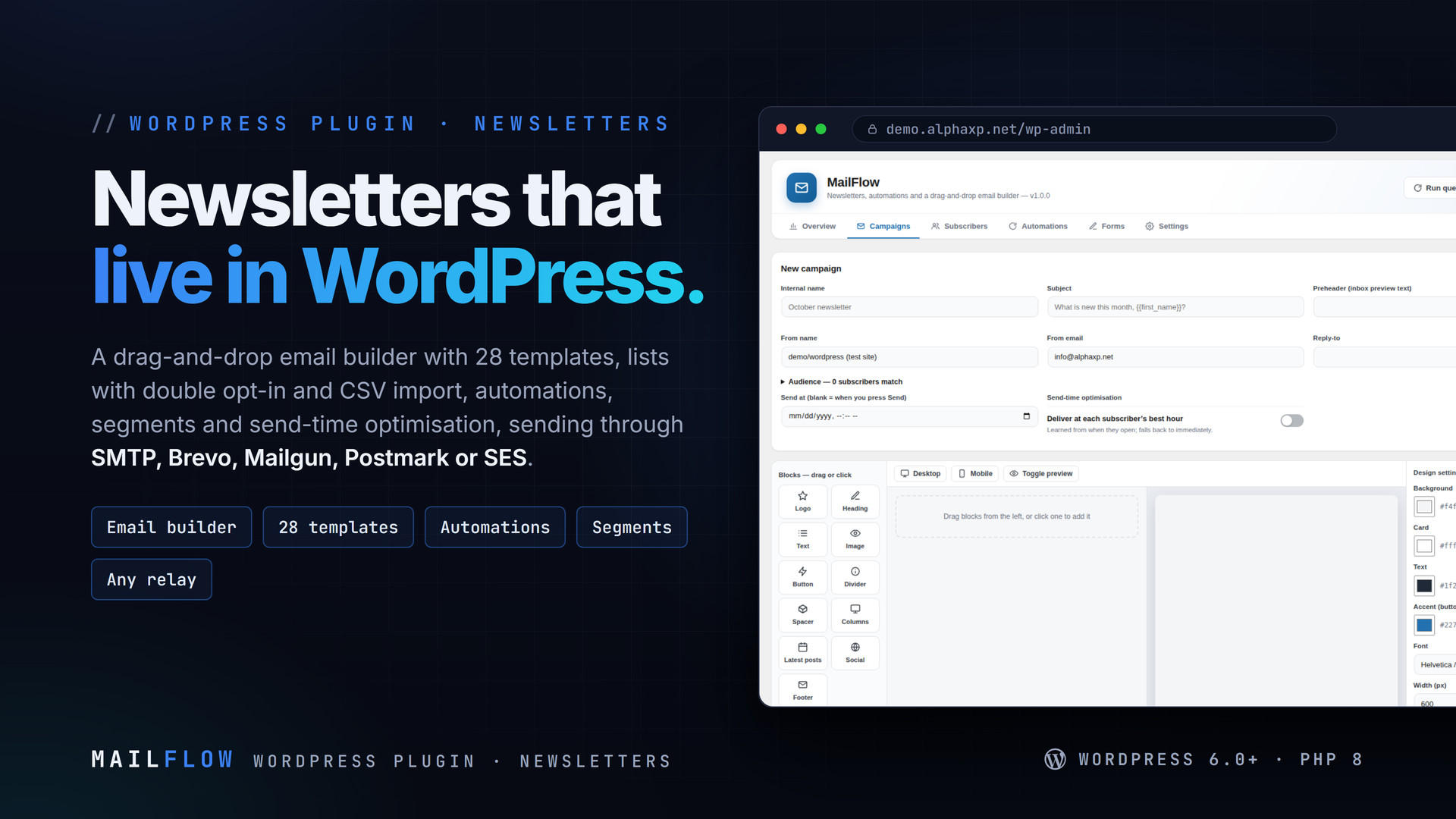
MailFlow is a newsletter system that lives inside WordPress: build the email with a drag-and-drop builder, grow lists with a sign-up form and double opt-in, send campaigns and automated series through the relay you already use, and read opens, clicks and bounces in the same place. No subscriber fees, no external editor, your list stays in your database.
Key Features
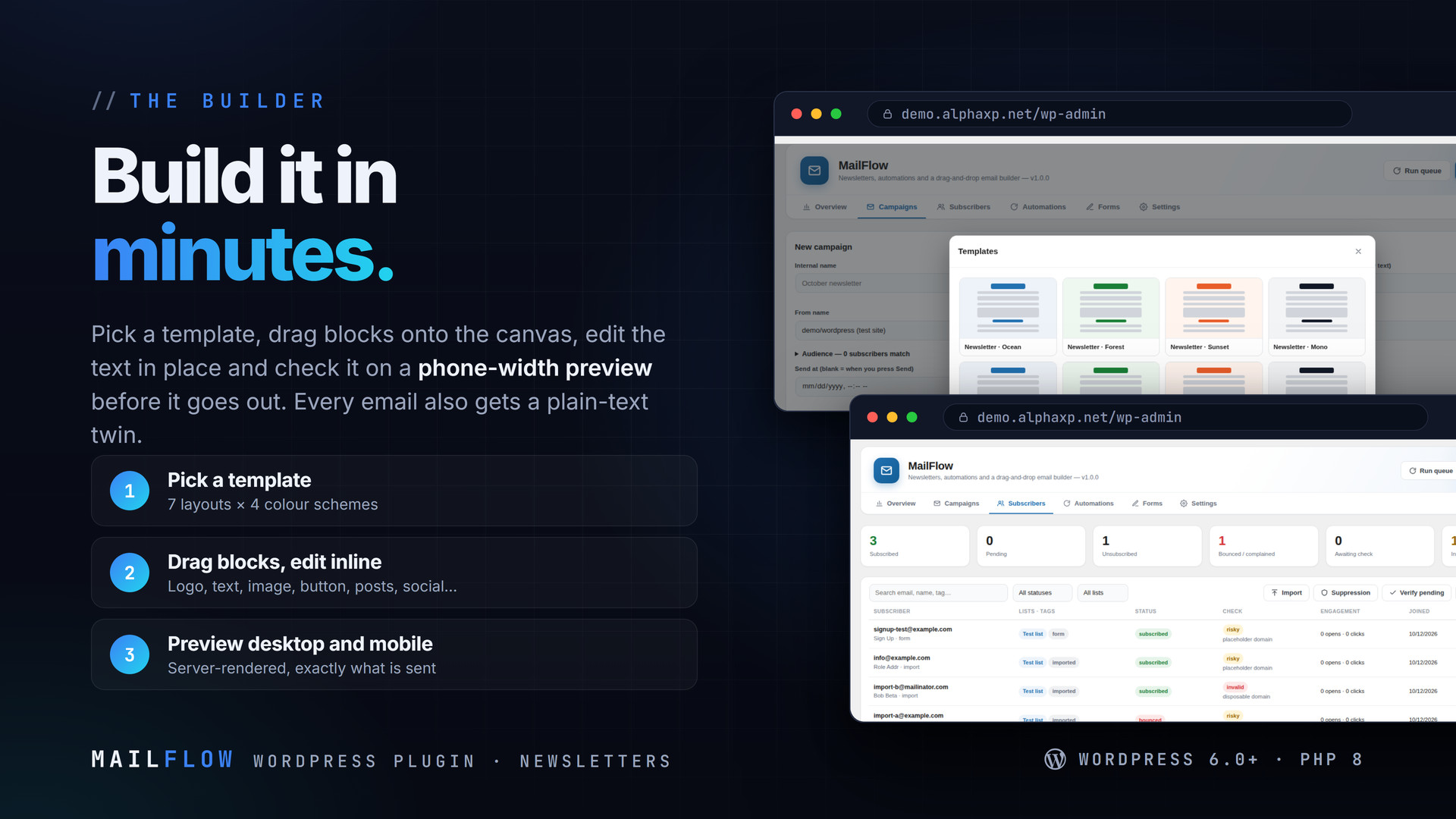
- Drag-and-drop email builder: logo, heading, text, image, button, divider, spacer, columns, latest posts, social links, footer
- Brand kit (logo, colours, font, address) and a server-rendered desktop / mobile preview
- 28 ready templates (7 layouts × 4 colour schemes) and your own saved templates
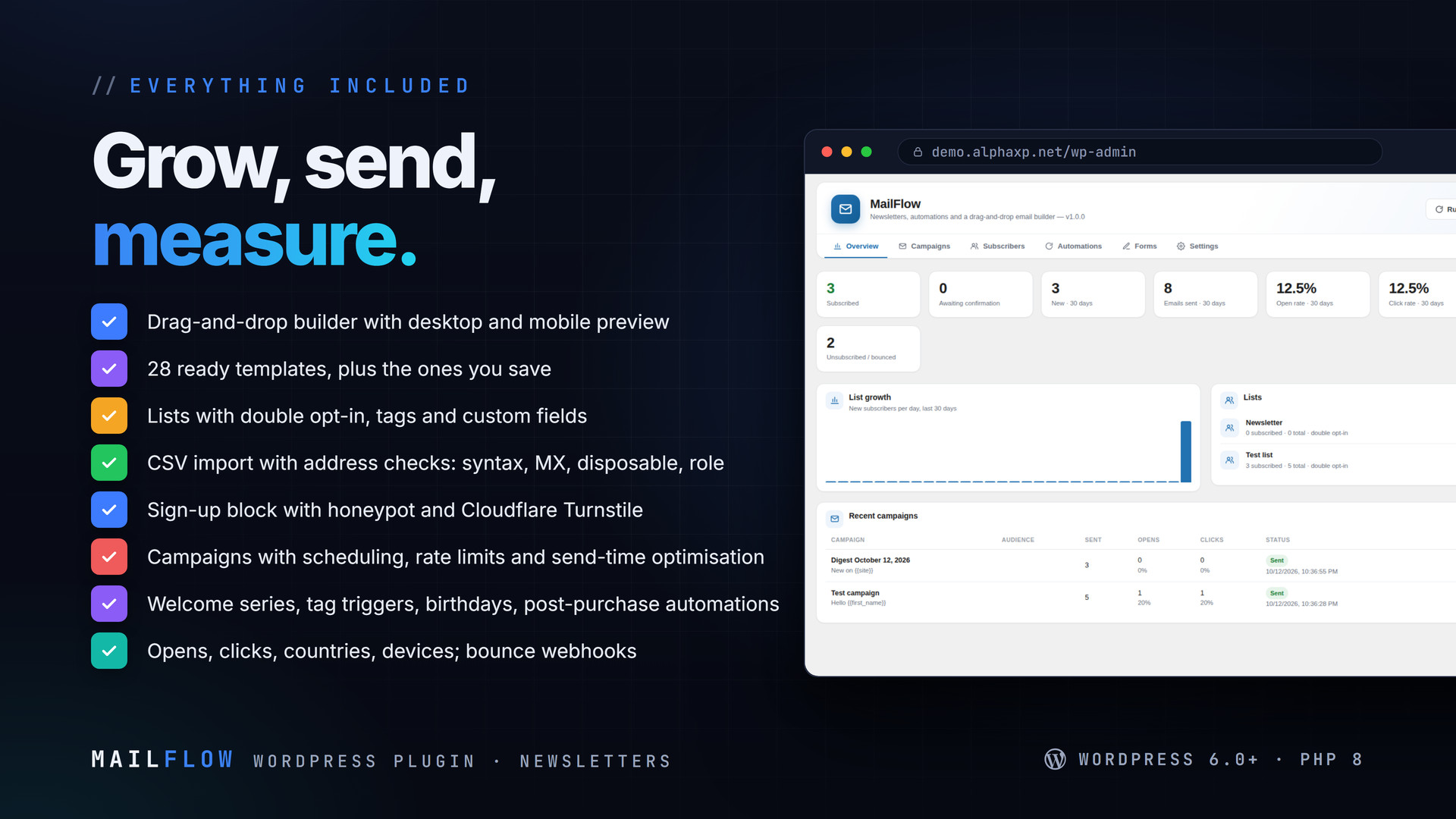
- Lists with double opt-in, tags, custom fields and sources
- Sign-up block /
[mailflow_form]with honeypot and Cloudflare Turnstile - CSV import with a verification worker: syntax, MX, disposable and role addresses
- Segments: tags, countries, engagement windows, join dates, source, verification state
- Campaigns: schedule, pause, per-minute rate limit, retries, send-time optimisation (each subscriber’s best hour)
- Automations: welcome series, tag triggers, birthdays, WooCommerce post-purchase, with waits between steps
- Daily / weekly post digest
- Transports: site mail, SMTP, Brevo, Mailgun, Postmark, Amazon SES (SigV4), no SDKs
- Opens, clicks, unsubscribes, bounces; link table, countries, devices; bounce and complaint webhooks; suppression list
Merge Tags
{{first_name}}, {{name}}, {{email}}, {{site}}, {{unsubscribe_url}}, {{webversion_url}}, custom fields, and fallbacks such as {{first_name|friend}}. Every email also gets a plain-text twin.
Shortcodes & Blocks
[mailflow_form list="…" tags="…"]and the MailFlow Sign-up block


Installation
- Download the zip from your Library
- In wp-admin go to Plugins › Add New › Upload Plugin, choose the zip and activate it
- A new menu entry appears in the admin sidebar; open it
- MailFlow › Settings: sender name and address, the transport, press Send test
- Subscribers: create a list; Forms: put the sign-up block on a page
- New campaign: pick a template and send
Requirements
- WordPress 6.0 or newer (tested up to 7.0)
- PHP 8.0 or newer
- WP-Cron (or a system cron hitting wp-cron.php) for the queue
- A sending route: SMTP or one of the API providers; MailDoctor can provide it
What You Get
- MailFlow 1.0.0 for WordPress (
mailflow-1.0.0.zip) - Full, readable PHP and JavaScript source, no obfuscation
- Updates for the term of your licence
Works With
MailDoctor routes and logs what MailFlow sends and feeds bounces back into the suppression list. Also: MailDoctor, PushPress, AlphaLogin, LicenseGuard, MeetPress, FolderPress.
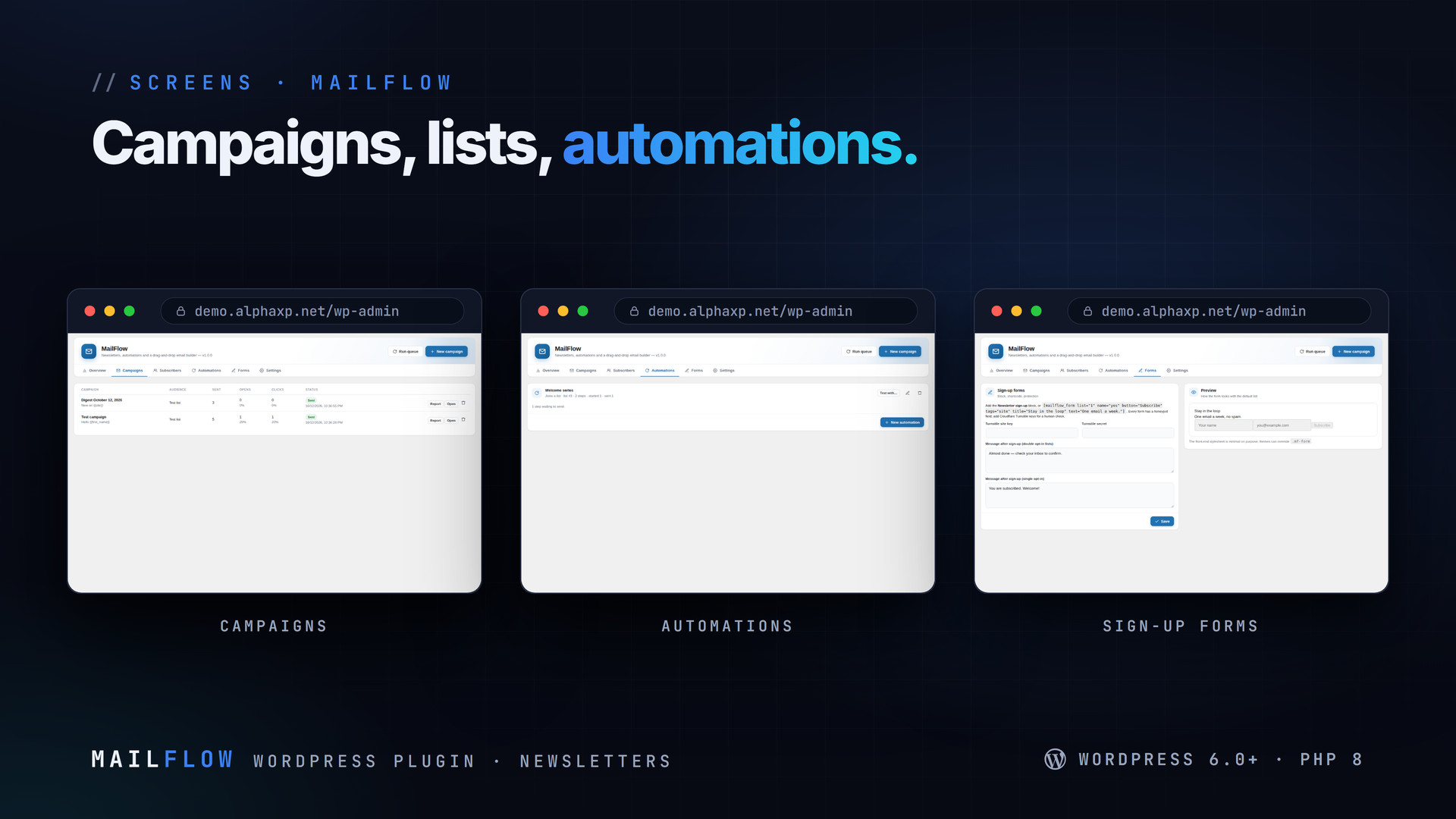
The screenshots show the plugin on our demo site with sample data.
Everything included
- Drag-and-drop email builder: logo, heading, text, image, button, divider, spacer, columns,
- Brand kit (logo, colours, font, address) and a server-rendered desktop / mobile preview
- 28 ready templates (7 layouts × 4 colour schemes) and your own saved templates
- Lists with double opt-in, tags, custom fields and sources
- Sign-up block / [mailflow_form] with honeypot and Cloudflare Turnstile
- CSV import with a verification worker: syntax, MX, disposable and role addresses
- Segments: tags, countries, engagement windows, join dates, source, verification state
- Campaigns: schedule, pause, per-minute rate limit, retries, send-time optimisation (each s
- Automations: welcome series, tag triggers, birthdays, WooCommerce post-purchase, with wait
- Daily / weekly post digest
- Transports: site mail, SMTP, Brevo, Mailgun, Postmark, Amazon SES (SigV4), no SDKs
- Opens, clicks, unsubscribes, bounces; link table, countries, devices; bounce and complaint
Platforms
Requirements
- WordPress 6.0+
- PHP 8.0+
- WP-Cron or a system cron
In the download
Personal
One non-commercial project
- 1 activation seat
- 1 year of updates
- One end product
- Non-commercial use
- Community support
- 14-day refund window
Commercial
Ship paid products
- 5 activation seats
- 1 year of updates
- One paid end product
- Unlimited end users
- Priority support
- Source files
- 14-day refund window
Extended
Resell & white-label
- Unlimited activation seats
- Lifetime updates
- Unlimited end products
- White-label & resell
- 1-hour SLA
- Seat-free team use
- 14-day refund window
One purchase per product, no subscription. Each licence comes with a signed key — 1 seat on Personal, 5 seats on Commercial, unlimited seats on Extended. Paid licences can be refunded within 14 days from your order page.
- v1.0.0LatestOct 13, 2026
- First release
Be the first to review MailFlow | Newsletters, Automations & Email Builder for WordPress — reviews come from customers who bought it, so every one is a verified purchase.
Frequently asked
How does it send?
Through the site’s mail, direct SMTP, Brevo, Mailgun, Postmark or Amazon SES, all built in without SDKs. A queue sends at the rate you set.
Is there a subscriber limit or fee?
No. Subscribers live in your database; the only costs are your relay’s.
Can I import my existing list?
Yes. Paste or upload a CSV; addresses are checked in the background for syntax, MX, disposable and role addresses, and bad ones are flagged.
Does it handle bounces?
Yes. Brevo, Mailgun, Postmark and SES webhooks mark bounces and complaints, and a suppression list keeps those addresses out of every send. MailDoctor can feed its bounce events in too.
How do I get the files after paying?
Straight after checkout you land on your order page with the download button and your licence key. A receipt is emailed to you, and every order stays in My library.
Which licence do I need?
Personal — One non-commercial project. Commercial — Ship paid products. Extended — Resell & white-label. The Licences tab compares them side by side.
On how many devices can I activate it?
1 seat on Personal, 5 seats on Commercial, unlimited seats on Extended.
How long do I get updates?
Personal: 1 year of updates, Commercial: 1 year of updates, Extended: lifetime updates, counted from your purchase.
Can I get a refund?
Yes — paid licences can be refunded within 14 days, straight from your order page.
Is the download safe?
The file was scanned with ClamAV when it was published. Its SHA-256 checksum is listed under Features → In the download, so you can verify the file you receive.
Do I need an account?
No. Checkout only needs your email. Signing in keeps all your purchases, keys and downloads together in My library.
More like this
AlphaLogin | Passkeys, 2FA & SSO for WordPress
Passkeys, two-factor codes, magic links and SSO through your Alpha accounts portal, with brute-force protection, session control, login des…
★★★★★ No reviews yetTTechHarbour$19.00NewMeetPress | Video Meetings & Bookings for WordPress
AlphaCall video rooms on any page, a booking calendar with services and weekly availability, a private room per booking, confirmations with…
★★★★★ No reviews yetTTechHarbour$29.00NewLicenseGuard | Licence Keys & Update Server for WordPress
A licence server for the software you sell: signed keys, seat-limited activations, a private update server with staged rollouts, a REST API…
★★★★★ No reviews yetTTechHarbour$29.00NewPushPress | Web Push & In-app Notifications for WordPress
Web push from your own server, an in-app notification centre and mobile push through Firebase: prompt designer, segments, schedules, automa…
★★★★★ No reviews yetTTechHarbour$19.00