
ServerPulse | Server Health, PHP, Cron & Logs for WordPress
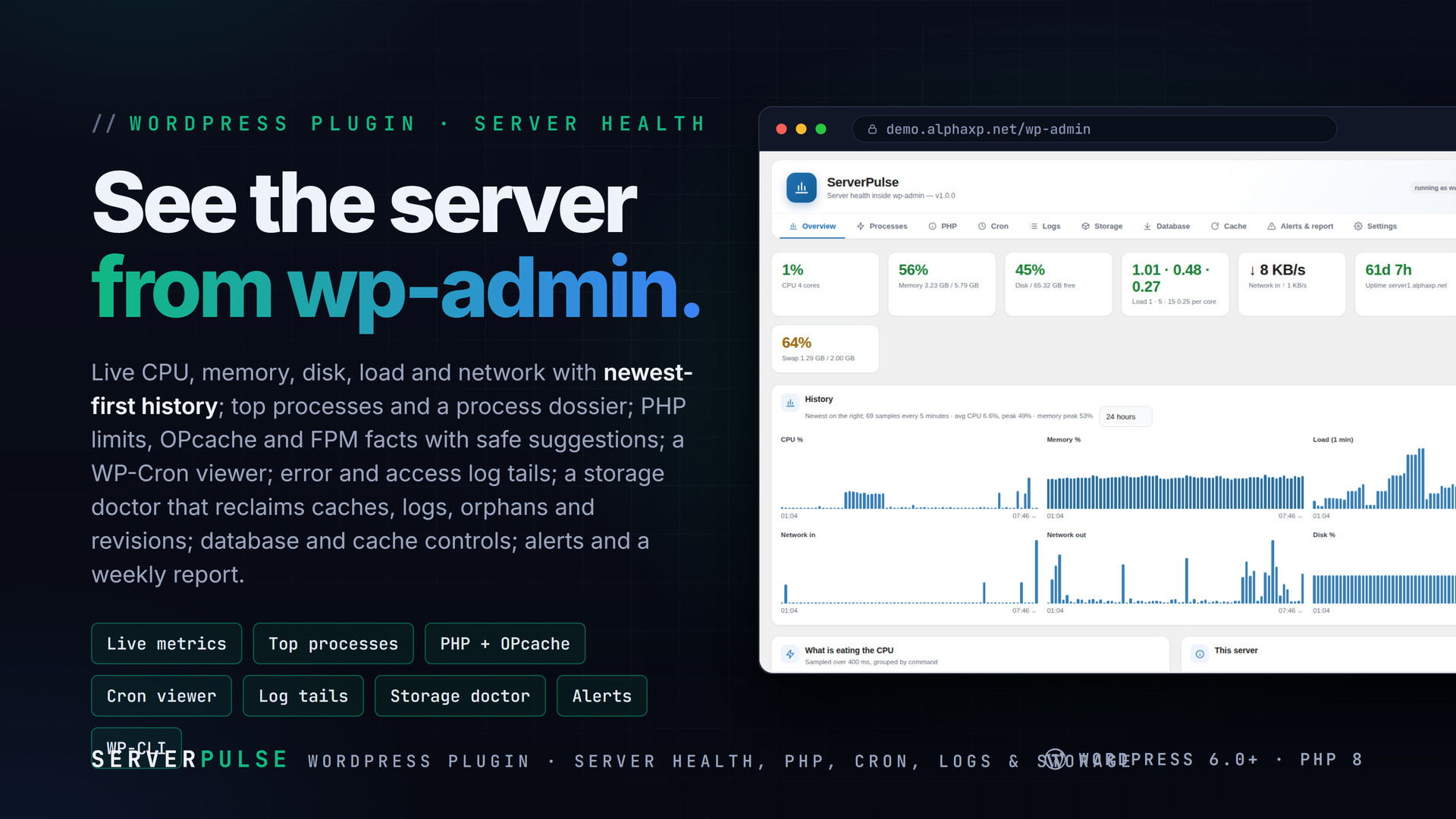
Live CPU, memory, disk, load and network in wp-admin; top processes, PHP and OPcache facts, a cron viewer, log tails, a storage doctor, caches and alerts.
Highlights
All 10 features →ServerPulse | Server Health, PHP, Cron, Logs & a Storage Doctor inside wp-admin
ServerPulse shows a self-hosted WordPress what its server is doing — live CPU, memory, disk, load and network with a newest-first history, the processes eating the CPU, PHP and OPcache facts with safe suggestions, every cron event, the logs that matter, and a storage doctor that reclaims caches, logs, orphans, revisions and transients with one click. Database and cache controls, threshold alerts, a weekly report and WP-CLI — all read as the web user, nothing executed.
Key Features
- Live CPU, memory (incl. swap), every real disk, load per core, network in/out and uptime, refreshed every 10 seconds; a 5-minute sample history from 1 hour to 30 days drawn newest-first
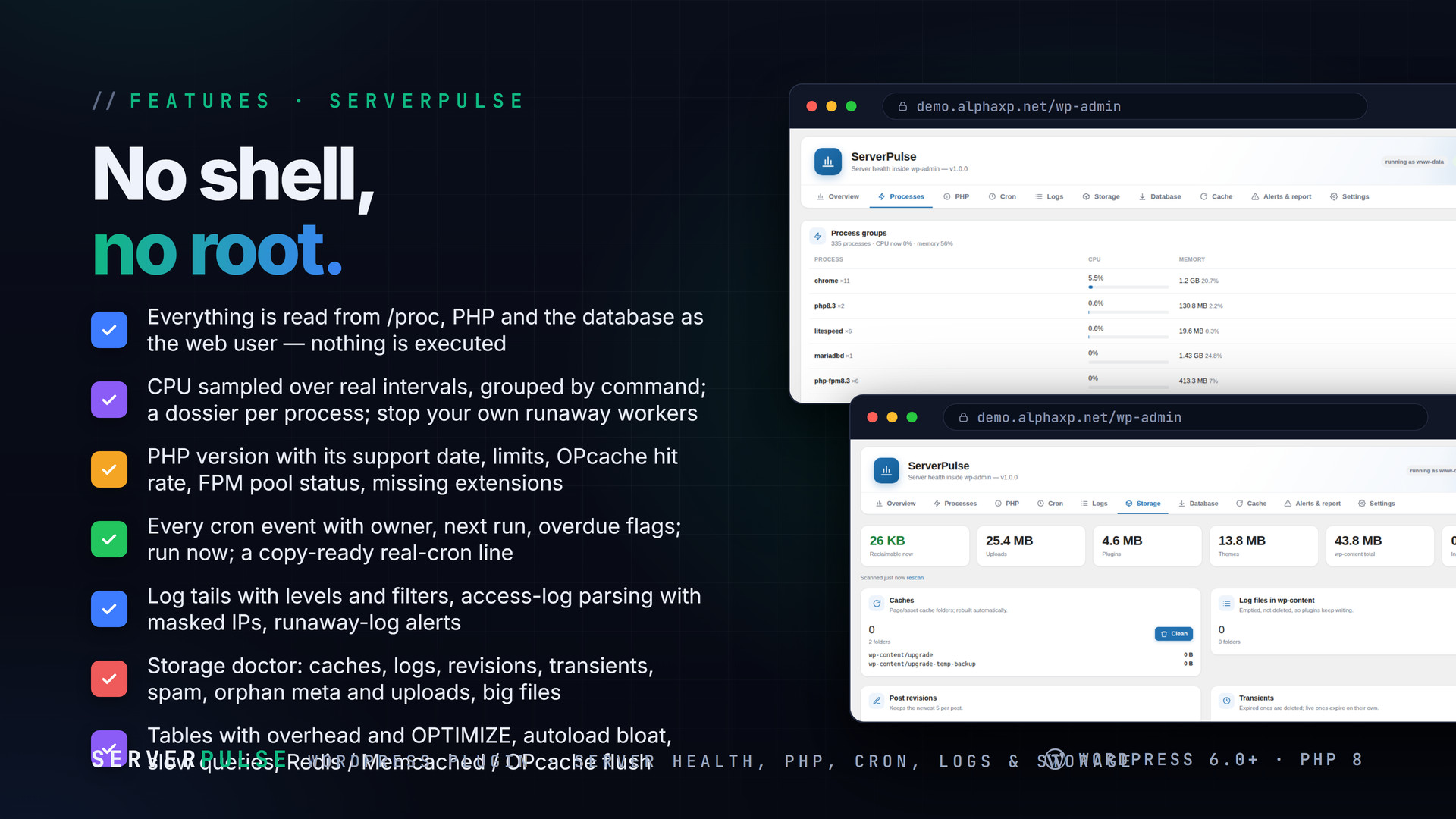
- Top processes by sampled CPU (not lifetime averages), grouped by command, with a per-process dossier: user, command line, executable, working directory, threads, memory, start time, children, I/O, container; stop or kill the web user's own runaway workers
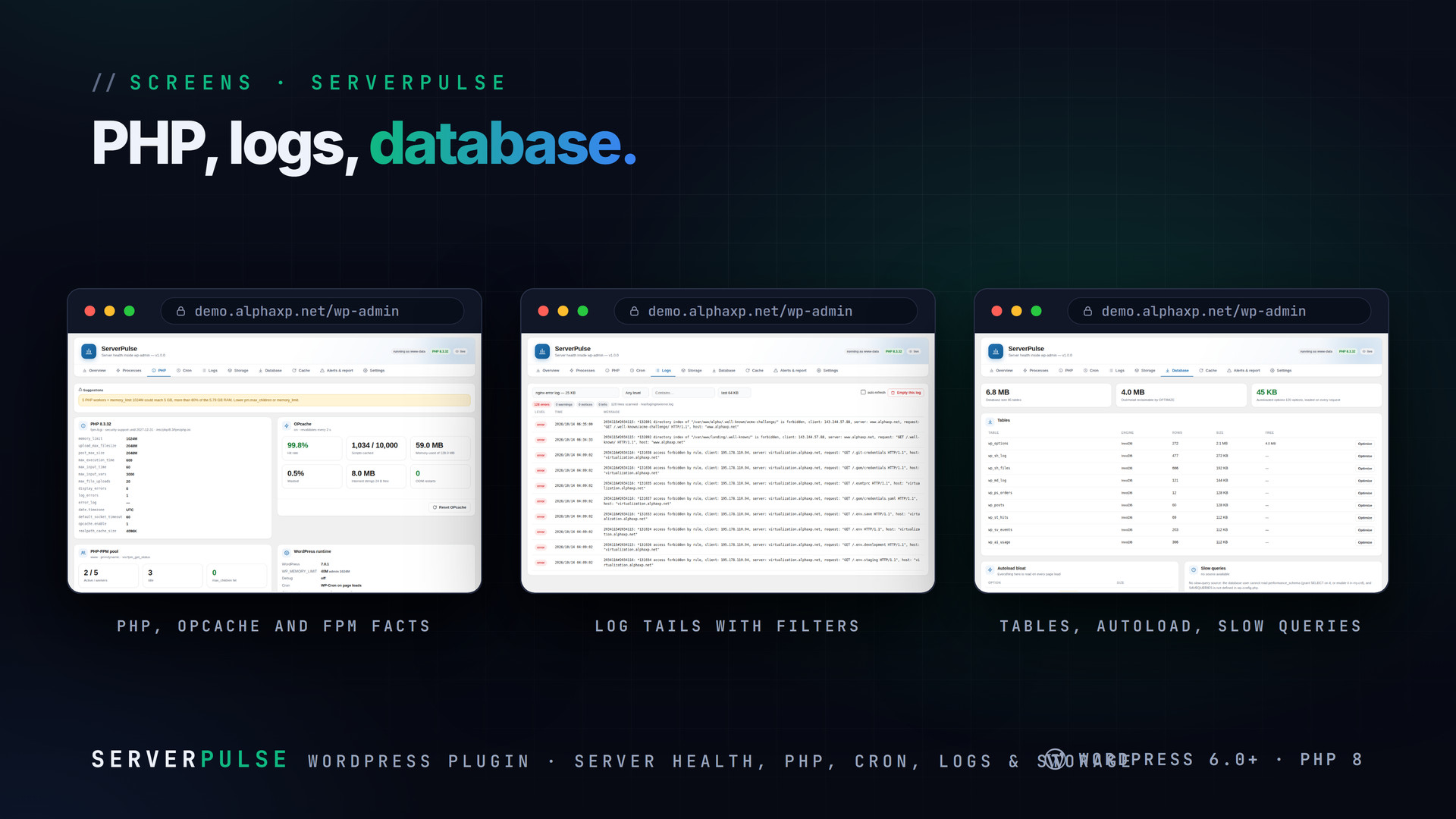
- PHP version with its security-support date, SAPI, every limit that matters, OPcache memory / scripts / hit rate / restarts, PHP-FPM pool status, loaded and missing extensions, concrete suggestions (memory_limit × workers vs RAM, upload vs post size, OPcache sizing, FPM queueing)
- WP-Cron viewer: every scheduled event with next run, schedule, owning plugin, overdue and orphan flags; run one now (timed), unschedule, trigger everything due; last-run detection and a copy-ready crontab line for real cron
- Log tails: WordPress debug.log, PHP error_log, nginx / Apache / PHP-FPM / MySQL logs the web user can read, plus your own paths; levels, filters, auto-refresh, access-log parsing with masked IPs; runaway-log alerts; empty a writable log
- Storage doctor: caches, logs in wp-content, revisions (keep N), expired transients, auto-drafts and trash, spam comments, orphaned meta, uploads missing from the media library (moved to a trash folder first), big files, backup folder sizes — one-click reclaim per category
- Database: tables with engine, rows, size and overhead (OPTIMIZE), autoload bloat with per-option autoload-off, slow queries from performance_schema or SAVEQUERIES
- Caches: WordPress object cache status, Redis and Memcached stats over their own protocols, OPcache and APCu; flush any of them; purge the page cache of the common plugins
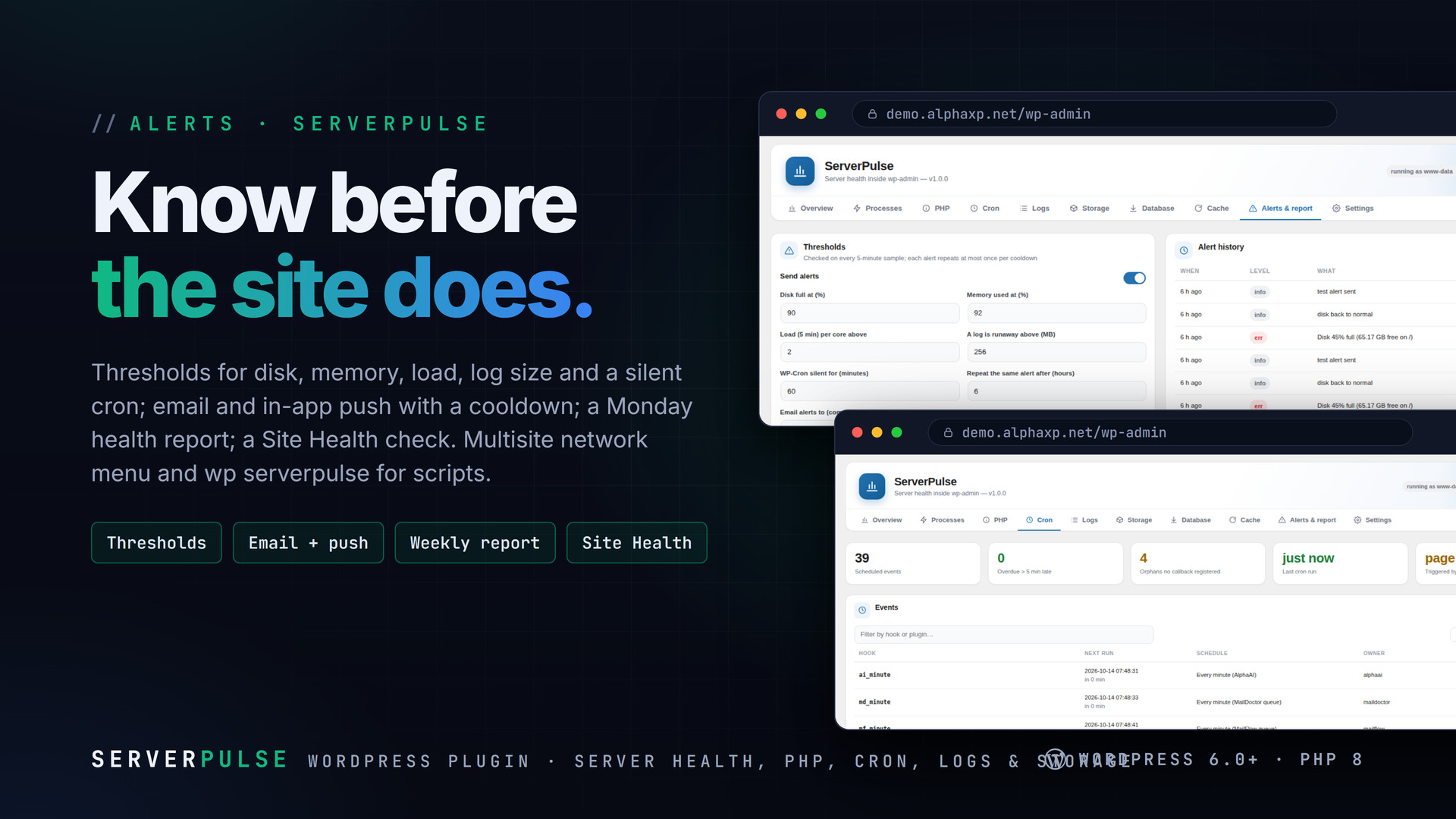
- Alerts: thresholds for disk, memory, load, log size and a silent cron; email and PushPress with a cooldown; a Monday health report; Site Health check
- Reads /proc, PHP and the database as the web user — nothing is executed, no root, no shell; network-admin menu on multisite; wp serverpulse status|top|php|cron|logs|storage|db|cache|report|sample
What the Storage Doctor Touches
- Caches, expired transients, old revisions beyond the number you keep, spam and orphan meta are deleted
- Uploads that are not in the media library are moved to a trash folder you purge yourself
- Backup folders are measured and reported, never touched
- Every category shows its size first; reclaim is one click per category


Installation
- Download the zip from your Library
- In wp-admin go to Plugins › Add New › Upload Plugin, choose the zip and activate it
- A new menu entry appears in the admin sidebar; open it
- Open ServerPulse: the first history samples appear within five minutes; Alerts › check the thresholds and the email address
Requirements
- WordPress 6.0 or newer (tested up to 7.0)
- PHP 8.0 or newer
- A Linux host for live metrics and processes (/proc); PHP, cron, logs, storage, database and cache tabs work everywhere
- Optional: Redis or Memcached for object-cache stats
What You Get
- ServerPulse 1.0.0 for WordPress (
serverpulse-1.0.0.zip) - Full, readable PHP and JavaScript source, no obfuscation
- Updates for the term of your licence
Works With
Part of the Alpha WordPress line, built with one admin kit; PushPress delivers its alerts in-app: SecureShield, SiteStats, PushPress, MailDoctor, AlphaLogin, CodeSell.
The screenshots show the plugin on our demo site with sample data.
Everything included
- Live CPU, memory (incl. swap), every real disk, load per core, network in/out and uptime,
- Top processes by sampled CPU (not lifetime averages), grouped by command, with a per-proce
- PHP version with its security-support date, SAPI, every limit that matters, OPcache memory
- WP-Cron viewer: every scheduled event with next run, schedule, owning plugin, overdue and
- Log tails: WordPress debug.log, PHP error_log, nginx / Apache / PHP-FPM / MySQL logs the w
- Storage doctor: caches, logs in wp-content, revisions (keep N), expired transients, auto-d
- Database: tables with engine, rows, size and overhead (OPTIMIZE), autoload bloat with per-
- Caches: WordPress object cache status, Redis and Memcached stats over their own protocols,
- Alerts: thresholds for disk, memory, load, log size and a silent cron; email and PushPress
- Reads /proc, PHP and the database as the web user — nothing is executed, no root, no shell
Platforms
Requirements
- WordPress 6.0+
- PHP 8.0+
- Linux host for live metrics
In the download
Personal
One non-commercial project
- 1 activation seat
- 1 year of updates
- One end product
- Non-commercial use
- Community support
- 14-day refund window
Commercial
Ship paid products
- 5 activation seats
- 1 year of updates
- One paid end product
- Unlimited end users
- Priority support
- Source files
- 14-day refund window
Extended
Resell & white-label
- Unlimited activation seats
- Lifetime updates
- Unlimited end products
- White-label & resell
- 1-hour SLA
- Seat-free team use
- 14-day refund window
One purchase per product, no subscription. Each licence comes with a signed key — 1 seat on Personal, 5 seats on Commercial, unlimited seats on Extended. Paid licences can be refunded within 14 days from your order page.
- v1.0.0LatestOct 14, 2026
- First release
Be the first to review ServerPulse | Server Health, PHP, Cron & Logs for WordPress — reviews come from customers who bought it, so every one is a verified purchase.
Frequently asked
Does it need root or shell access?
No. Everything is read from /proc, PHP itself and the database as the web server user; nothing is executed. Processes of other users can be inspected but not signalled.
Why are there no FPM pool numbers?
fpm_get_status() exists only inside FPM on newer PHP builds. Otherwise add pm.status_path to the pool, expose it to localhost and paste the URL under Settings.
Is the storage doctor safe?
Caches, expired transients, old revisions, spam and orphan meta are deleted. Uploads that are not in the media library are only moved to a trash folder you purge yourself. Backups are reported, never touched.
Does it work on shared hosting?
Yes, within what the host exposes: /proc is usually readable, so metrics and processes work; logs depend on file permissions.
How do I get the files after paying?
Straight after checkout you land on your order page with the download button and your licence key. A receipt is emailed to you, and every order stays in My library.
Which licence do I need?
Personal — One non-commercial project. Commercial — Ship paid products. Extended — Resell & white-label. The Licences tab compares them side by side.
On how many devices can I activate it?
1 seat on Personal, 5 seats on Commercial, unlimited seats on Extended.
How long do I get updates?
Personal: 1 year of updates, Commercial: 1 year of updates, Extended: lifetime updates, counted from your purchase.
Can I get a refund?
Yes — paid licences can be refunded within 14 days, straight from your order page.
Is the download safe?
The file was scanned with ClamAV when it was published. Its SHA-256 checksum is listed under Features → In the download, so you can verify the file you receive.
Do I need an account?
No. Checkout only needs your email. Signing in keeps all your purchases, keys and downloads together in My library.
More like this
FolderPress — Media Library Folders for WordPress
media library, media folders, folders, file manager, media organizer, image optimization, webp, cdn, share links, private files, two factor…
★★★★★ No reviews yetTTechHarbour$29.00NewAlphaLogin | Passkeys, 2FA & SSO for WordPress
Passkeys, two-factor codes, magic links and SSO through your Alpha accounts portal, with brute-force protection, session control, login des…
★★★★★ No reviews yetTTechHarbour$19.00NewMeetPress | Video Meetings & Bookings for WordPress
AlphaCall video rooms on any page, a booking calendar with services and weekly availability, a private room per booking, confirmations with…
★★★★★ No reviews yetTTechHarbour$29.00NewLicenseGuard | Licence Keys & Update Server for WordPress
A licence server for the software you sell: signed keys, seat-limited activations, a private update server with staged rollouts, a REST API…
★★★★★ No reviews yetTTechHarbour$29.00