
SecureShield | Firewall, Login Defence & Malware Scans for WordPress
Security suite with one score: login lockouts that never lock you out, a web application firewall, file integrity against wordpress.org checksums, malware scans with qua…
Highlights
All 12 features →SecureShield | Firewall, Login Defence, Malware & Integrity Scans for WordPress
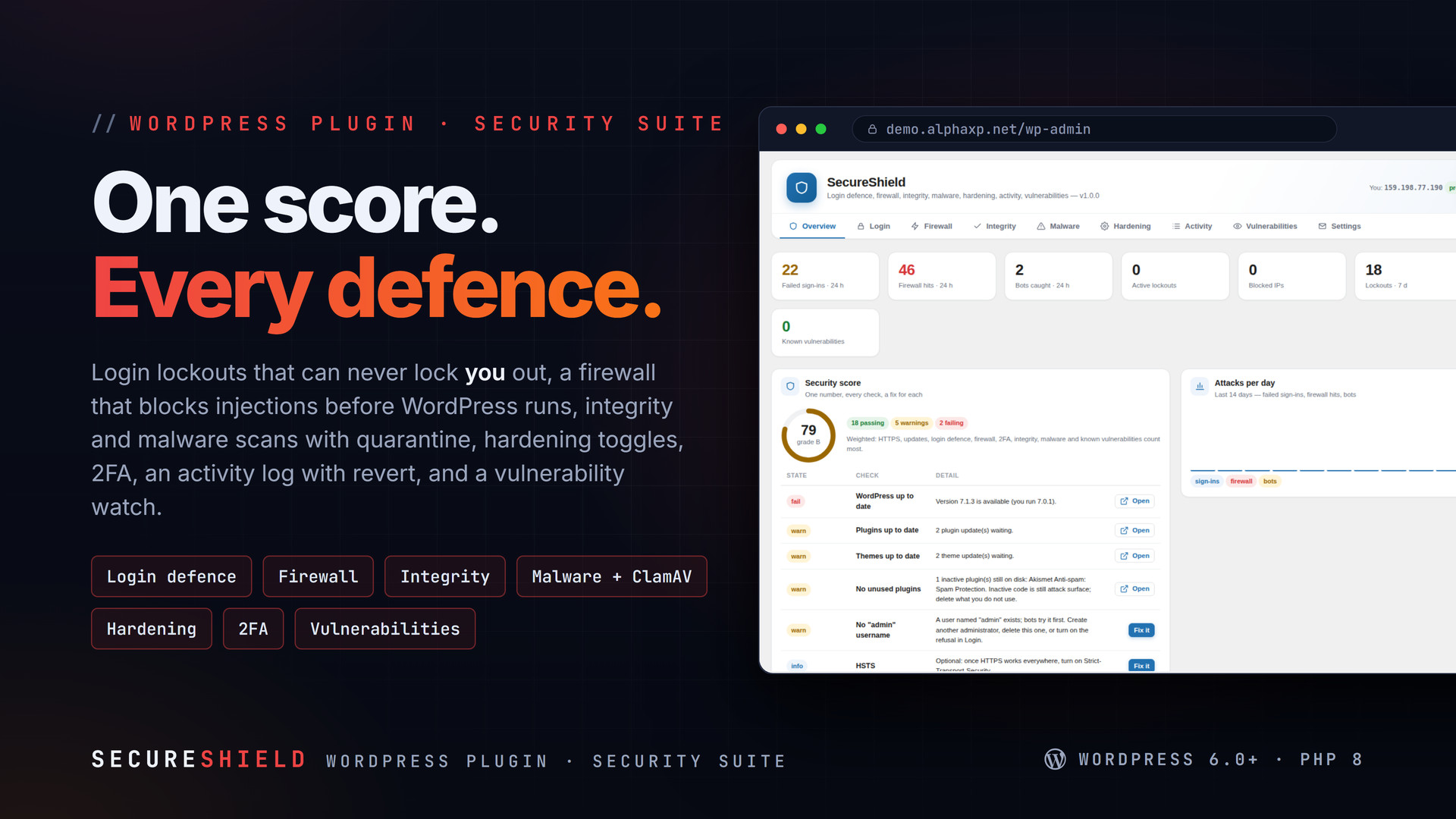
SecureShield is a complete security suite with one score. It locks out brute-force attempts without ever locking you out, blocks injection attempts before WordPress runs, verifies every core and wordpress.org file against the official checksums, scans for malware with a signature pack and ClamAV, hardens the usual weak spots with a switch each, logs who changed what with a Revert button, and watches your installed versions for known vulnerabilities.
Key Features
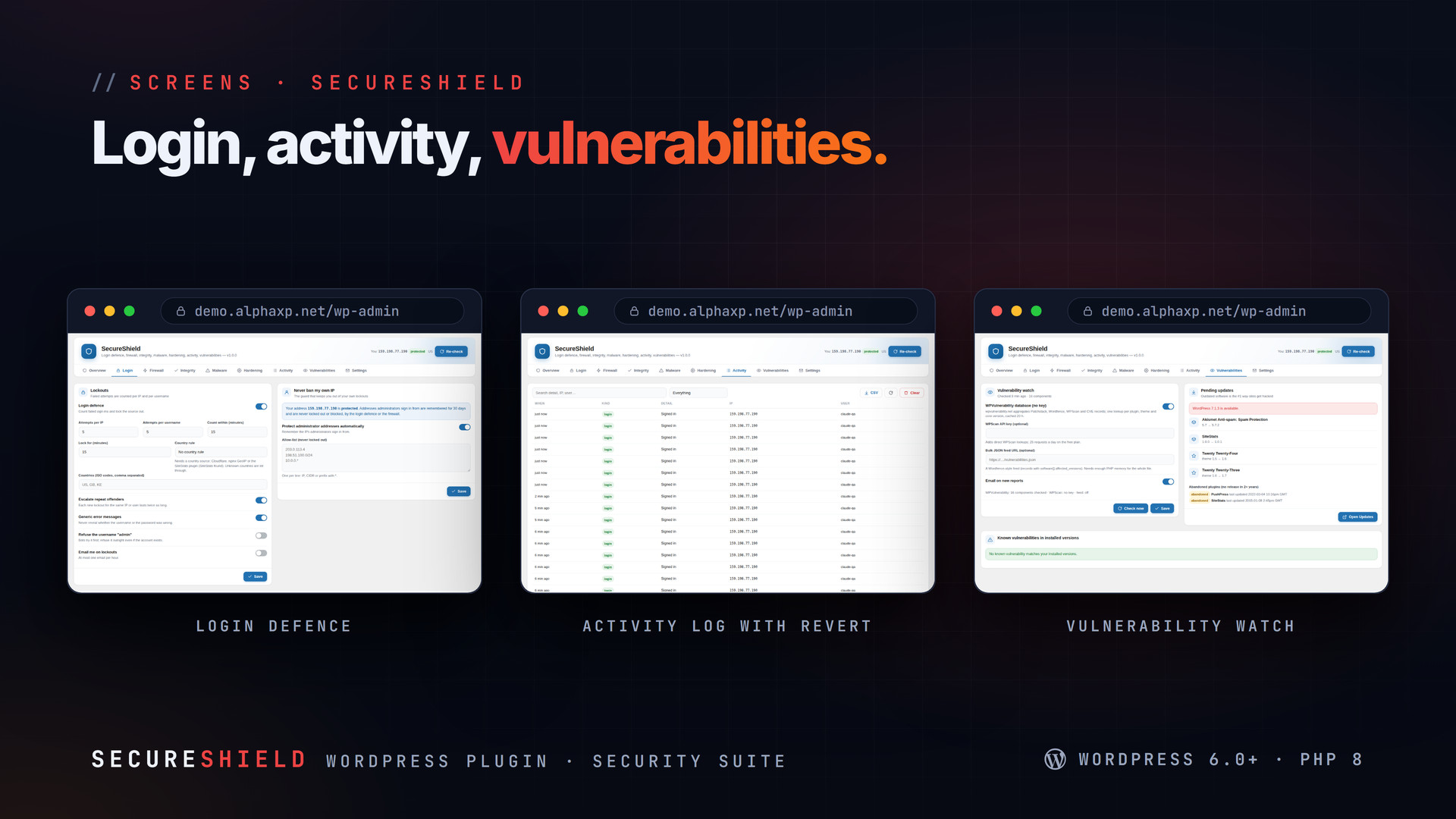
- Login defence: lockouts per IP and per username with escalation, country allow/deny rules, generic error messages, refusal of the "admin" username, a login honeypot
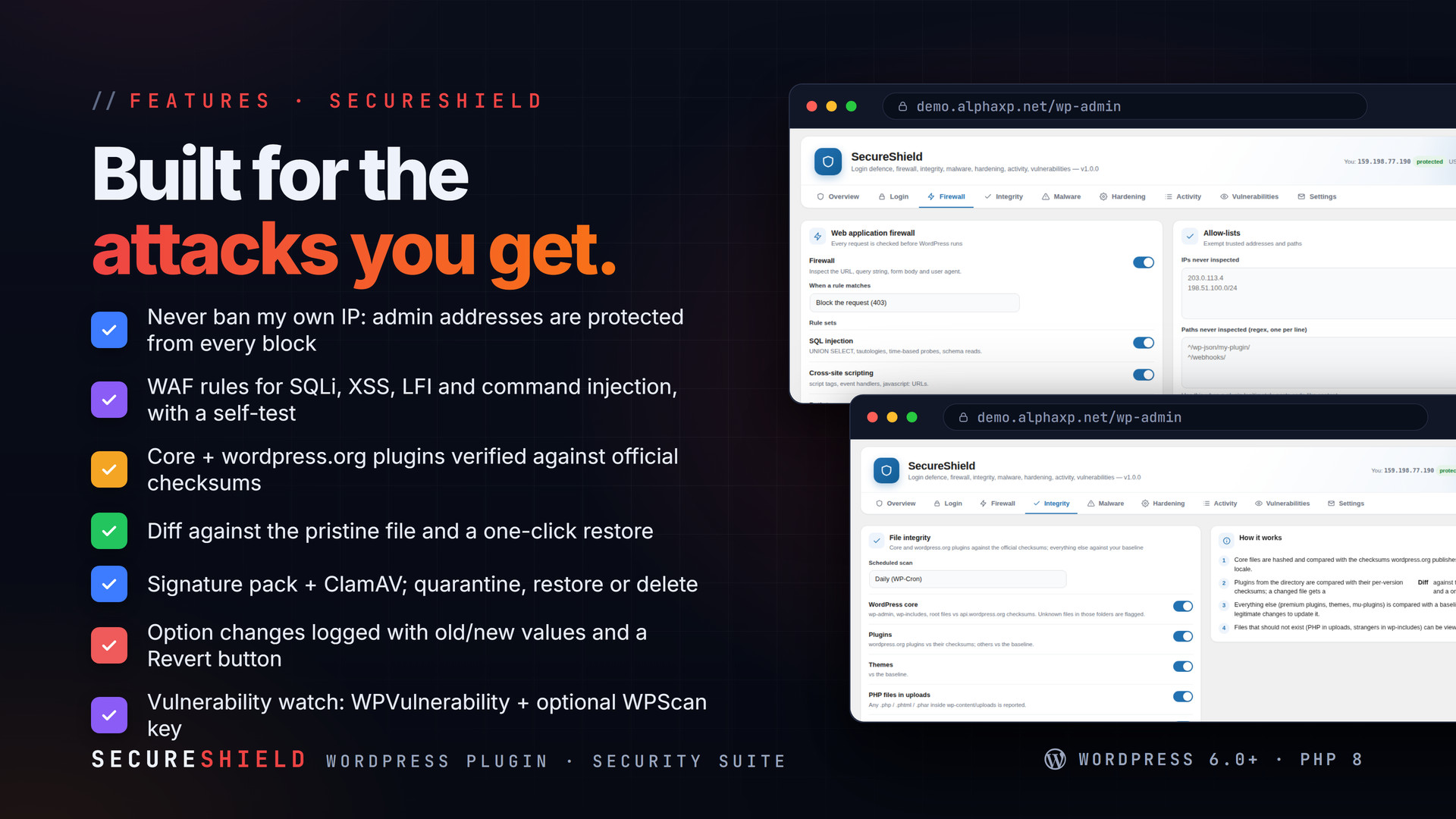
- Never ban my own IP: every address an administrator signs in from is protected from lockouts and firewall blocks
- Web application firewall: SQL injection, XSS, path traversal / LFI, command injection and scanner user agents; block or log mode; allow-lists; automatic blocking of repeat offenders; a one-click self-test
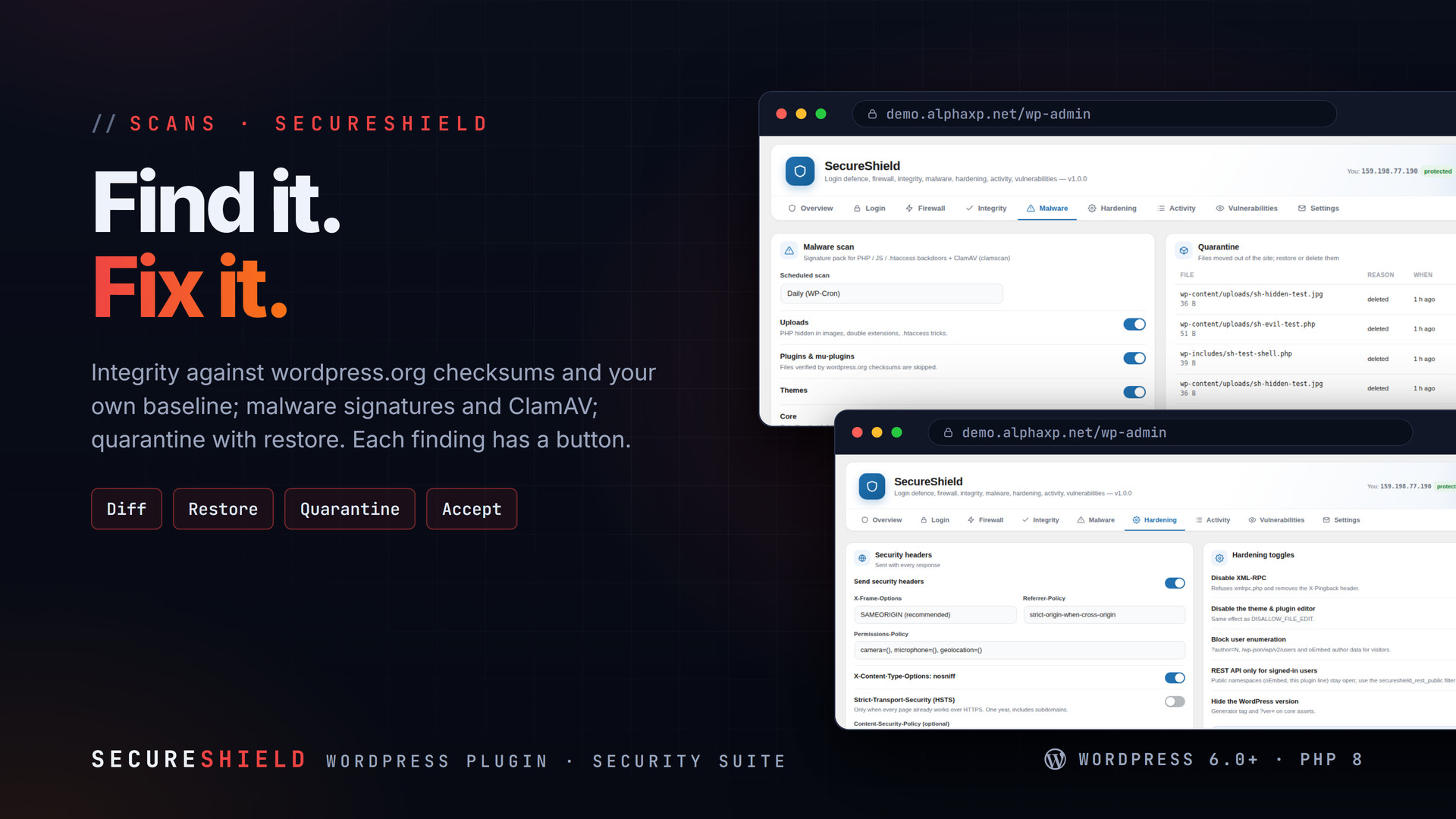
- File integrity: core files against the official checksums for your version and locale, wordpress.org plugins against their checksums, everything else against your baseline; diff against the pristine copy, one-click restore, accept into the baseline
- Unknown files in wp-admin / wp-includes and PHP files in uploads are flagged
- Malware scan: signature pack for backdoors, obfuscation, hidden iframes, PHP inside images and .htaccess tricks, plus ClamAV when the server has it; quarantine, restore, delete
- Security headers, XML-RPC off, theme/plugin editor off, user enumeration blocked, REST for signed-in users, version hidden; Apache .htaccess rules or the nginx snippet, verified by a live probe
- Two-factor (TOTP) for the roles you choose with recovery codes; hands off to AlphaLogin when it is installed
- Activity log: who changed what, option changes with old/new values and a Revert button, CSV export, retention
- Vulnerability watch: installed versions against the WPVulnerability database (no key) and the WPScan API (optional), pending updates, abandoned plugins, email alerts
- Comment and form bot protection: honeypot, minimum time to submit, JavaScript token, spam IP blocklist, StopForumSpam lookups
- One security score with every check explained and a fix-it button next to each; shown in Site Health too
The Score
- Open SecureShield: 27 checks are weighted into one score (HTTPS, updates, login defence, firewall, 2FA, integrity, malware and known vulnerabilities count most)
- Every failing check explains itself and has a fix-it button, a link, or a scan to run
- Run the first integrity scan to create your baseline and the first malware scan
- Come back to the Overview: the score, attacks per day and recent events are always there

Installation
- Download the zip from your Library
- In wp-admin go to Plugins › Add New › Upload Plugin, choose the zip and activate it
- A new menu entry appears in the admin sidebar; open it
- SecureShield › Overview: press the fix-it buttons; Integrity and Malware: run the first scans
Requirements
- WordPress 6.0 or newer (tested up to 7.0)
- PHP 8.0 or newer
- Optional: ClamAV (clamscan / clamdscan) on the server for the second scanner
- Optional: a WPScan API key for direct lookups
What You Get
- SecureShield 1.0.0 for WordPress (
secureshield-1.0.0.zip) - Full, readable PHP and JavaScript source, no obfuscation
- Updates for the term of your licence
Works With
Part of the Alpha WordPress line, built with one admin kit: AlphaLogin, SiteStats, CodeSell, LicenseGuard, MailDoctor, FolderPress.
The screenshots show the plugin on our demo site with sample data.
Everything included
- Login defence: lockouts per IP and per username with escalation, country allow/deny rules,
- Never ban my own IP: every address an administrator signs in from is protected from lockou
- Web application firewall: SQL injection, XSS, path traversal / LFI, command injection and
- File integrity: core files against the official checksums for your version and locale, wor
- Unknown files in wp-admin / wp-includes and PHP files in uploads are flagged
- Malware scan: signature pack for backdoors, obfuscation, hidden iframes, PHP inside images
- Security headers, XML-RPC off, theme/plugin editor off, user enumeration blocked, REST for
- Two-factor (TOTP) for the roles you choose with recovery codes; hands off to AlphaLogin wh
- Activity log: who changed what, option changes with old/new values and a Revert button, CS
- Vulnerability watch: installed versions against the WPVulnerability database (no key) and
- Comment and form bot protection: honeypot, minimum time to submit, JavaScript token, spam
- One security score with every check explained and a fix-it button next to each; shown in S
Platforms
Requirements
- WordPress 6.0+
- PHP 8.0+
In the download
Personal
One non-commercial project
- 1 activation seat
- 1 year of updates
- One end product
- Non-commercial use
- Community support
- 14-day refund window
Commercial
Ship paid products
- 5 activation seats
- 1 year of updates
- One paid end product
- Unlimited end users
- Priority support
- Source files
- 14-day refund window
Extended
Resell & white-label
- Unlimited activation seats
- Lifetime updates
- Unlimited end products
- White-label & resell
- 1-hour SLA
- Seat-free team use
- 14-day refund window
One purchase per product, no subscription. Each licence comes with a signed key — 1 seat on Personal, 5 seats on Commercial, unlimited seats on Extended. Paid licences can be refunded within 14 days from your order page.
- v1.0.0LatestOct 13, 2026
- First release
Be the first to review SecureShield | Firewall, Login Defence & Malware Scans for WordPress — reviews come from customers who bought it, so every one is a verified purchase.
Frequently asked
Can it lock me out of my own site?
No. The IP you installed it from, every IP an administrator signs in from and anything on the allow-lists are protected from lockouts and firewall blocks, by design.
Does the firewall break page builders or editors?
Users who may post unfiltered HTML (editors, administrators) are not inspected when they save content, and any path can be allow-listed. The self-test shows the firewall is working from the outside.
Is ClamAV required?
No. The signature pack runs everywhere; ClamAV is used in addition when clamscan or clamdscan exists on the server.
How does it find vulnerabilities without a key?
It checks each installed plugin, theme and the core version against the WPVulnerability database, which aggregates Patchstack, Wordfence, WPScan and CVE records. A WPScan API key can be added for direct lookups.
How do I get the files after paying?
Straight after checkout you land on your order page with the download button and your licence key. A receipt is emailed to you, and every order stays in My library.
Which licence do I need?
Personal — One non-commercial project. Commercial — Ship paid products. Extended — Resell & white-label. The Licences tab compares them side by side.
On how many devices can I activate it?
1 seat on Personal, 5 seats on Commercial, unlimited seats on Extended.
How long do I get updates?
Personal: 1 year of updates, Commercial: 1 year of updates, Extended: lifetime updates, counted from your purchase.
Can I get a refund?
Yes — paid licences can be refunded within 14 days, straight from your order page.
Is the download safe?
The file was scanned with ClamAV when it was published. Its SHA-256 checksum is listed under Features → In the download, so you can verify the file you receive.
Do I need an account?
No. Checkout only needs your email. Signing in keeps all your purchases, keys and downloads together in My library.
More like this
FolderPress — Media Library Folders for WordPress
media library, media folders, folders, file manager, media organizer, image optimization, webp, cdn, share links, private files, two factor…
★★★★★ No reviews yetTTechHarbour$29.00NewAlphaLogin | Passkeys, 2FA & SSO for WordPress
Passkeys, two-factor codes, magic links and SSO through your Alpha accounts portal, with brute-force protection, session control, login des…
★★★★★ No reviews yetTTechHarbour$19.00NewMeetPress | Video Meetings & Bookings for WordPress
AlphaCall video rooms on any page, a booking calendar with services and weekly availability, a private room per booking, confirmations with…
★★★★★ No reviews yetTTechHarbour$29.00NewLicenseGuard | Licence Keys & Update Server for WordPress
A licence server for the software you sell: signed keys, seat-limited activations, a private update server with staged rollouts, a REST API…
★★★★★ No reviews yetTTechHarbour$29.00