
GeoGate | Geo-targeting & Country Rules for WordPress
Country-aware WordPress with an offline database: content by region, geo redirects, country and network blocking, VPN/Tor detection, consent banner by law.
Highlights
All 12 features →GeoGate | Geo-targeting, Country Blocking, Redirects, VPN Detection & Consent for WordPress
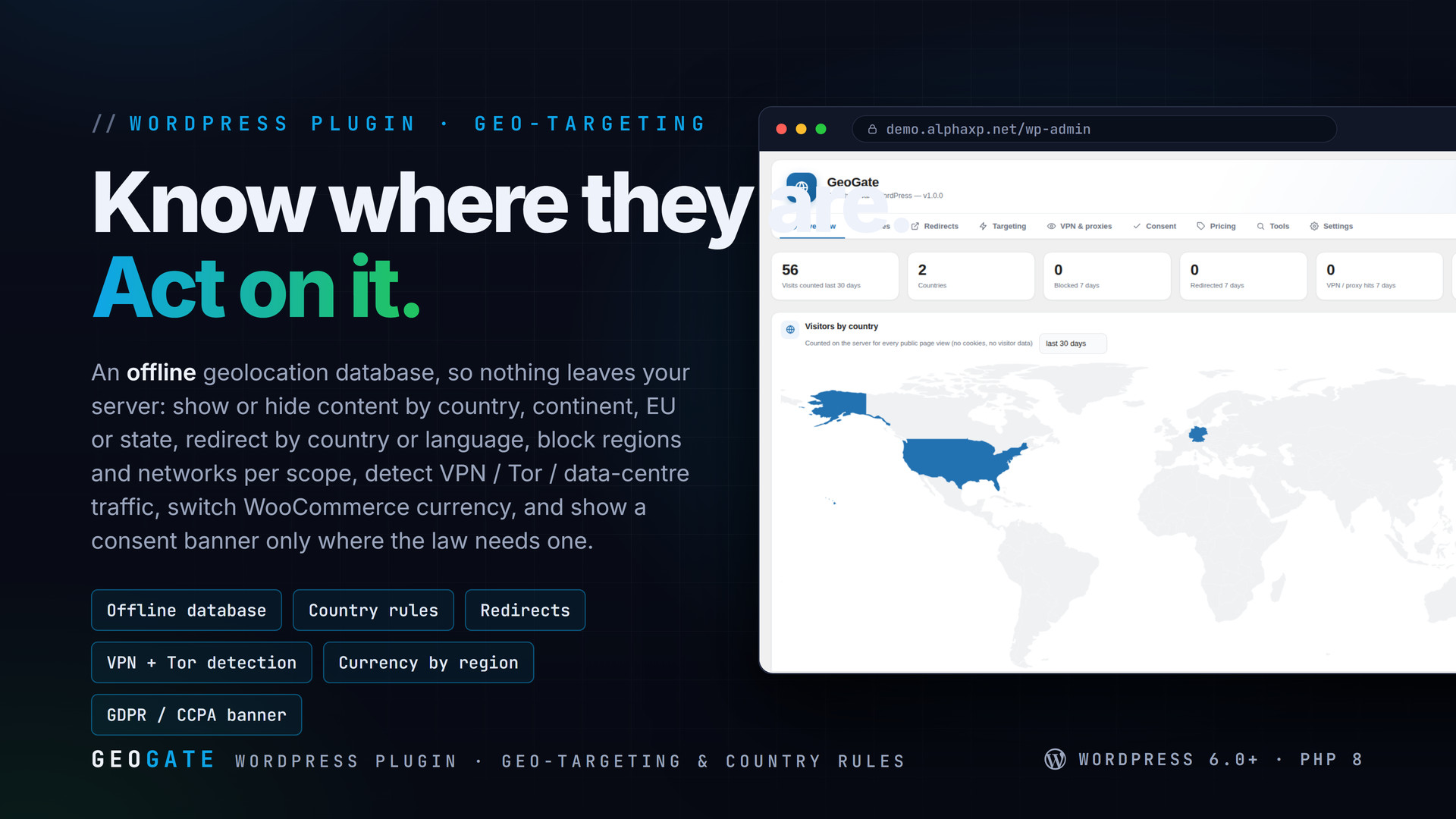
GeoGate makes WordPress country-aware with a database that lives on your server. Show or hide content by country, continent, EU, state or city; redirect by country or browser language; block or allow regions and networks for the whole site, wp-admin, checkout or comments; detect VPN, proxy, Tor and data-centre traffic; switch WooCommerce currency and prices by region; show a consent banner only where a privacy law requires one; and see a visitor map with country statistics per page. Themes and headless front-ends get a REST endpoint and a JavaScript helper.
Key Features
- Offline geolocation: a one-click install of the free DB-IP Lite city and network databases, or your own GeoLite2 files; Cloudflare country headers honoured; lookups cached and never sent anywhere
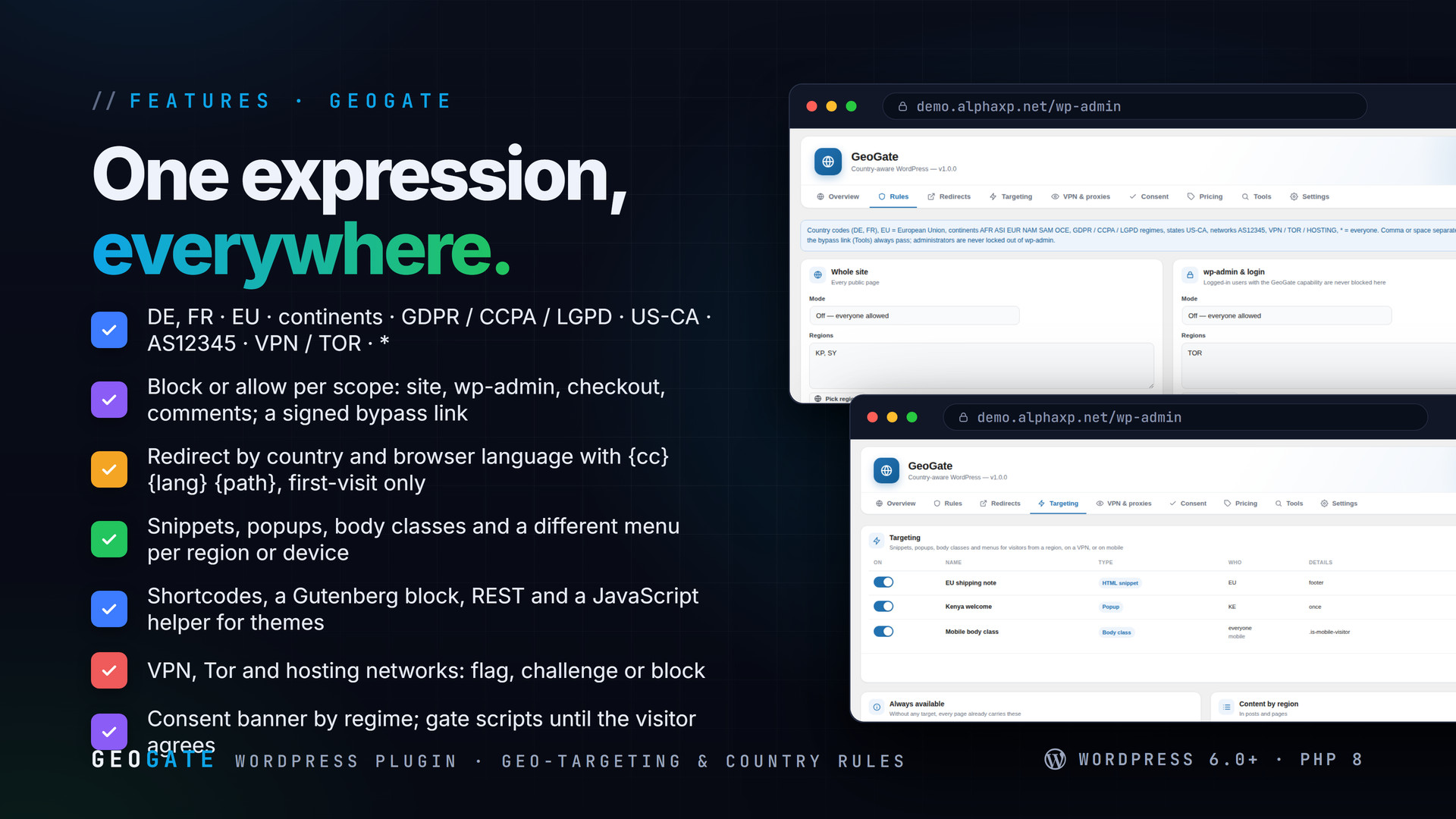
- One list expression everywhere: country codes, EU, continents (AFR ASI EUR NAM SAM OCE), GDPR / CCPA / LGPD regimes, states (US-CA), networks (AS12345), VPN / TOR / HOSTING, * for everyone
- Block or allow per scope: the whole site, wp-admin and login, checkout and cart, comments; blocked networks by ASN; allow-listed IPs and CIDR ranges; a signed bypass link; a custom block page with a 451 / 403 / 404 / 503 status
- Administrators are never locked out; a country preview (?gg_as=DE) tests the site as any visitor
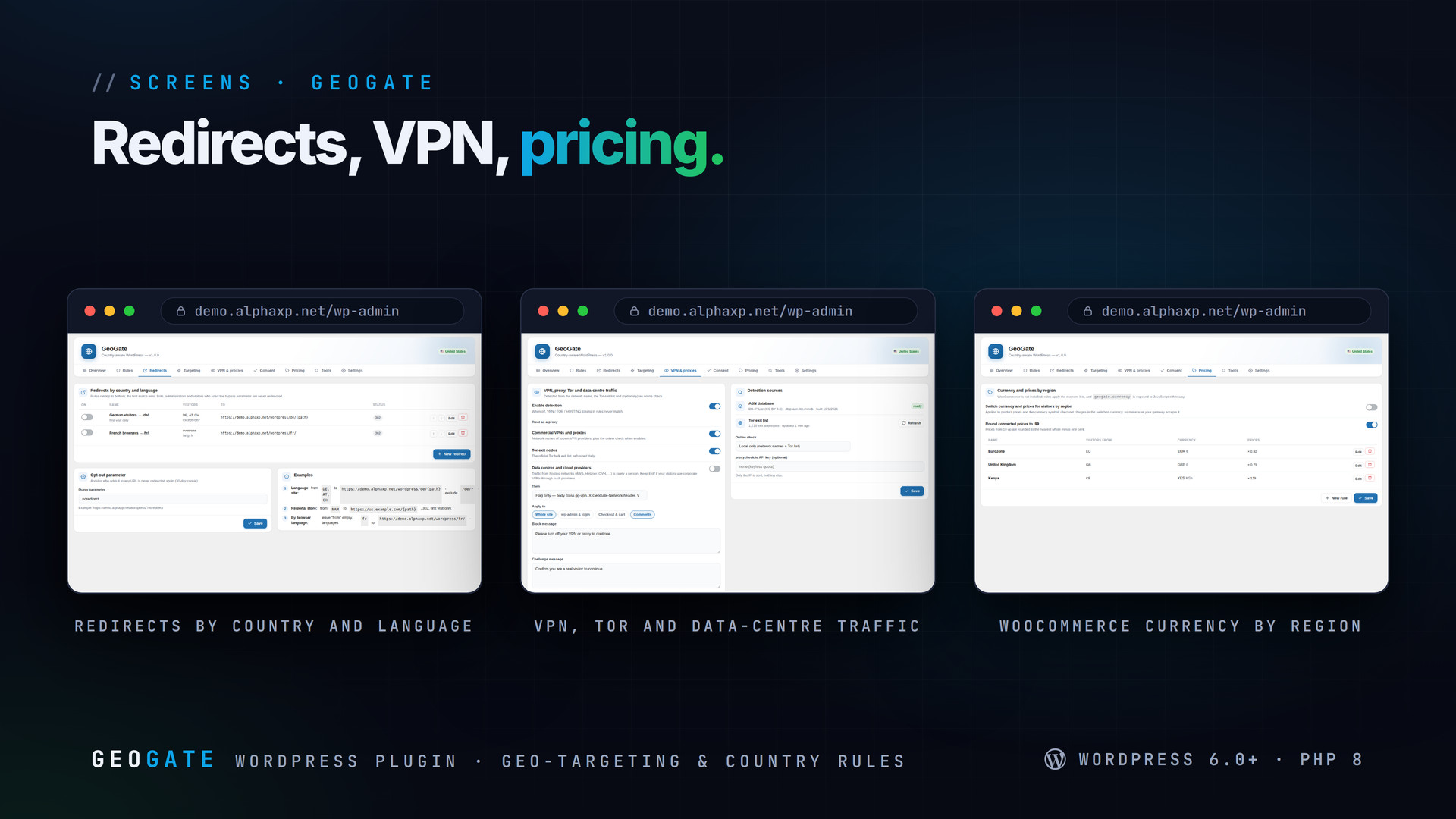
- Redirects by visitor country and/or browser language with {cc} {lang} {path} placeholders, 301 or 302, excluded paths, first-visit-only, an opt-out parameter, first match wins
- Targeting: HTML snippets at the top, footer or after the content; popups once per browser; body classes; a different menu per region, for visitors from a region, on a VPN, or on mobile
- Content by region: [geogate show= hide= vpn= else=] shortcodes, [geogate_info field=], a "GeoGate region" block that wraps any blocks server-side
- Body classes (gg-cc-de, gg-eu, gg-vpn), html[data-gg-cc], a geogate JavaScript object with is("EU, GB") and a ready event, REST geogate/v1/me, PHP helpers
- VPN, proxy, Tor and data-centre detection from network names, the official Tor exit list and an optional proxycheck.io lookup: flag (body class + header + rule token), challenge, or block, per scope
- WooCommerce currency and prices by region: multiply by a factor or keep the number, .99 rounding, currency exposed to JavaScript for any other shop
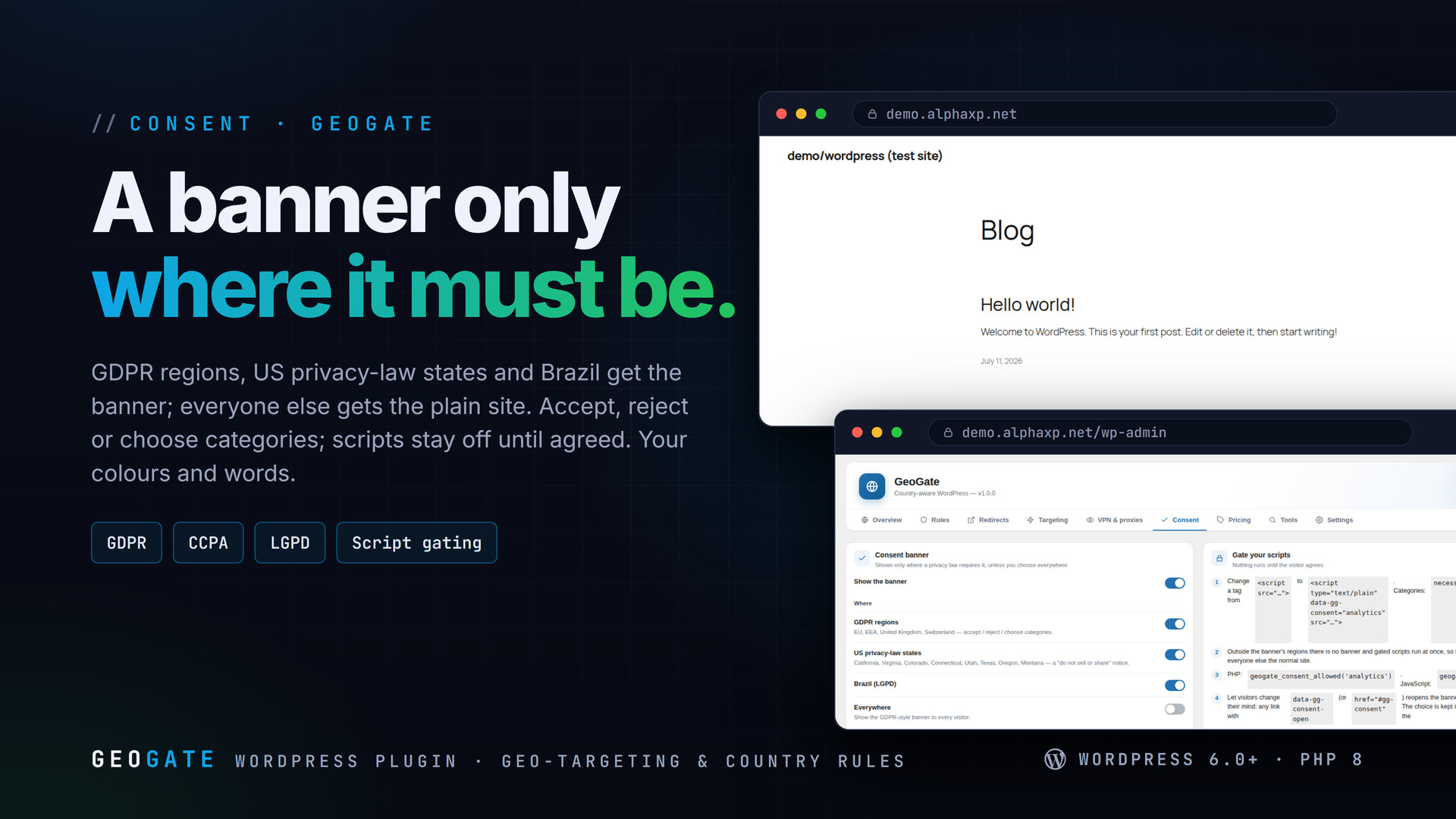
- Consent banner shown only where required (GDPR regions, US privacy-law states, Brazil) or everywhere; accept / reject / categories; a "do not sell or share" notice for US states; script gating with data-gg-consent
- Overview with a world map, top countries, continents, pages by region, recent decisions; an activity log with masked IPs; a lookup tester that shows every scope's verdict; Site Health check
How Rules Work
- Install the free city database with one click (Settings) — or point GeoGate at a GeoLite2 file you already have
- Write a rule as a list:
DE, AT, CH,EU,ASI,US-CA,AS12345,VPN - Pick the scope: whole site, wp-admin, checkout or comments, block or allow
- Test with Tools › Test an IP, which shows the lookup and every scope's verdict, or preview the site as a visitor from any country


Installation
- Download the zip from your Library
- In wp-admin go to Plugins › Add New › Upload Plugin, choose the zip and activate it
- A new menu entry appears in the admin sidebar; open it
- GeoGate › Settings › Databases: install the free city database (and the network database for VPN detection)
Requirements
- WordPress 6.0 or newer (tested up to 7.0)
- PHP 8.0 or newer
- About 130 MB of disk for the city database (downloaded on request)
- Optional: WooCommerce for currency switching, a proxycheck.io key for online VPN checks
What You Get
- GeoGate 1.0.0 for WordPress (
geogate-1.0.0.zip) - Full, readable PHP and JavaScript source, no obfuscation
- Updates for the term of your licence
- The MaxMind database reader and a world map, bundled
Works With
Part of the Alpha WordPress line, built with one admin kit; SiteStats shares its geolocation database, SecureShield runs its login defence first: SiteStats, SecureShield, CodeSell, PayStudio, ShareVault, AlphaLogin.
The screenshots show the plugin on our demo site with sample data.
Everything included
- Offline geolocation: a one-click install of the free DB-IP Lite city and network databases
- One list expression everywhere: country codes, EU, continents (AFR ASI EUR NAM SAM OCE), G
- Block or allow per scope: the whole site, wp-admin and login, checkout and cart, comments;
- Administrators are never locked out; a country preview (?gg_as=DE) tests the site as any v
- Redirects by visitor country and/or browser language with {cc} {lang} {path} placeholders,
- Targeting: HTML snippets at the top, footer or after the content; popups once per browser;
- Content by region: [geogate show= hide= vpn= else=] shortcodes, [geogate_info field=], a "
- Body classes (gg-cc-de, gg-eu, gg-vpn), html[data-gg-cc], a geogate JavaScript object with
- VPN, proxy, Tor and data-centre detection from network names, the official Tor exit list a
- WooCommerce currency and prices by region: multiply by a factor or keep the number, .99 ro
- Consent banner shown only where required (GDPR regions, US privacy-law states, Brazil) or
- Overview with a world map, top countries, continents, pages by region, recent decisions; a
Platforms
Requirements
- WordPress 6.0+
- PHP 8.0+
In the download
Personal
One non-commercial project
- 1 activation seat
- 1 year of updates
- One end product
- Non-commercial use
- Community support
- 14-day refund window
Commercial
Ship paid products
- 5 activation seats
- 1 year of updates
- One paid end product
- Unlimited end users
- Priority support
- Source files
- 14-day refund window
Extended
Resell & white-label
- Unlimited activation seats
- Lifetime updates
- Unlimited end products
- White-label & resell
- 1-hour SLA
- Seat-free team use
- 14-day refund window
One purchase per product, no subscription. Each licence comes with a signed key — 1 seat on Personal, 5 seats on Commercial, unlimited seats on Extended. Paid licences can be refunded within 14 days from your order page.
- v1.0.0LatestOct 14, 2026
- First release
Be the first to review GeoGate | Geo-targeting & Country Rules for WordPress — reviews come from customers who bought it, so every one is a verified purchase.
Frequently asked
Does it send visitor IPs to a service?
No. Lookups run against a database on your server (DB-IP Lite installed with one click, or your GeoLite2 file). The optional proxycheck.io lookup is off by default.
Will it lock me out?
No. Logged-in managers are never blocked from wp-admin, and they see the live site unless they switch on the country preview. A signed bypass link also exists for partners.
Does it work with a page cache?
A full-page cache serves one copy to everyone. Vary the cache by country, exclude gated pages, or use the JavaScript helper for content that differs by region.
Is the consent banner shown to everyone?
Only to visitors from GDPR regions, US privacy-law states and Brazil by default; you can show it everywhere instead. Gated scripts run immediately outside those regions.
How do I get the files after paying?
Straight after checkout you land on your order page with the download button and your licence key. A receipt is emailed to you, and every order stays in My library.
Which licence do I need?
Personal — One non-commercial project. Commercial — Ship paid products. Extended — Resell & white-label. The Licences tab compares them side by side.
On how many devices can I activate it?
1 seat on Personal, 5 seats on Commercial, unlimited seats on Extended.
How long do I get updates?
Personal: 1 year of updates, Commercial: 1 year of updates, Extended: lifetime updates, counted from your purchase.
Can I get a refund?
Yes — paid licences can be refunded within 14 days, straight from your order page.
Is the download safe?
The file was scanned with ClamAV when it was published. Its SHA-256 checksum is listed under Features → In the download, so you can verify the file you receive.
Do I need an account?
No. Checkout only needs your email. Signing in keeps all your purchases, keys and downloads together in My library.
More like this
FolderPress — Media Library Folders for WordPress
media library, media folders, folders, file manager, media organizer, image optimization, webp, cdn, share links, private files, two factor…
★★★★★ No reviews yetTTechHarbour$29.00NewAlphaLogin | Passkeys, 2FA & SSO for WordPress
Passkeys, two-factor codes, magic links and SSO through your Alpha accounts portal, with brute-force protection, session control, login des…
★★★★★ No reviews yetTTechHarbour$19.00NewMeetPress | Video Meetings & Bookings for WordPress
AlphaCall video rooms on any page, a booking calendar with services and weekly availability, a private room per booking, confirmations with…
★★★★★ No reviews yetTTechHarbour$29.00NewLicenseGuard | Licence Keys & Update Server for WordPress
A licence server for the software you sell: signed keys, seat-limited activations, a private update server with staged rollouts, a REST API…
★★★★★ No reviews yetTTechHarbour$29.00