
CodeForge | Code Editor, Snapshots & Git Deploy for WordPress
Monaco for themes and plugins: a PHP syntax check before every save, snapshots with diffs and rollback, git deploy on webhook, staging, snippets, WP-CLI.
Highlights
All 10 features →CodeForge | A Code Editor for Themes & Plugins with Syntax Checks, Snapshots, Git Deploy and Snippets
Try CodeForge liveThe real admin, ready to explore — no sign-up, nothing to install.Live demoDemo detailsHide details
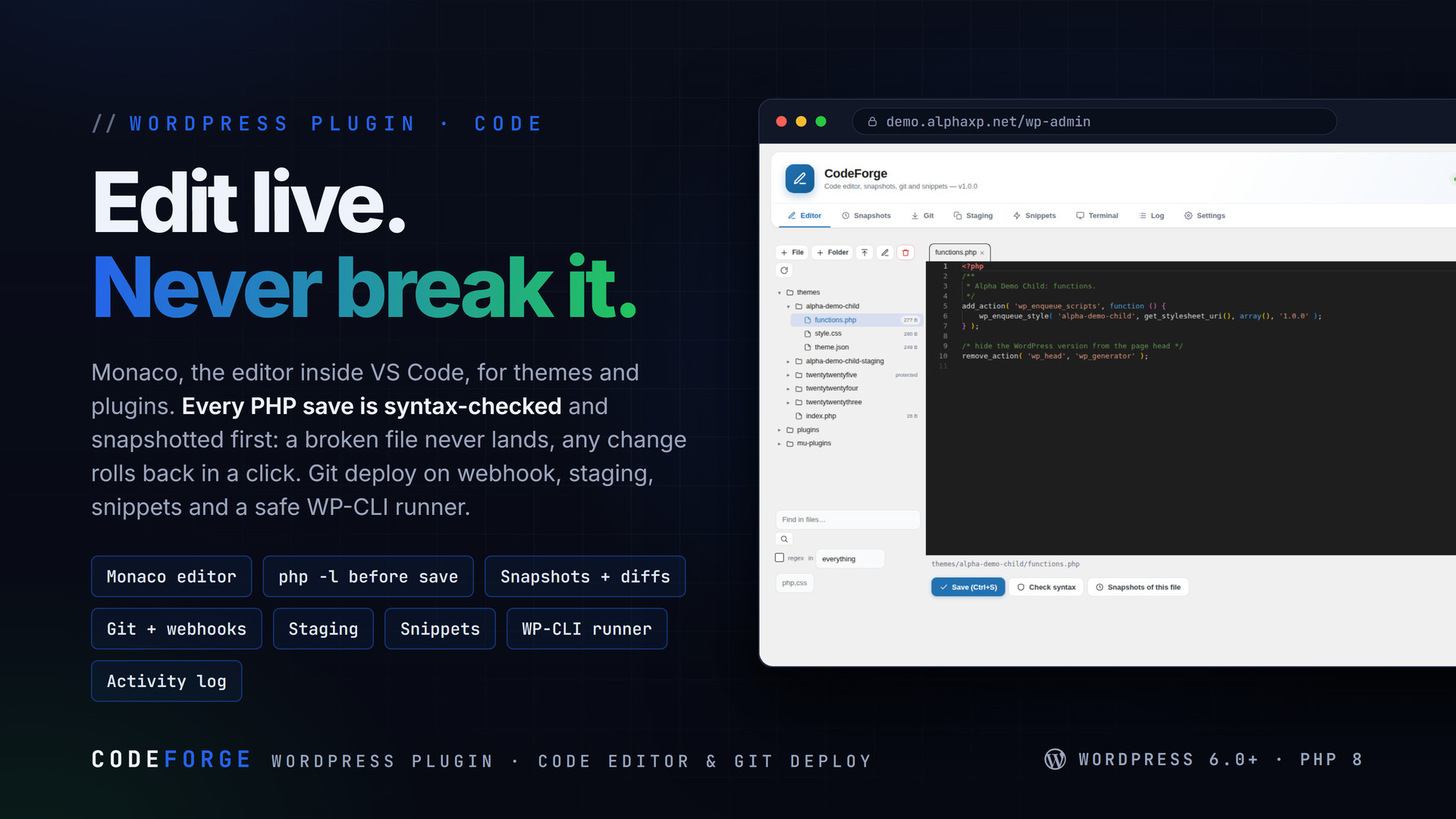
CodeForge replaces the built-in theme and plugin editors with Monaco and makes editing a live site safe: PHP is syntax-checked before it is written, every change is snapshotted with a diff and a one-click rollback, and core files are out of reach. Deploy from git with signed webhooks, work on a staging copy and push it live, run isolated snippets, and use an allow-listed WP-CLI runner — all logged.
Key Features
- Monaco, the editor inside VS Code, bundled: tabs, PHP / JavaScript / CSS / HTML / JSON / Markdown highlighting, language services, find in files across themes and plugins, a lazy file tree with create / rename / delete / upload, image preview
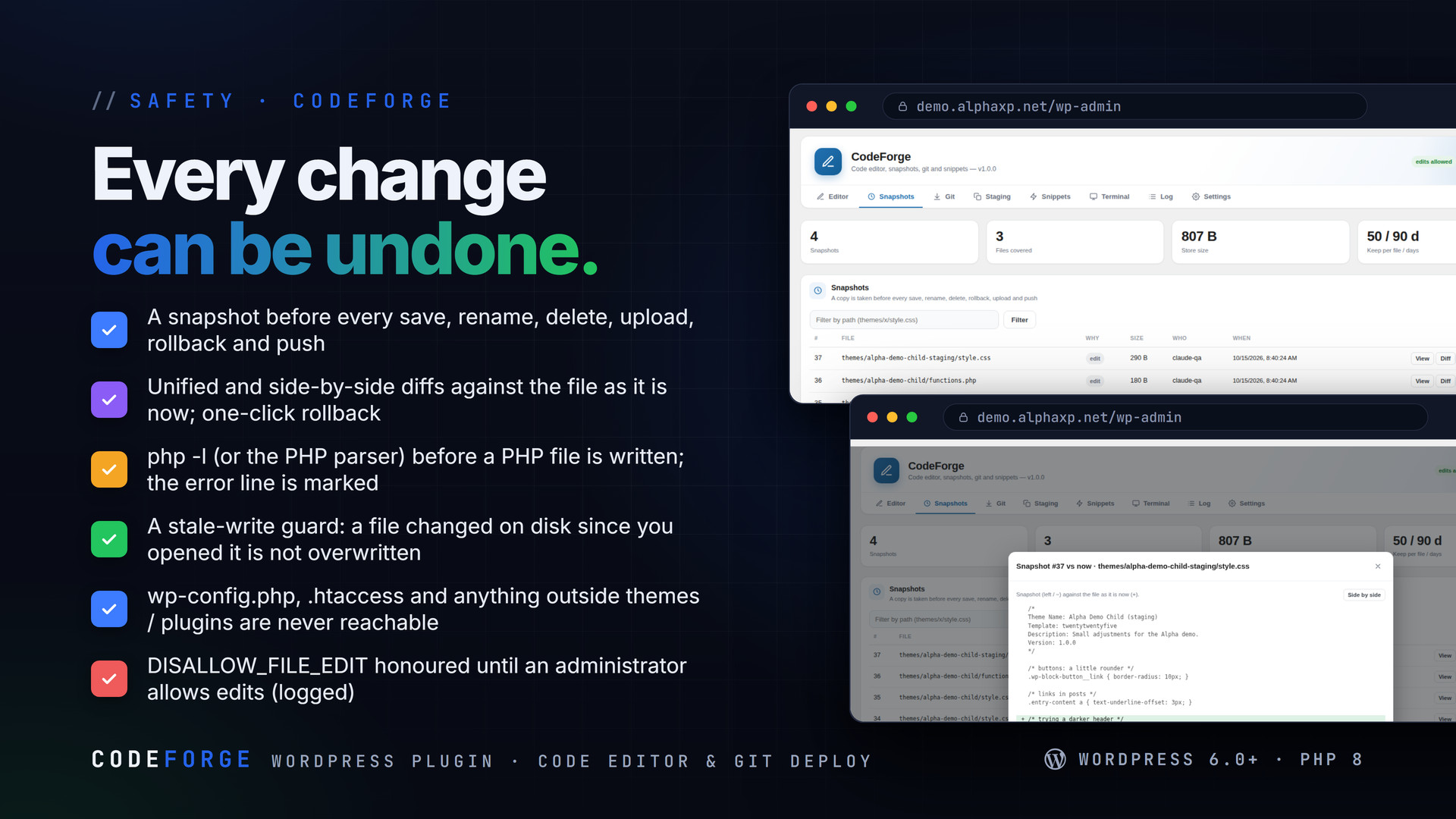
- Every PHP save runs php -l first (or the PHP parser when there is no CLI): a file with a syntax error never lands, and the error line is marked in the editor
- A snapshot before every save, rename, delete, upload, rollback and push; one-click rollback; unified and side-by-side diffs; retention per file and by age
- A stale-write guard: when a file changed on disk since it was opened, the save is refused instead of overwriting
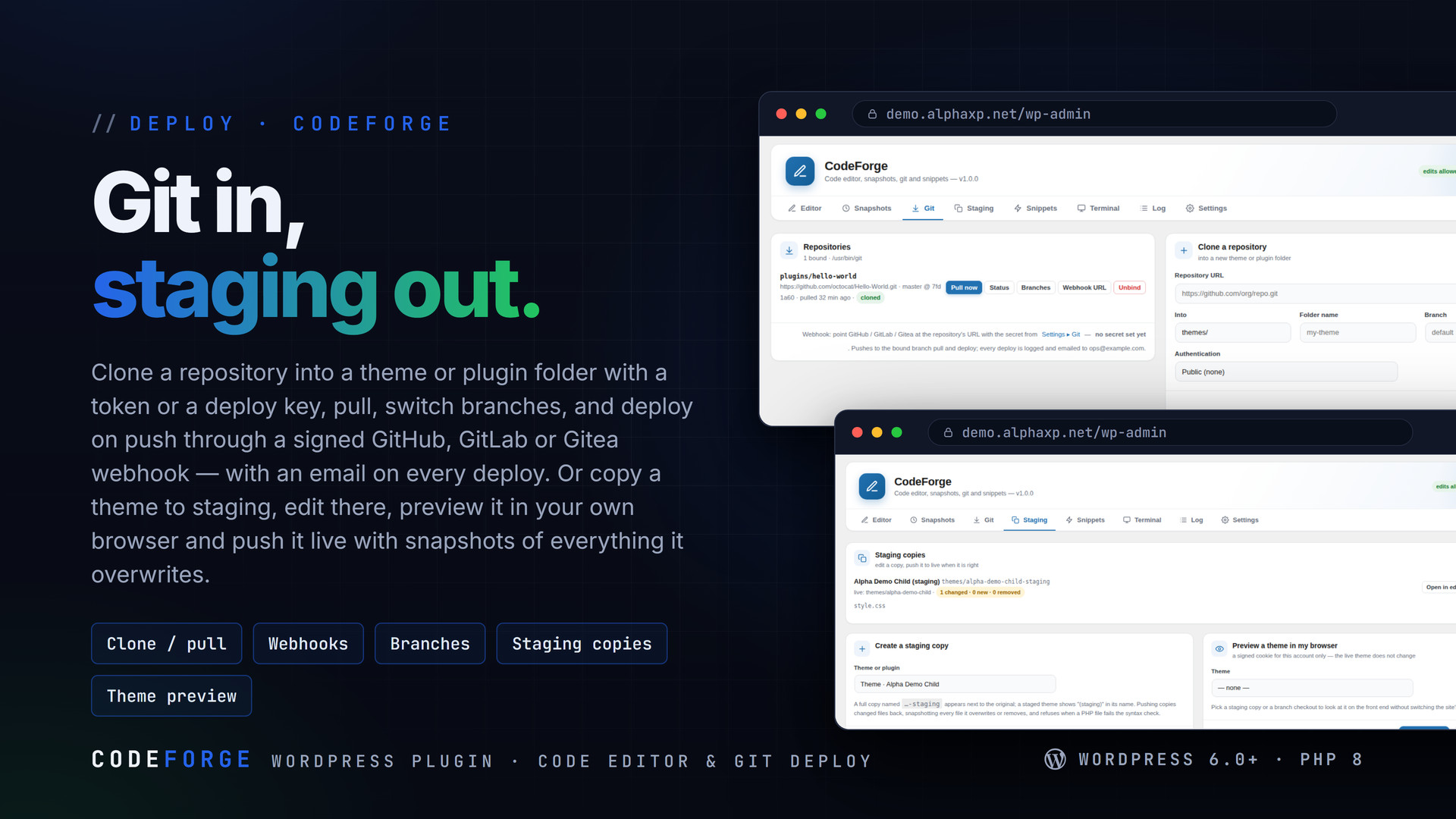
- Git: clone into a theme or plugin folder (public, HTTPS token or SSH deploy key), pull, list and switch branches, status and log; a webhook per repository verifying GitHub / Gitea signatures or the GitLab token; email on deploy
- Staging: copy a theme or plugin to …-staging, edit there, see the changes, push to live — PHP linted, every overwritten or removed live file snapshotted; preview any theme in your own browser without switching the site
- Only wp-content/themes, plugins and mu-plugins are reachable; wp-config.php, .htaccess and similar never; symlinks not followed; protected paths of your own that need an unlock per session; CodeForge cannot edit itself
- DISALLOW_FILE_EDIT / DISALLOW_FILE_MODS honoured: read-only until an administrator allows edits, and the override is logged
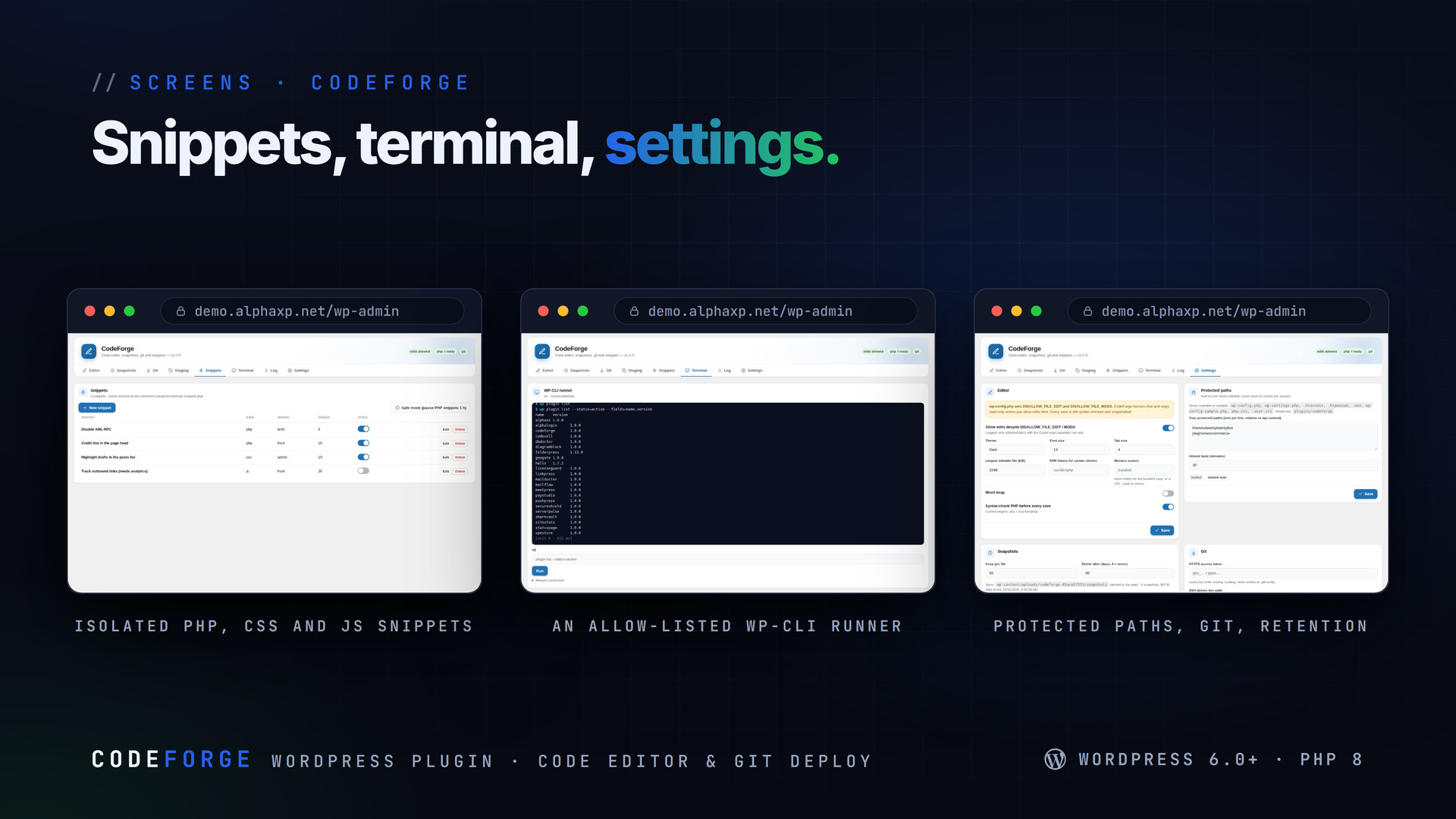
- Snippets: PHP (one isolated mu-plugin loader that switches off a snippet that throws or fatals), CSS and JS with scope and order, syntax-checked before enabling, a one-hour safe mode
- An opt-in WP-CLI runner (argv, no shell, an allow-list of read-mostly commands, time-limited, logged); an activity log; REST codeforge/v1 and wp codeforge for scripts; Site Health check
What Happens When You Press Save
- The path is checked: only themes, plugins and mu-plugins, never wp-config.php or a symlink, unlocked if protected
- The file on disk is compared with the version you opened; if it changed, nothing is overwritten
- PHP is linted; a syntax error stops the save and marks the line
- The current file is snapshotted, then the new content is written and the save is logged


Installation
- Download the zip from your Library
- In wp-admin go to Plugins › Add New › Upload Plugin, choose the zip and activate it
- A new menu entry appears in the admin sidebar; open it
- If your wp-config sets DISALLOW_FILE_EDIT, decide under Settings whether CodeForge may edit anyway; add a git token or deploy key and a webhook secret if you deploy from a repository
Requirements
- WordPress 6.0 or newer (tested up to 7.0)
- PHP 8.0 or newer
- proc_open for php -l, git and WP-CLI (the PHP parser checks syntax otherwise)
- Optional: git and WP-CLI on the server
What You Get
- CodeForge 1.0.0 for WordPress (
codeforge-1.0.0.zip) - Full, readable PHP and JavaScript source, no obfuscation
- Updates for the term of your licence
- Monaco Editor (MIT) bundled, so the editor never loads from a CDN
Works With
Part of the Alpha WordPress line, built with one admin kit; DBDoctor covers the database side: DBDoctor, ServerPulse, SecureShield, DiagramBlock, LicenseGuard, CodeSell.
The screenshots show the plugin on our demo site with sample data.
Everything included
- Monaco, the editor inside VS Code, bundled: tabs, PHP / JavaScript / CSS / HTML / JSON / M
- Every PHP save runs php -l first (or the PHP parser when there is no CLI): a file with a s
- A snapshot before every save, rename, delete, upload, rollback and push; one-click rollbac
- A stale-write guard: when a file changed on disk since it was opened, the save is refused
- Git: clone into a theme or plugin folder (public, HTTPS token or SSH deploy key), pull, li
- Staging: copy a theme or plugin to …-staging, edit there, see the changes, push to live —
- Only wp-content/themes, plugins and mu-plugins are reachable; wp-config.php, .htaccess and
- DISALLOW_FILE_EDIT / DISALLOW_FILE_MODS honoured: read-only until an administrator allows
- Snippets: PHP (one isolated mu-plugin loader that switches off a snippet that throws or fa
- An opt-in WP-CLI runner (argv, no shell, an allow-list of read-mostly commands, time-limit
Platforms
Requirements
- WordPress 6.0+
- PHP 8.0+
- proc_open for php -l, git and WP-CLI
In the download
Personal
One non-commercial project
- 1 activation seat
- 1 year of updates
- One end product
- Non-commercial use
- Community support
- 14-day refund window
Commercial
Ship paid products
- 5 activation seats
- 1 year of updates
- One paid end product
- Unlimited end users
- Priority support
- Source files
- 14-day refund window
Extended
Resell & white-label
- Unlimited activation seats
- Lifetime updates
- Unlimited end products
- White-label & resell
- 1-hour SLA
- Seat-free team use
- 14-day refund window
One purchase per product, no subscription. Each licence comes with a signed key — 1 seat on Personal, 5 seats on Commercial, unlimited seats on Extended. Paid licences can be refunded within 14 days from your order page.
- v1.0.0LatestOct 14, 2026
- First release
Be the first to review CodeForge | Code Editor, Snapshots & Git Deploy for WordPress — reviews come from customers who bought it, so every one is a verified purchase.
Frequently asked
Can a bad save take the site down?
Not through a syntax error: PHP is checked before it is written. A file that is valid but logically wrong can still break a page — that is what snapshots, staging copies and the one-click rollback are for.
My host sets DISALLOW_FILE_EDIT. Will it work?
CodeForge honours it and stays read-only until an administrator allows edits in Settings. The override is logged, and only users with the CodeForge capability can edit.
Is the terminal a shell?
No. It runs the wp binary with an argument list — no shell, an allow-list of subcommands, no --path, no eval, no installs — and every run is logged and time-limited.
What happens if a PHP snippet crashes?
Each snippet runs isolated from one mu-plugin loader. One that throws is caught; one that fatals breaks at most that request and is switched off automatically, with the error shown in the Snippets tab.
How do I get the files after paying?
Straight after checkout you land on your order page with the download button and your licence key. A receipt is emailed to you, and every order stays in My library.
Which licence do I need?
Personal — One non-commercial project. Commercial — Ship paid products. Extended — Resell & white-label. The Licences tab compares them side by side.
On how many devices can I activate it?
1 seat on Personal, 5 seats on Commercial, unlimited seats on Extended.
How long do I get updates?
Personal: 1 year of updates, Commercial: 1 year of updates, Extended: lifetime updates, counted from your purchase.
Can I get a refund?
Yes — paid licences can be refunded within 14 days, straight from your order page.
Is the download safe?
The file was scanned with ClamAV when it was published. Its SHA-256 checksum is listed under Features → In the download, so you can verify the file you receive.
Do I need an account?
No. Checkout only needs your email. Signing in keeps all your purchases, keys and downloads together in My library.
More like this
FolderPress — Media Library Folders for WordPress
media library, media folders, folders, file manager, media organizer, image optimization, webp, cdn, share links, private files, two factor…
★★★★★ No reviews yetTTechHarbour$29.00AlphaLogin | Passkeys, 2FA & SSO for WordPress
Passkeys, two-factor codes, magic links and SSO through your Alpha accounts portal, with brute-force protection, session control, login des…
★★★★★ No reviews yetTTechHarbour$19.00MeetPress | Video Meetings & Bookings for WordPress
AlphaCall video rooms on any page, a booking calendar with services and weekly availability, a private room per booking, confirmations with…
★★★★★ No reviews yetTTechHarbour$29.00LicenseGuard | Licence Keys & Update Server for WordPress
A licence server for the software you sell: signed keys, seat-limited activations, a private update server with staged rollouts, a REST API…
★★★★★ No reviews yetTTechHarbour$29.00