
DBDoctor | Database Manager, Cleaner & Backups for WordPress
Browse and edit tables, a safe SQL console, serialised-safe search & replace, a database cleaner, autoload audit, chunked import/export and S3 backups.
Highlights
All 10 features →DBDoctor | Database Manager, Cleaner, Search & Replace and Backups inside wp-admin
Try DBDoctor liveThe real admin, ready to explore — no sign-up, nothing to install.Live demoDemo detailsHide details
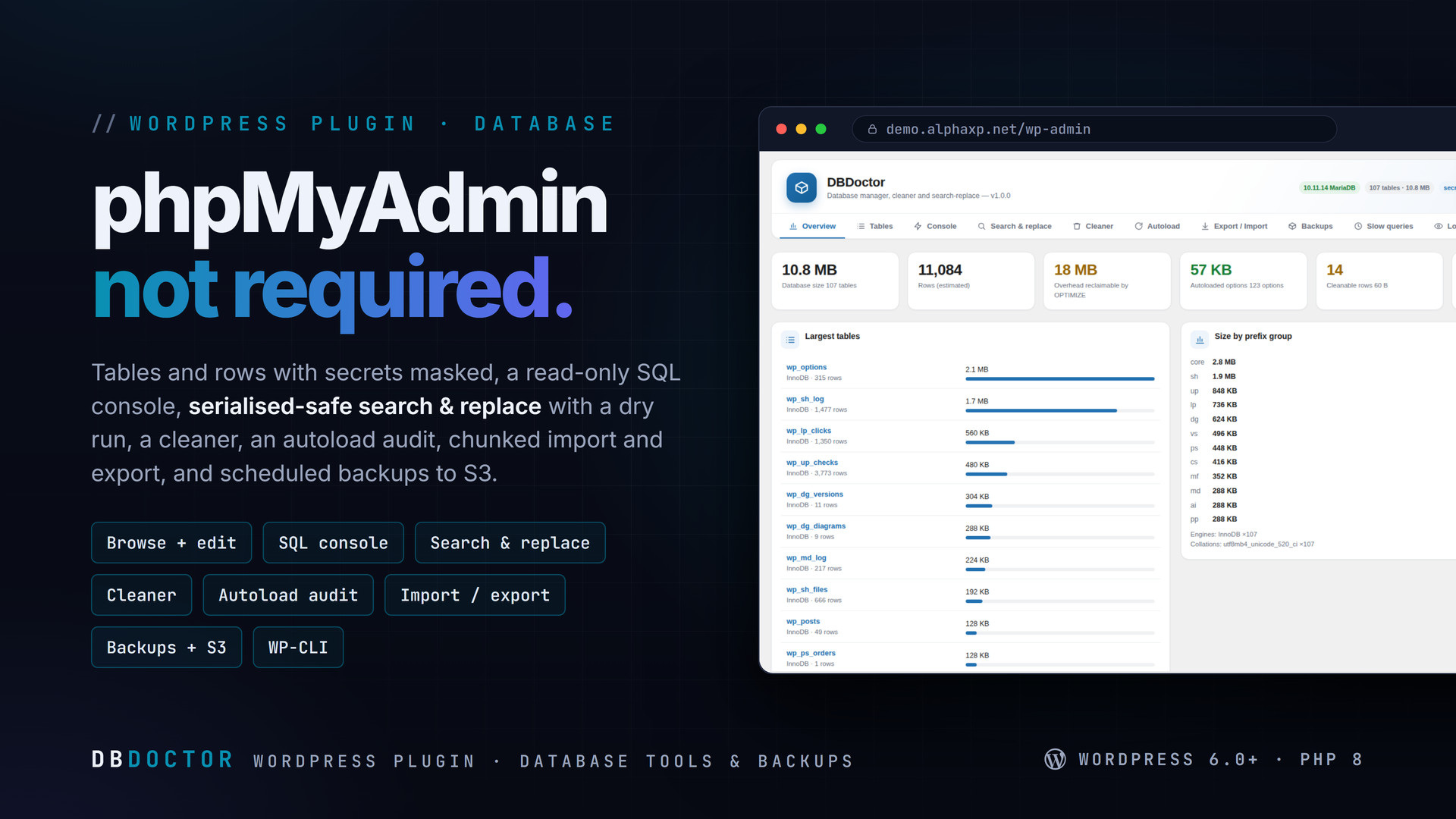
DBDoctor gives a WordPress site the database tools it otherwise needs phpMyAdmin and three plugins for: browse and edit tables with secrets masked, run SQL safely, migrate URLs with a search & replace that never breaks serialised data, clean what has piled up, fix autoload bloat, move data in and out in chunks, and keep scheduled backups — on the server or in your S3 bucket.
Key Features
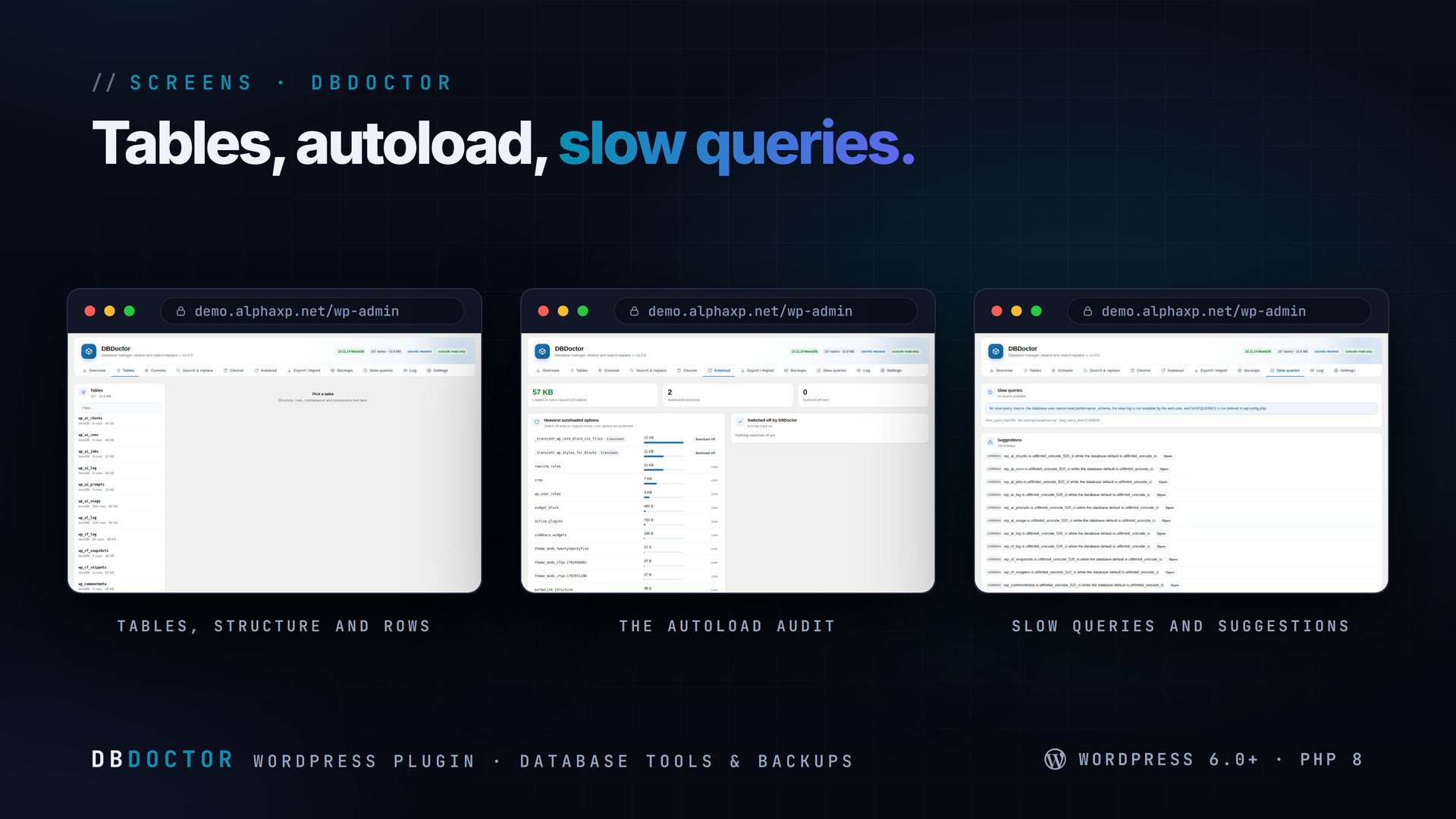
- Every table with engine, collation, rows, size and overhead, grouped by plugin prefix; structure with columns, indexes and the CREATE statement
- Rows with paging, sorting, a column filter and search; inline edit, insert and delete with confirmation; password hashes, keys, tokens and secret-looking options masked, a logged 15-minute reveal
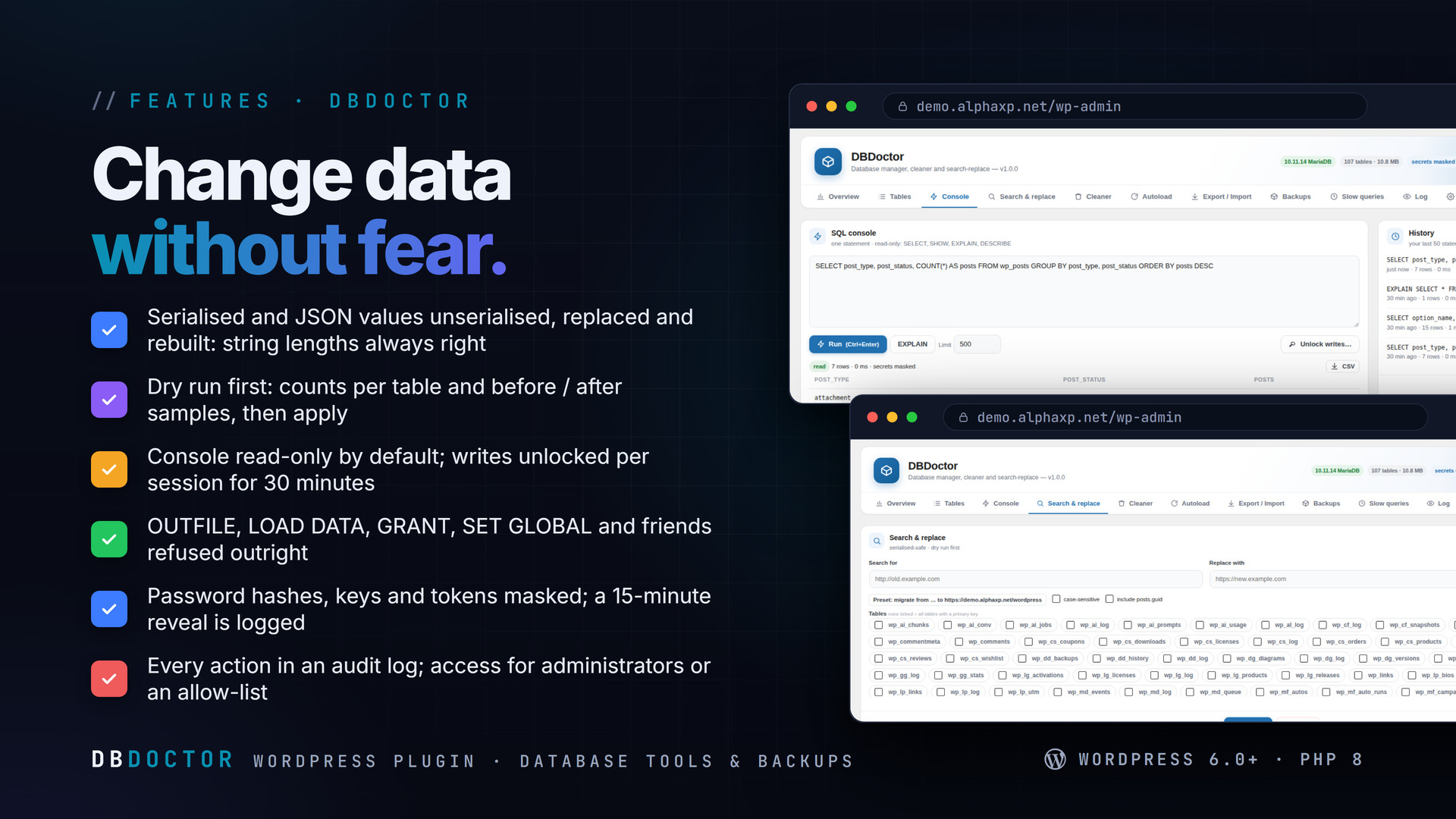
- SQL console: one statement at a time, read-only by default (SELECT, SHOW, EXPLAIN, DESCRIBE), writes unlocked per session; dangerous statements refused; EXPLAIN, row limit, timing, history, CSV export
- Search & replace that never corrupts serialised data: values are unserialised, replaced and reserialised, JSON handled the same; dry run with per-table counts and samples; guid column excluded; URL migration preset
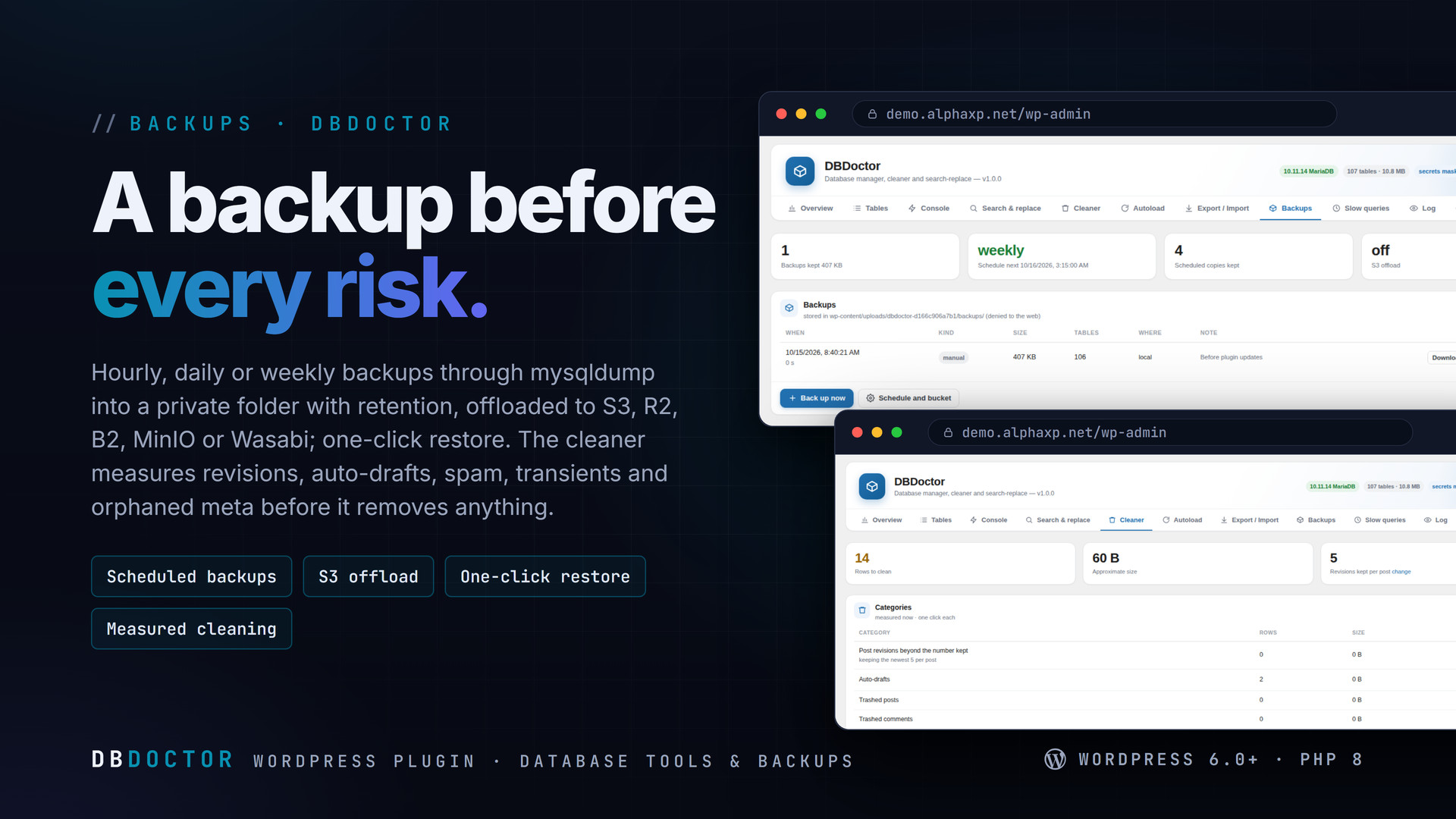
- Cleaner: revisions beyond the number you keep, auto-drafts, trash, spam, pingbacks, expired transients, orphaned post / comment / user / term meta, expired sessions, oEmbed caches — measured first, removed per category
- Maintenance: OPTIMIZE, REPAIR, CHECK, ANALYZE; MyISAM to InnoDB; collation conversion; autoload audit with the heaviest options and autoload off / on (core options protected)
- Export through mysqldump (credentials in a temporary defaults file) or a PHP writer, gzip, selected tables, one-time download link; SQL import in resumable chunks that ignore upload limits; CSV import with column mapping
- Scheduled backups (hourly, daily, weekly) in a private folder with retention, S3-compatible offload (AWS S3, R2, B2, MinIO, Wasabi), download and one-click restore
- Slow queries from performance_schema, the slow log or SAVEQUERIES, with suggestions: MyISAM tables, collation mismatches, missing primary keys, duplicate indexes, autoload bloat, postmeta growth
- Administrators only, optionally an allow-list of user ids; a full audit log; Site Health check; wp dbdoctor tables|query|replace|clean|optimize|backup|autoload
A Domain Migration in Four Steps
- Backups › Run now (or rely on the schedule)
- Search & replace › URL preset: old domain, new domain, Dry run
- Read the per-table counts and samples; adjust the tables if needed
- Apply — serialised options, widgets and builder data keep their correct lengths


Installation
- Download the zip from your Library
- In wp-admin go to Plugins › Add New › Upload Plugin, choose the zip and activate it
- A new menu entry appears in the admin sidebar; open it
- DBDoctor › Settings: choose who may use it and the backup schedule; add S3 credentials if you offload
Requirements
- WordPress 6.0 or newer (tested up to 7.0)
- PHP 8.0 or newer
- MySQL 5.7+ or MariaDB 10.3+
- Optional: mysqldump on the server (a PHP writer is used otherwise)
What You Get
- DBDoctor 1.0.0 for WordPress (
dbdoctor-1.0.0.zip) - Full, readable PHP and JavaScript source, no obfuscation
- Updates for the term of your licence
Works With
Part of the Alpha WordPress line, built with one admin kit; ServerPulse shows the server around the database: ServerPulse, SecureShield, CodeForge, SiteStats, MailDoctor, AlphaLogin.
The screenshots show the plugin on our demo site with sample data.
Everything included
- Every table with engine, collation, rows, size and overhead, grouped by plugin prefix; str
- Rows with paging, sorting, a column filter and search; inline edit, insert and delete with
- SQL console: one statement at a time, read-only by default (SELECT, SHOW, EXPLAIN, DESCRIB
- Search & replace that never corrupts serialised data: values are unserialised, replaced an
- Cleaner: revisions beyond the number you keep, auto-drafts, trash, spam, pingbacks, expire
- Maintenance: OPTIMIZE, REPAIR, CHECK, ANALYZE; MyISAM to InnoDB; collation conversion; aut
- Export through mysqldump (credentials in a temporary defaults file) or a PHP writer, gzip,
- Scheduled backups (hourly, daily, weekly) in a private folder with retention, S3-compatibl
- Slow queries from performance_schema, the slow log or SAVEQUERIES, with suggestions: MyISA
- Administrators only, optionally an allow-list of user ids; a full audit log; Site Health c
Platforms
Requirements
- WordPress 6.0+
- PHP 8.0+
- MySQL 5.7+ or MariaDB 10.3+
In the download
Personal
One non-commercial project
- 1 activation seat
- 1 year of updates
- One end product
- Non-commercial use
- Community support
- 14-day refund window
Commercial
Ship paid products
- 5 activation seats
- 1 year of updates
- One paid end product
- Unlimited end users
- Priority support
- Source files
- 14-day refund window
Extended
Resell & white-label
- Unlimited activation seats
- Lifetime updates
- Unlimited end products
- White-label & resell
- 1-hour SLA
- Seat-free team use
- 14-day refund window
One purchase per product, no subscription. Each licence comes with a signed key — 1 seat on Personal, 5 seats on Commercial, unlimited seats on Extended. Paid licences can be refunded within 14 days from your order page.
- v1.0.0LatestOct 14, 2026
- First release
Be the first to review DBDoctor | Database Manager, Cleaner & Backups for WordPress — reviews come from customers who bought it, so every one is a verified purchase.
Frequently asked
Can search & replace corrupt serialised data?
No. Serialised values are unserialised, replaced inside and serialised again, so lengths are always right. Values that do not unserialise are skipped and counted.
Is the SQL console safe?
It runs one statement at a time as the WordPress database user, read-only until you unlock writes for the session; statements that touch files, users or server settings are refused, and everything is logged.
Where do backups go?
Into a private folder under uploads with random file names, denied to the web, with the retention you set — and optionally to an S3-compatible bucket.
Does it need mysqldump?
No. With mysqldump available it is used (faster); otherwise a PHP writer produces the same SQL.
How do I get the files after paying?
Straight after checkout you land on your order page with the download button and your licence key. A receipt is emailed to you, and every order stays in My library.
Which licence do I need?
Personal — One non-commercial project. Commercial — Ship paid products. Extended — Resell & white-label. The Licences tab compares them side by side.
On how many devices can I activate it?
1 seat on Personal, 5 seats on Commercial, unlimited seats on Extended.
How long do I get updates?
Personal: 1 year of updates, Commercial: 1 year of updates, Extended: lifetime updates, counted from your purchase.
Can I get a refund?
Yes — paid licences can be refunded within 14 days, straight from your order page.
Is the download safe?
The file was scanned with ClamAV when it was published. Its SHA-256 checksum is listed under Features → In the download, so you can verify the file you receive.
Do I need an account?
No. Checkout only needs your email. Signing in keeps all your purchases, keys and downloads together in My library.
More like this
FolderPress — Media Library Folders for WordPress
media library, media folders, folders, file manager, media organizer, image optimization, webp, cdn, share links, private files, two factor…
★★★★★ No reviews yetTTechHarbour$29.00AlphaLogin | Passkeys, 2FA & SSO for WordPress
Passkeys, two-factor codes, magic links and SSO through your Alpha accounts portal, with brute-force protection, session control, login des…
★★★★★ No reviews yetTTechHarbour$19.00MeetPress | Video Meetings & Bookings for WordPress
AlphaCall video rooms on any page, a booking calendar with services and weekly availability, a private room per booking, confirmations with…
★★★★★ No reviews yetTTechHarbour$29.00LicenseGuard | Licence Keys & Update Server for WordPress
A licence server for the software you sell: signed keys, seat-limited activations, a private update server with staged rollouts, a REST API…
★★★★★ No reviews yetTTechHarbour$29.00