
AlphaVPN | Android WireGuard VPN App
One-tap WireGuard VPN for Android: every app through an encrypted tunnel, live speed and data use, locations, plans and devices. Keys are made on your phone.
Highlights
All 13 features →AlphaVPN | Android WireGuard VPN App
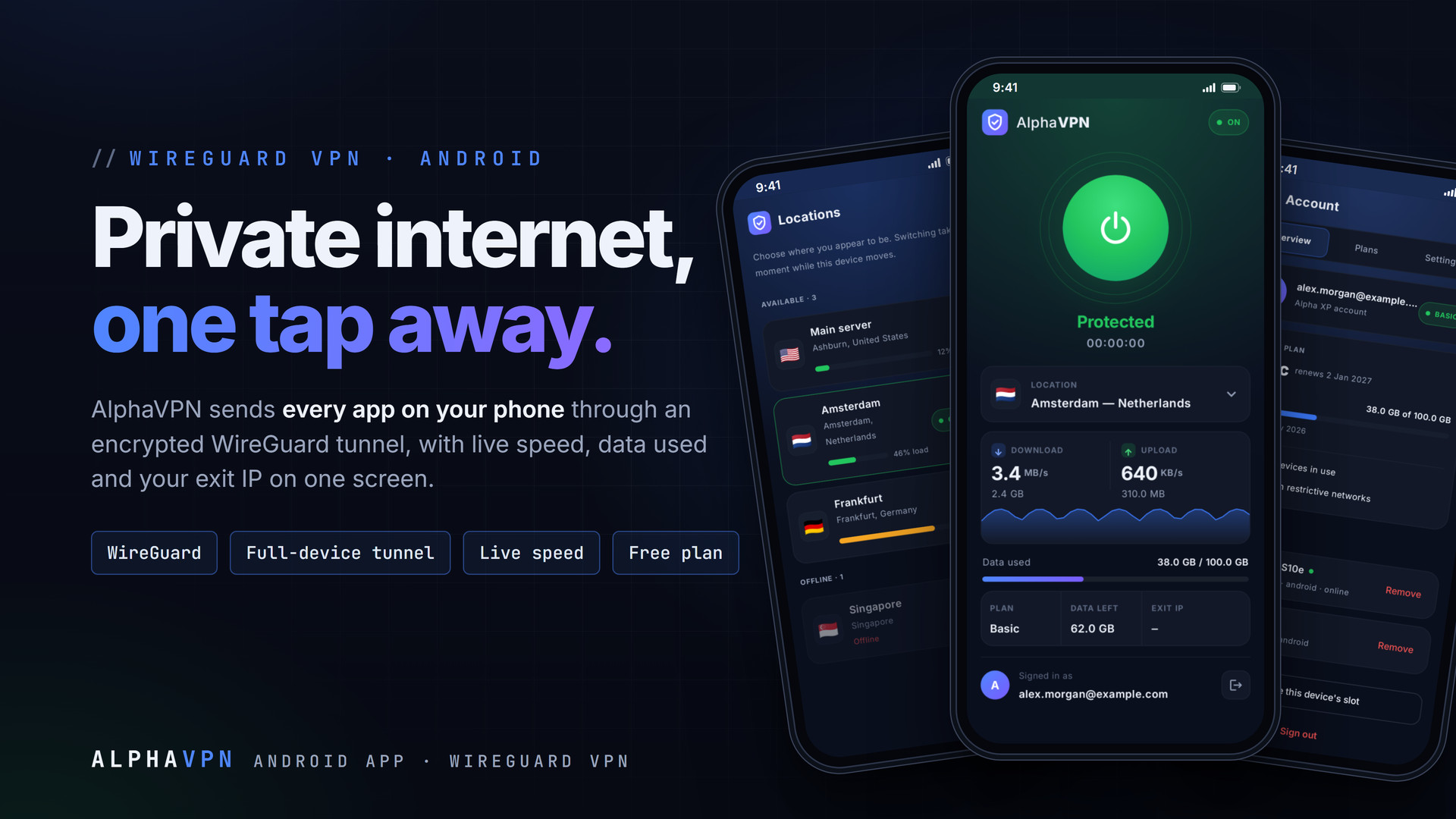
AlphaVPN is the Android app for the AlphaVPN service. One tap puts every app on your phone through an encrypted WireGuard tunnel to the AlphaVPN server, and the home screen shows what is really happening: live download and upload speed, data used against your plan, the location you appear in and your exit IP. The app is free and every account starts on the Free plan; paid plans add more data and devices.
Key Features
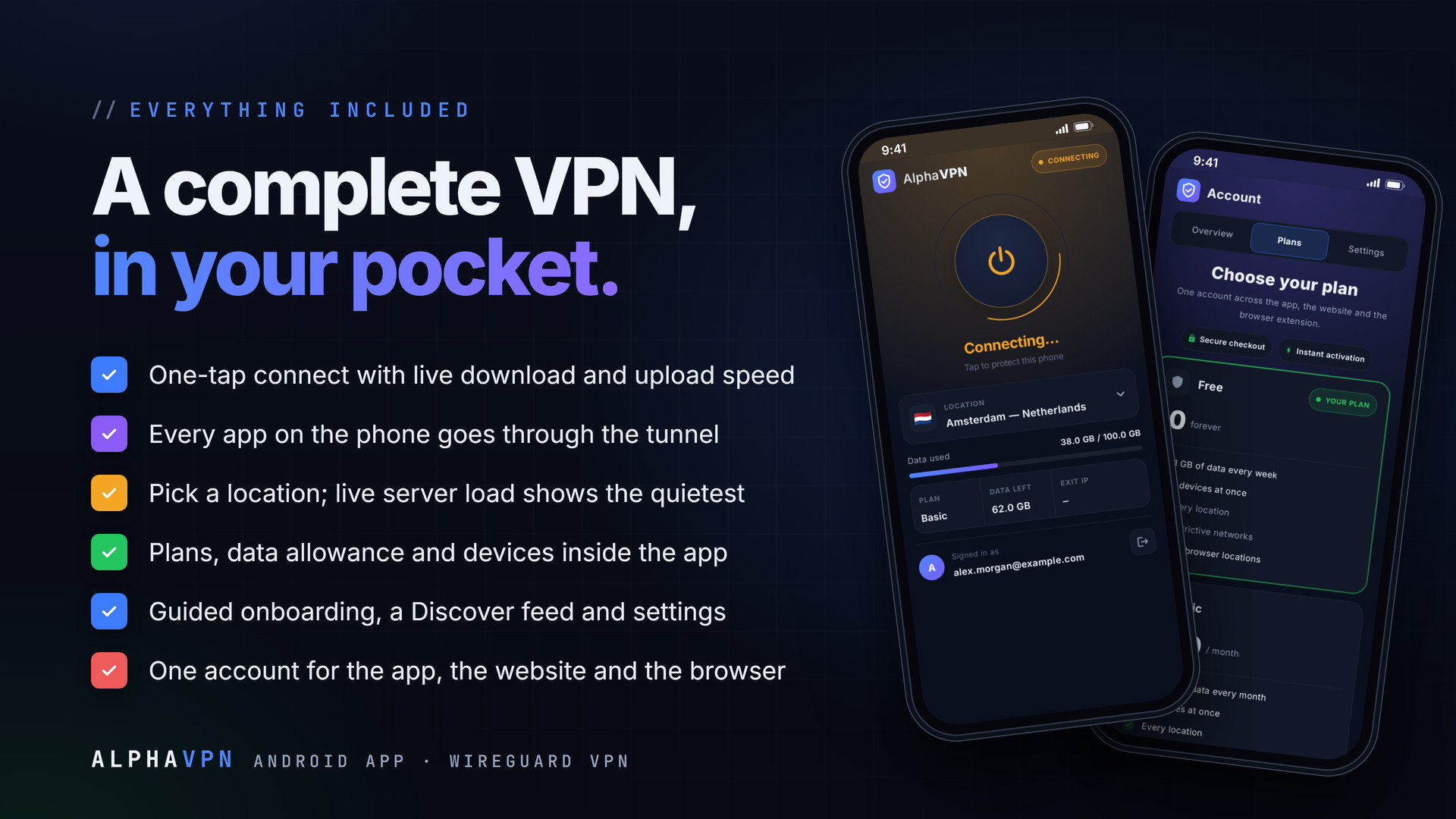
- One-tap connect with live download and upload speed
- Full WireGuard tunnel: every app on the phone, Wi-Fi and mobile data
- Key pair generated on the phone; only the public key leaves it
- Location picker with live server load and online/offline state
- Data used, data left and your exit IP on the home screen
- Plans with a compare table and secure checkout in the app
- Devices list with Remove and "release this device's slot"
- Guided 4-slide onboarding
- Discover tab: latest blog posts, marketplace and newsletter
- Settings: connect when the app opens, kill switch and always-on
- Free browser locations, usable in Firefox with the extension
- One Alpha XP account for the app, the website and the browser
- Branded dark theme with Inter type, built for one hand
Private by Design
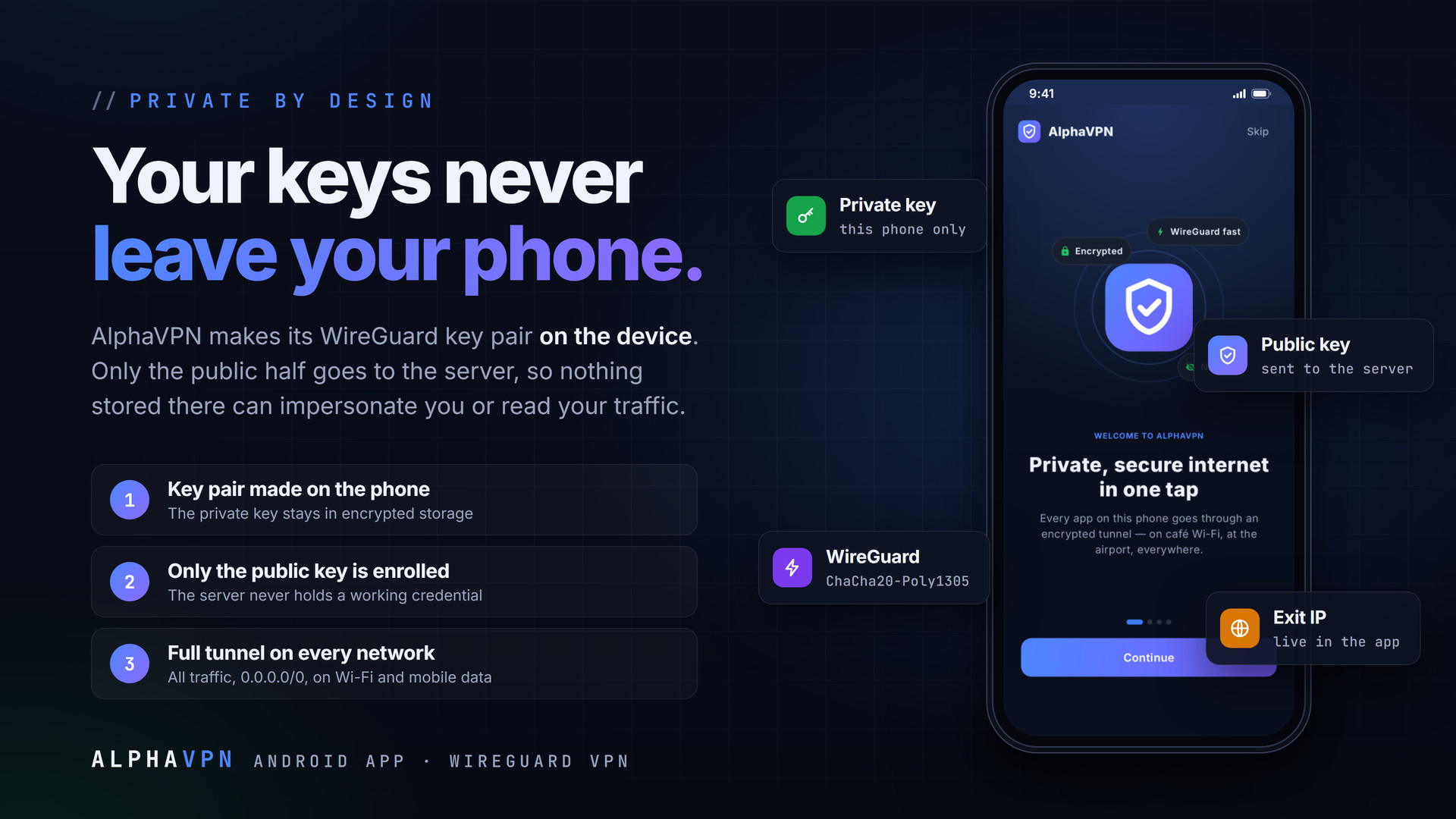
AlphaVPN creates its WireGuard key pair on the phone. The private key is kept in Android's encrypted storage and never leaves the device; only the public half is sent when the phone enrols. Nothing the server stores could impersonate you or decrypt your traffic, so a copy of the server's database is not a copy of your tunnel. App connections always use a full tunnel (all traffic, 0.0.0.0/0).
Screens Included
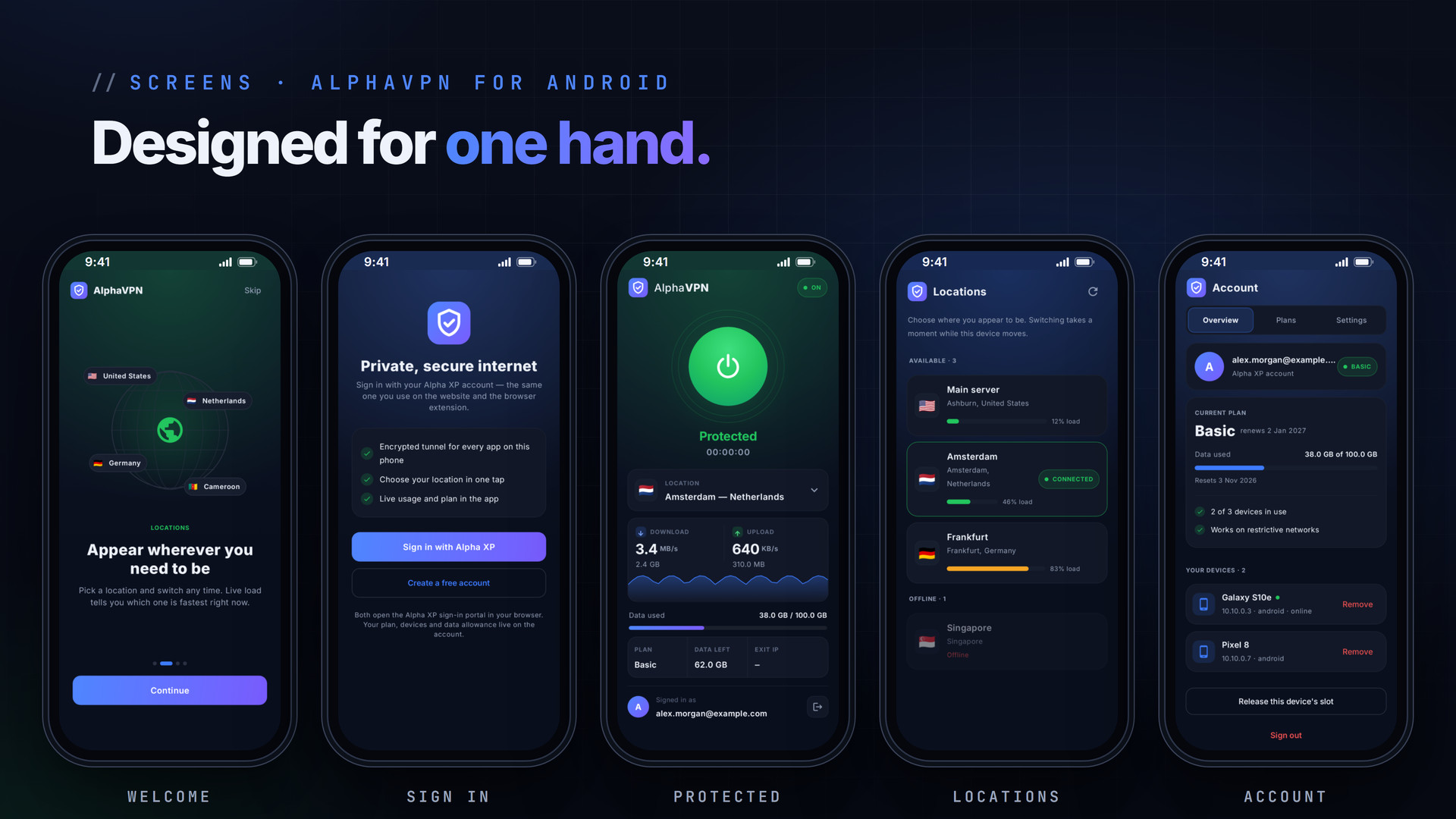
- Onboarding: welcome, locations, free locations and plans
- Sign in and create a free account (Alpha XP accounts)
- VPN home: power button, status and timer, location card, live speed, data used, plan, data left and exit IP
- Locations: available and offline servers with live load, plus free browser locations
- Discover: blog posts, marketplace and newsletter
- Account: Overview (plan, usage, devices), Plans and Settings

Plans
Every account starts on the Free plan: 1 GB of data a week on 2 devices. Paid plans add data, devices and locations, and are chosen inside the app in Account › Plans, which always shows the current prices. One account covers the app, the website and the AlphaVPN browser extension.
Installation
- Download the APK from your Library on the phone (or copy it across)
- Open it and allow installs from that source when Android asks
- Open AlphaVPN, walk through the welcome slides and sign in, or create a free account
- Tap the power button and accept Android's VPN request once
Requirements
- Android 7.0 (API 24) or newer
- An Alpha XP account (free)
- An internet connection
What You Get
- AlphaVPN 1.8.1 for Android (APK, about 30 MB)
- Free updates: a new APK installs over the old one and keeps you signed in
Also Available
Protect a browser on your computer with the AlphaVPN browser extension for Chrome, Edge and Firefox, and make calls with AlphaCall for Android.
The screenshots show the real app with sample account data.
Everything included
- One-tap connect with live download and upload speed
- Full WireGuard tunnel: every app on the phone, Wi-Fi and mobile data
- Key pair generated on the phone; only the public key leaves it
- Location picker with live server load and online/offline state
- Data used, data left and your exit IP on the home screen
- Plans with a compare table and secure checkout in the app
- Devices list with Remove and "release this device's slot"
- Guided 4-slide onboarding
- Discover tab: latest blog posts, marketplace and newsletter
- Settings: connect when the app opens, kill switch and always-on
- Free browser locations, usable in Firefox with the extension
- One Alpha XP account for the app, the website and the browser
- Branded dark theme with Inter type, built for one hand
Platforms
Requirements
- Android 7.0 (API 24) or newer
- An Alpha XP account (free)
In the download
Personal
One non-commercial project
- 1 activation seat
- 1 year of updates
- One end product
- Non-commercial use
- Community support
- 14-day refund window
Commercial
Ship paid products
- 5 activation seats
- 1 year of updates
- One paid end product
- Unlimited end users
- Priority support
- Source files
- 14-day refund window
Extended
Resell & white-label
- Unlimited activation seats
- Lifetime updates
- Unlimited end products
- White-label & resell
- 1-hour SLA
- Seat-free team use
- 14-day refund window
One purchase per product, no subscription. Each licence comes with a signed key — 1 seat on Personal, 5 seats on Commercial, unlimited seats on Extended. Paid licences can be refunded within 14 days from your order page.
- v1.8.1LatestOct 5, 2026
- Dark status and navigation bars
- Onboarding slides show real, distinct locations
- v1.8.0Oct 5, 2026
- Onboarding, a Discover tab and free browser locations
- New Plans page with a compare table; Account split into Overview, Plans and Settings
- Settings: connect on open, kill switch and always-on, notifications, share
- Floating bottom bar
- v1.7.0Oct 5, 2026
- Same design as the browser extension: branded dark theme, Inter, live speed card with sparkline
- Speed sampled every 2 seconds
- v1.6.0Oct 5, 2026
- Professional redesign: sign-in, location card, plan card with usage bar, device cards
Be the first to review AlphaVPN | Android WireGuard VPN App — reviews come from customers who bought it, so every one is a verified purchase.
Frequently asked
Is AlphaVPN free?
Yes. The app is free and every account starts on the Free plan (1 GB of data a week on 2 devices). Paid plans add data and devices; choose one in Account > Plans.
Does it protect every app on my phone?
Yes. AlphaVPN raises a full WireGuard tunnel, so traffic from every app goes through it, on Wi-Fi and on mobile data.
Can I use the same account in my browser?
Yes. Sign in to the AlphaVPN browser extension (Chrome, Edge, Firefox) with the same account; it shares your plan and data allowance.
How do I install the APK?
Download it on the phone, open it and allow installs from that source when Android asks. A newer APK installs over the old one and keeps you signed in.
How do I get the files after paying?
Straight after checkout you land on your order page with the download button and your licence key. A receipt is emailed to you, and every order stays in My library.
Which licence do I need?
Personal — One non-commercial project. Commercial — Ship paid products. Extended — Resell & white-label. The Licences tab compares them side by side.
On how many devices can I activate it?
1 seat on Personal, 5 seats on Commercial, unlimited seats on Extended.
How long do I get updates?
Personal: 1 year of updates, Commercial: 1 year of updates, Extended: lifetime updates, counted from your purchase.
Can I get a refund?
Yes — paid licences can be refunded within 14 days, straight from your order page.
Is the download safe?
The file was scanned with ClamAV when it was published. Its SHA-256 checksum is listed under Features → In the download, so you can verify the file you receive.
Do I need an account?
No. Checkout only needs your email. Signing in keeps all your purchases, keys and downloads together in My library.
More like this
AlgoBot | Flutter AI Trading App
AlgoBot is a premium, mobile-first Flutter UI template for an AI-powered trading bot and crypto, stock and forex trading assistant app. It …
★★★★★ No reviews yetTTechHarbour$18.00NewAlphaCall | Android Video, Voice & Meetings App
Native Android app for AlphaCall: HD video and voice calls, encrypted meetings, chats and a SIP phone line on your own server. Captions, ef…
★★★★★ No reviews yetTTechHarbour$17.00NewFolderPress — Media Library Folders for WordPress
media library, media folders, folders, file manager, media organizer, image optimization, webp, cdn, share links, private files, two factor…
★★★★★ No reviews yetTTechHarbour$18.00New