
AlphaCall | Android Video, Voice & Meetings App
Native Android app for AlphaCall: HD video and voice calls, encrypted meetings, chats and a SIP phone line on your own server. Captions, effects, no ads.
Highlights
All 16 features →AlphaCall | Android Video, Voice & Meetings App
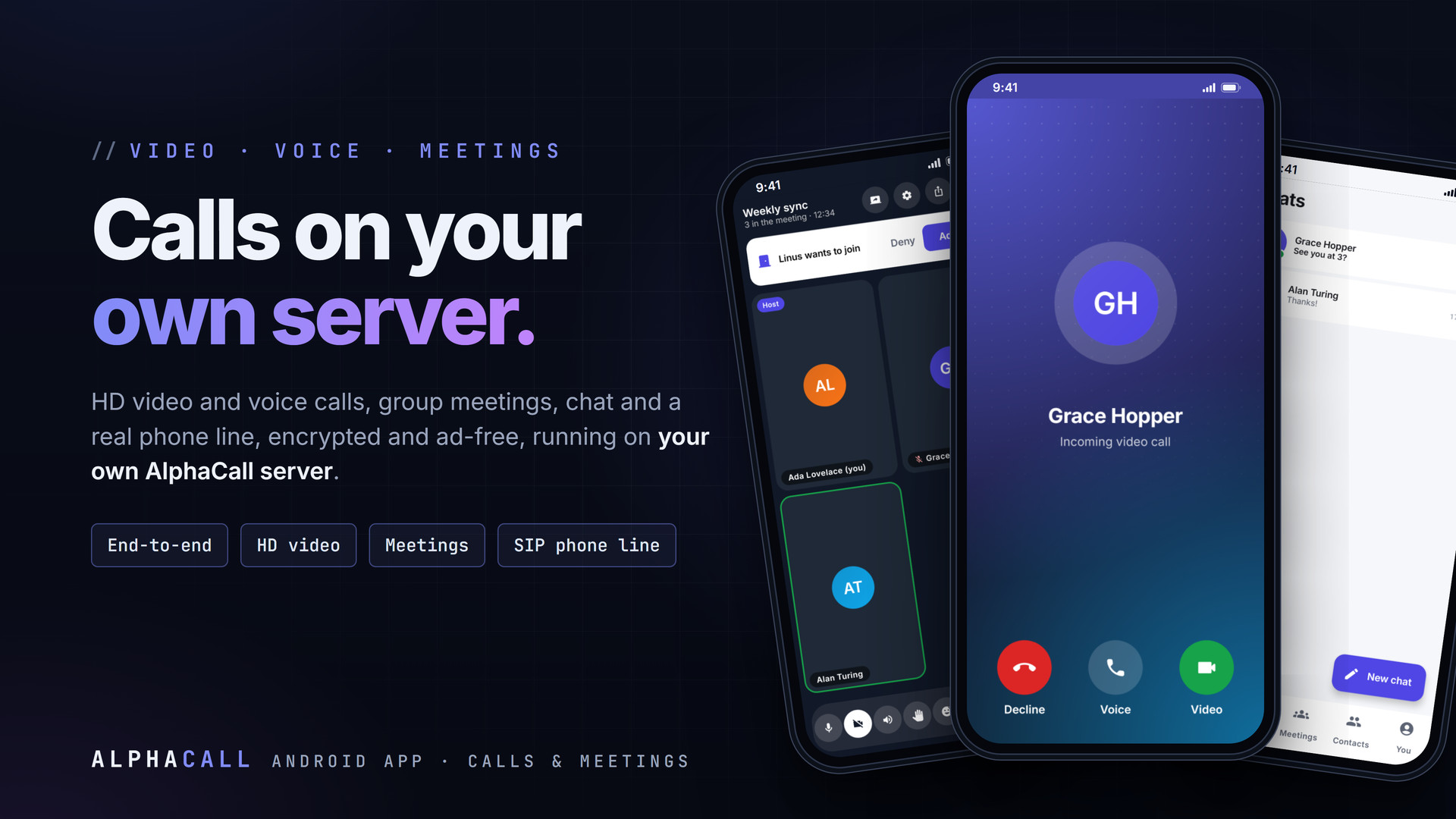
AlphaCall for Android is the native app for AlphaCall servers: HD video and voice calls, group meetings, chats and a real phone line with your own extension, all running on your own server (call.alphaxp.net by default). There are no ads and no tracking. 1-to-1 calls are encrypted end to end with a safety code you can compare, and end-to-end meetings keep their key only in the invite link.
Key Features
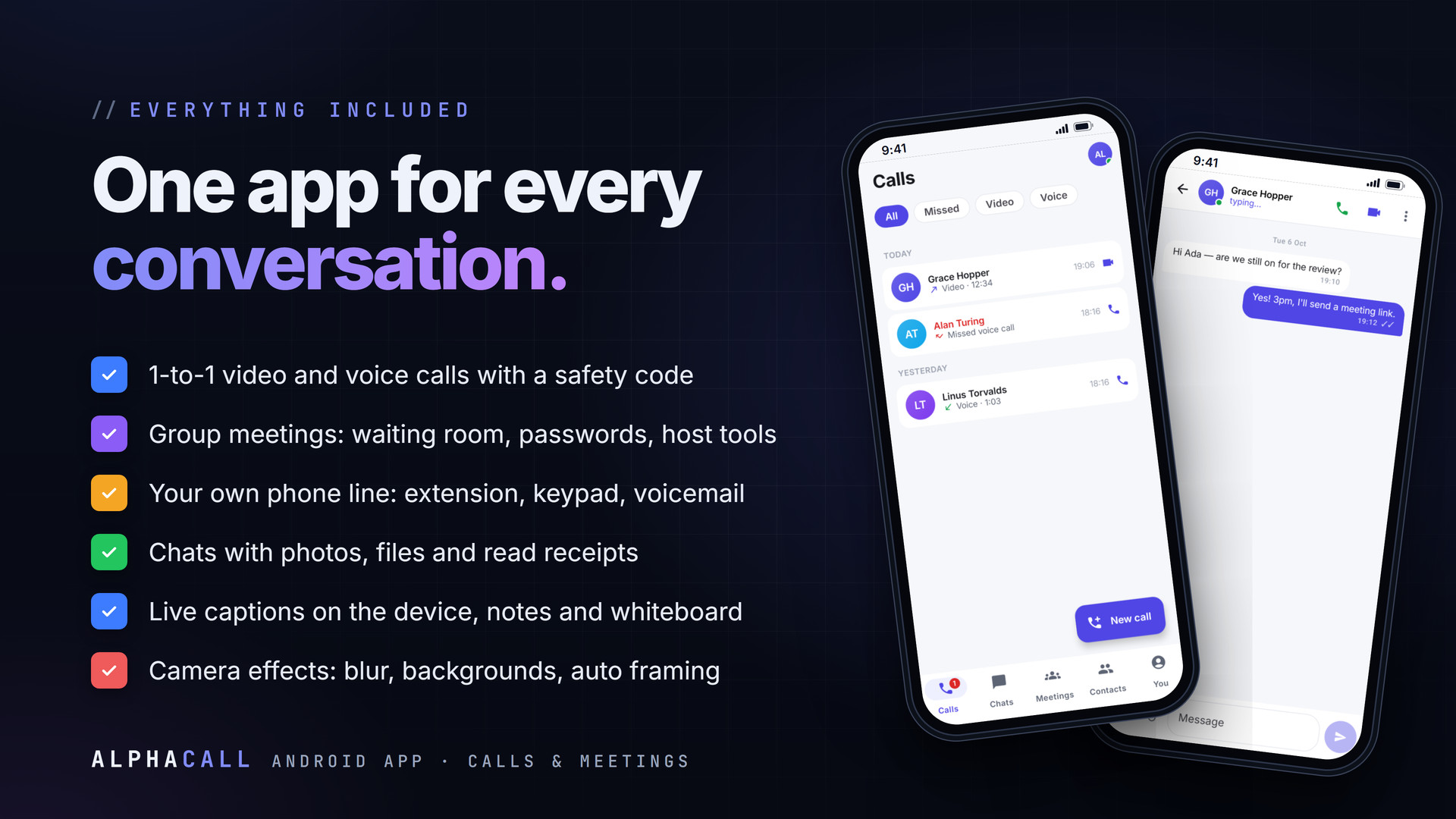
- 1-to-1 HD video and voice calls, encrypted with DTLS-SRTP
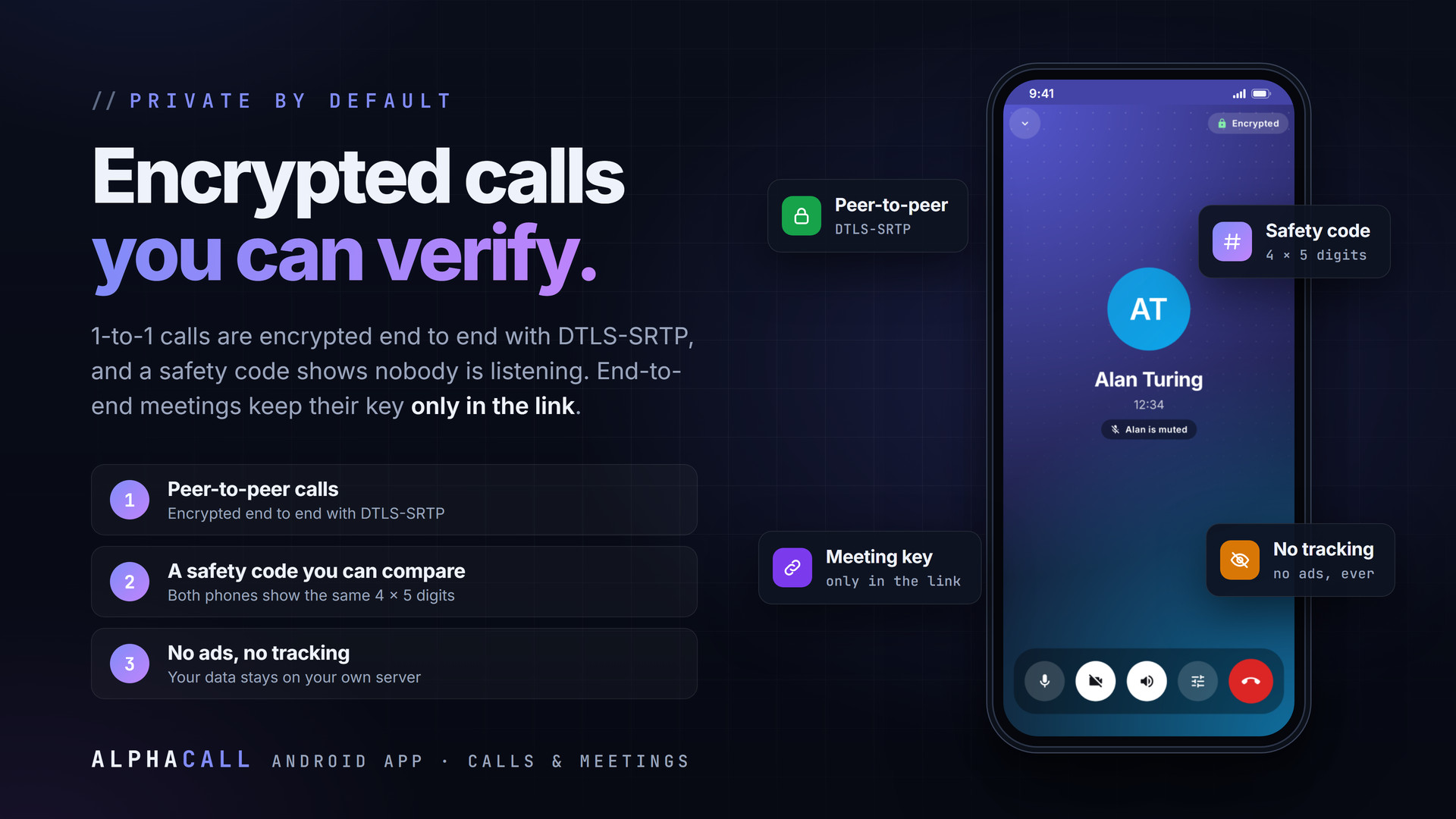
- Safety code both sides can compare (4 x 5 digits)
- Calls ring full-screen, even with the app closed or the phone locked
- Group meetings: Meet now, rooms, passwords, waiting room, invite links
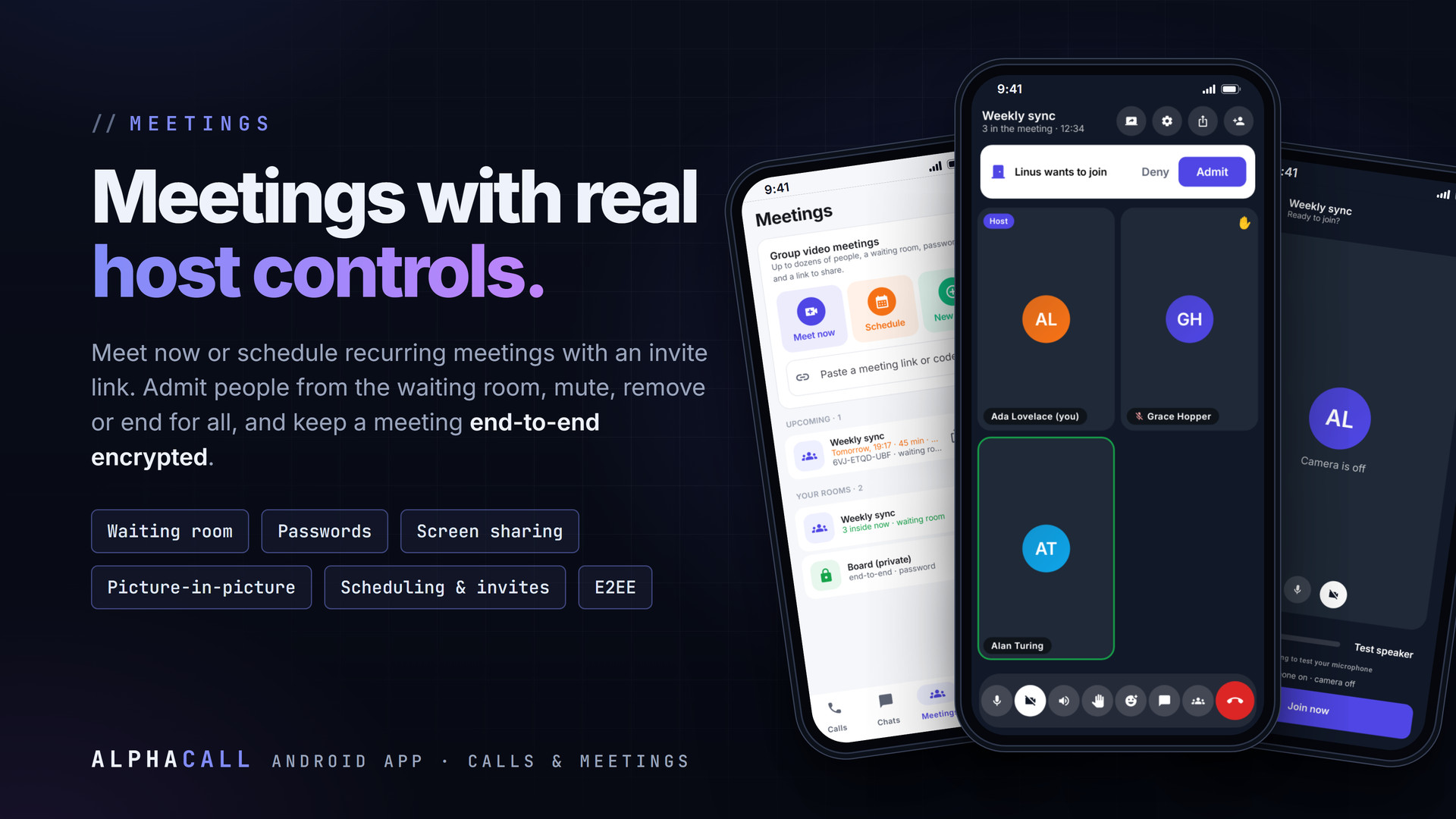
- Host tools: admit, deny, mute, remove, mute all, co-host, end for all
- End-to-end encrypted meetings, right in the app
- Scheduled and recurring meetings with invitations
- Screen sharing, picture-in-picture and lock-screen controls
- Chats with emoji, photos, files, replies and read receipts
- Phone line: your own extension, keypad and voicemail
- Live captions on the device (16 languages, offline)
- Meeting notes and a shared whiteboard
- Camera effects: blur, backgrounds, lighting, auto framing
- Adaptive quality from 1080p to audio-only; low-data and battery modes
- Presence, contacts, favourites and filtered call history
- Devices & sessions, report & block, warnings for hosts
Meetings
Start a meeting instantly or schedule a one-off or recurring one with an invitation. People wait in the waiting room until a host admits them; hosts can mute, remove, mute everyone, hand over the host role or end the meeting for all. Meetings can be protected with a password, made end-to-end encrypted, shared on screen, and kept running in picture-in-picture or with the screen off. Captions, notes and a shared whiteboard are built in, and the connection quality adapts by itself from 1080p down to audio-only.
Private by Default
- Calls are peer-to-peer and encrypted with DTLS-SRTP; compare the safety code to know nobody is listening
- End-to-end meetings: the key lives only in the link (#k=...), so the server never has it
- Camera effects and live captions are processed on the phone; no video or audio is sent anywhere for them
- Devices & sessions shows where you are signed in, and signs out any other device
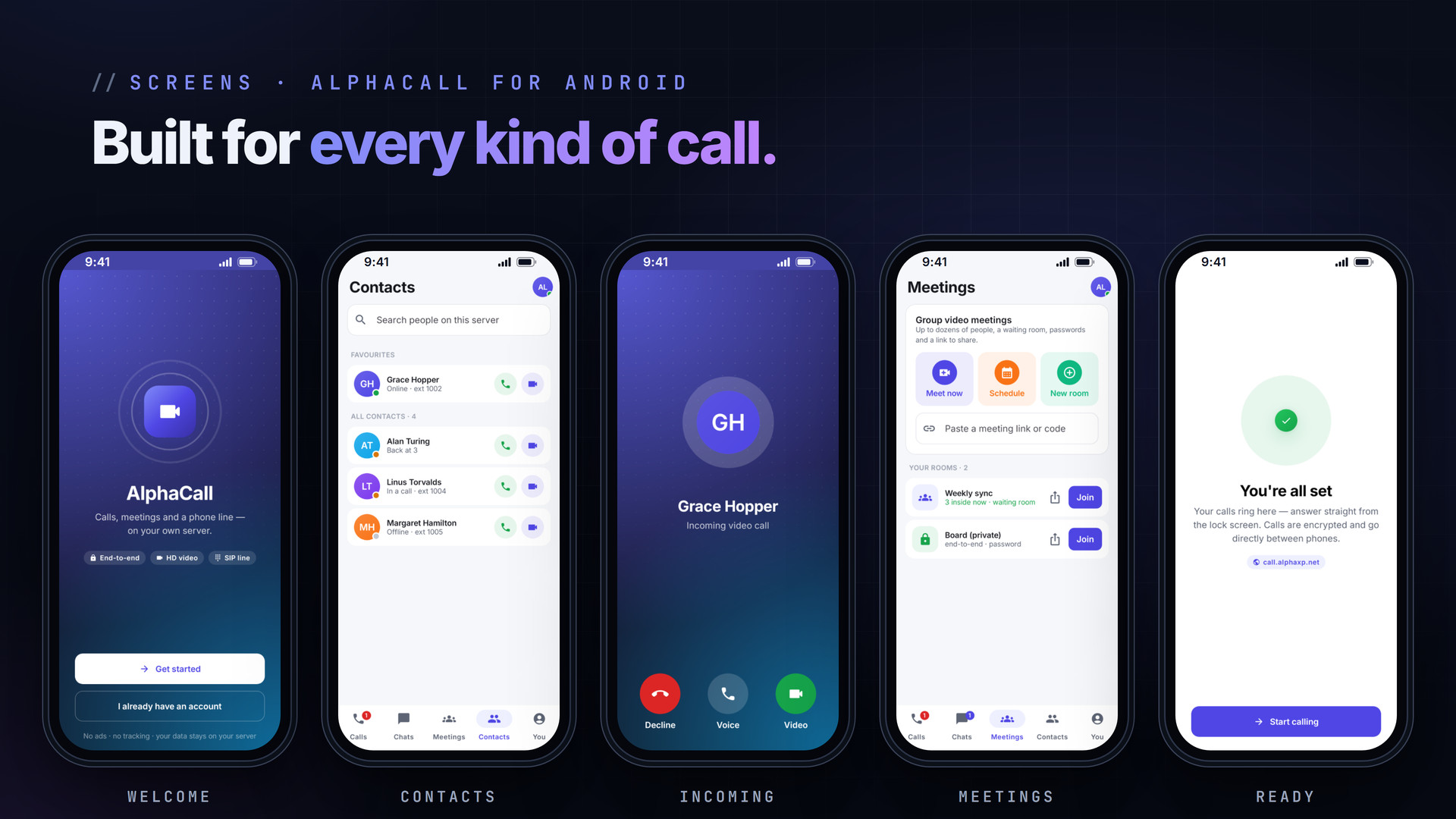
Screens Included
- Welcome and onboarding: connect to a server, sign in, two-step verification, permissions
- Calls with filters and New call (contacts, search and keypad)
- Chats and the chat thread
- Meetings, upcoming meetings and scheduling
- Pre-join with a microphone meter and speaker test
- Meeting stage with host controls
- Contacts and You (profile, status and settings)
- Incoming, ringing and active call
Installation
- Download the APK on the phone and open it; allow installs from that source when Android asks
- Open AlphaCall and tap Get started; call.alphaxp.net is filled in as the server
- Sign in with your Alpha XP account (accounts.alphaxp.net), or create one
- Allow calls, notifications, camera and microphone so calls can ring and connect
AlphaCall also works in the browser at call.alphaxp.net with the same account.
Requirements
- Android 7.0 (API 24) or newer
- An account on an AlphaCall server (sign in through accounts.alphaxp.net)
- Camera and microphone for video calls
What You Get
- AlphaCall 3.1.1 for Android (APK, about 40 MB)
- Free updates: a new APK installs over the old one and keeps you signed in
Also Available
Stay private on every network with AlphaVPN for Android and the AlphaVPN browser extension.
The screenshots show the real app with sample people and data.
Everything included
- 1-to-1 HD video and voice calls, encrypted with DTLS-SRTP
- Safety code both sides can compare (4 x 5 digits)
- Calls ring full-screen, even with the app closed or the phone locked
- Group meetings: Meet now, rooms, passwords, waiting room, invite links
- Host tools: admit, deny, mute, remove, mute all, co-host, end for all
- End-to-end encrypted meetings, right in the app
- Scheduled and recurring meetings with invitations
- Screen sharing, picture-in-picture and lock-screen controls
- Chats with emoji, photos, files, replies and read receipts
- Phone line: your own extension, keypad and voicemail
- Live captions on the device (16 languages, offline)
- Meeting notes and a shared whiteboard
- Camera effects: blur, backgrounds, lighting, auto framing
- Adaptive quality from 1080p to audio-only; low-data and battery modes
- Presence, contacts, favourites and filtered call history
- Devices & sessions, report & block, warnings for hosts
Platforms
Requirements
- Android 7.0 (API 24) or newer
- An account on an AlphaCall server (accounts.alphaxp.net)
- Camera and microphone for video calls
In the download
Personal
One non-commercial project
- 1 activation seat
- 1 year of updates
- One end product
- Non-commercial use
- Community support
- 14-day refund window
Commercial
Ship paid products
- 5 activation seats
- 1 year of updates
- One paid end product
- Unlimited end users
- Priority support
- Source files
- 14-day refund window
Extended
Resell & white-label
- Unlimited activation seats
- Lifetime updates
- Unlimited end products
- White-label & resell
- 1-hour SLA
- Seat-free team use
- 14-day refund window
One purchase per product, no subscription. Each licence comes with a signed key — 1 seat on Personal, 5 seats on Commercial, unlimited seats on Extended. Paid licences can be refunded within 14 days from your order page.
- v3.1.1LatestOct 6, 2026
- Camera effects: background blur, preset or your own backgrounds, lighting correction, auto framing
- v3.0.0Oct 6, 2026
- Live captions on the device in 16 languages
- Meeting notes and a shared whiteboard
- Report and block, link expiry, devices and sessions
- v2.9.0Oct 6, 2026
- Audio and video sheet: output device, quality, audio only, low data, battery saver, push-to-talk
- Adaptive quality, picture-in-picture, lock-screen controls
- v2.8.0Oct 6, 2026
- Screen sharing and presenting
- v2.7.0Oct 6, 2026
- Host tools: co-host, transfer, permissions, spotlight, private chat
- v2.6.0Oct 6, 2026
- Scheduled and recurring meetings, invitations, join before host
- v2.5.0Oct 6, 2026
- Chat attachments: emoji, photos, files and a PDF viewer
- v2.4.0Oct 6, 2026
- End-to-end encrypted meetings in the app; replies and mutes in chats
- v2.2.0Oct 6, 2026
- Five tabs: Calls, Chats, Meetings, Contacts, You; native meetings
Be the first to review AlphaCall | Android Video, Voice & Meetings App — reviews come from customers who bought it, so every one is a verified purchase.
Frequently asked
Is AlphaCall free?
Yes. The Android app is free to download and use with an AlphaCall account.
Which server does it use?
call.alphaxp.net by default. You can enter another AlphaCall server address during onboarding or later in You > Server.
Are calls encrypted?
Yes. 1-to-1 calls are encrypted end to end with DTLS-SRTP and both sides can compare a safety code. Meetings created as end-to-end keep their key only in the invite link.
Can I use it on a computer too?
Yes. Open call.alphaxp.net in a browser and sign in with the same account; calls and chats follow you.
How do I get the files after paying?
Straight after checkout you land on your order page with the download button and your licence key. A receipt is emailed to you, and every order stays in My library.
Which licence do I need?
Personal — One non-commercial project. Commercial — Ship paid products. Extended — Resell & white-label. The Licences tab compares them side by side.
On how many devices can I activate it?
1 seat on Personal, 5 seats on Commercial, unlimited seats on Extended.
How long do I get updates?
Personal: 1 year of updates, Commercial: 1 year of updates, Extended: lifetime updates, counted from your purchase.
Can I get a refund?
Yes — paid licences can be refunded within 14 days, straight from your order page.
Is the download safe?
The file was scanned with ClamAV when it was published. Its SHA-256 checksum is listed under Features → In the download, so you can verify the file you receive.
Do I need an account?
No. Checkout only needs your email. Signing in keeps all your purchases, keys and downloads together in My library.
More like this
AlgoBot | Flutter AI Trading App
AlgoBot is a premium, mobile-first Flutter UI template for an AI-powered trading bot and crypto, stock and forex trading assistant app. It …
★★★★★ No reviews yetTTechHarbour$18.00−11% offAlphaVPN | Android WireGuard VPN App
One-tap WireGuard VPN for Android: every app through an encrypted tunnel, live speed and data use, locations, plans and devices. Keys are m…
★★★★★ No reviews yetTTechHarbourFolderPress — Media Library Folders for WordPress
media library, media folders, folders, file manager, media organizer, image optimization, webp, cdn, share links, private files, two factor…
★★★★★ No reviews yetTTechHarbour$18.00New