
AlphaVPN Browser Extension | Chrome, Edge & Firefox
Route your browser through AlphaVPN with one click: live speed, locations, data used and exit IP in the popup, plus a full-tab dashboard. Chrome, Edge, Firefox.
Highlights
All 12 features →AlphaVPN Browser Extension | Chrome, Edge & Firefox
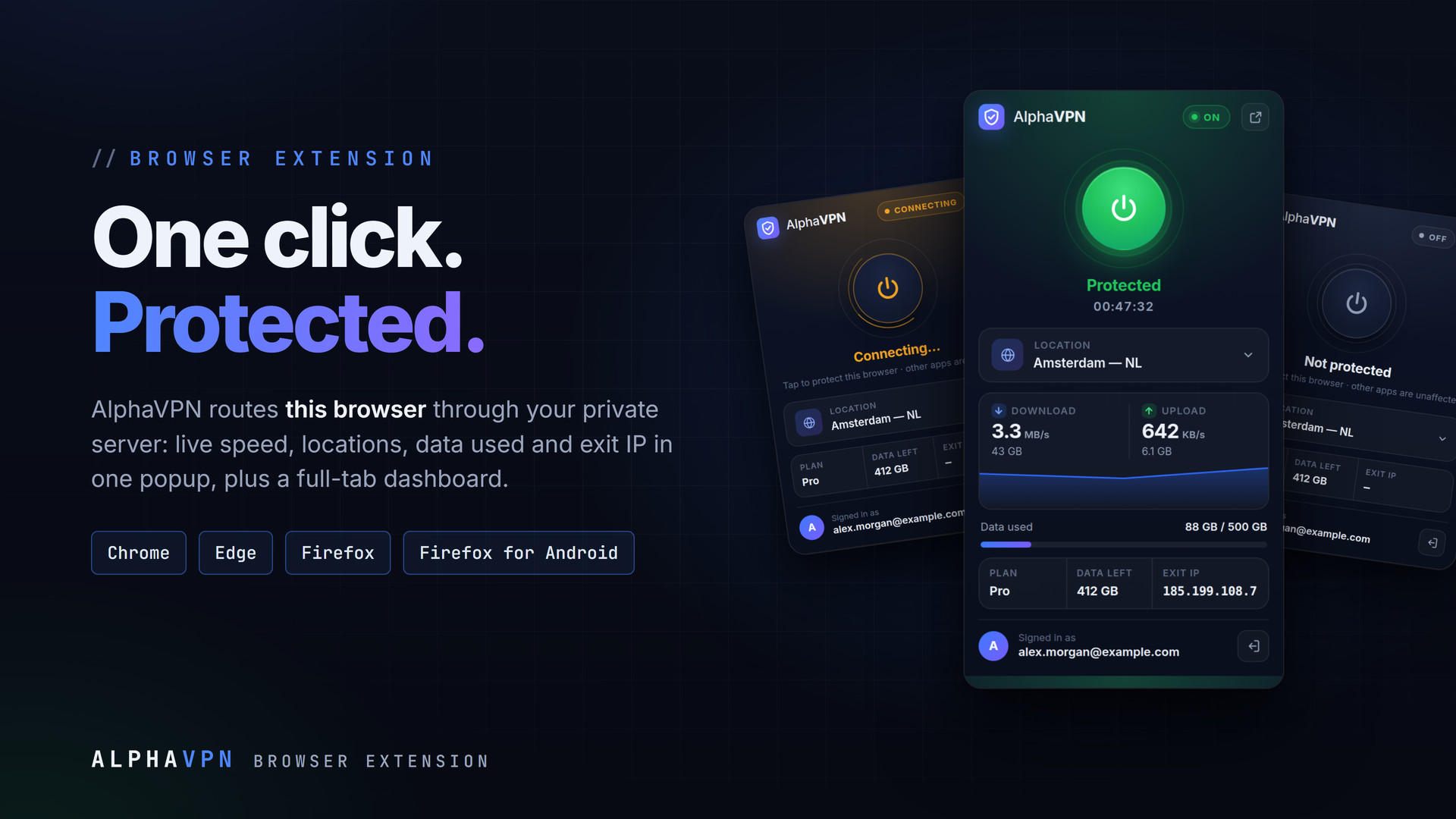
The AlphaVPN extension routes this browser through your AlphaVPN server with one click. The popup shows live speed, the location you appear in, data used and your exit IP, and a full-tab dashboard adds a throughput chart, every location with its flag, usage history and plans. It is honest about what it does: browsers only let an extension set a proxy, so only the browser is routed and other apps keep their normal connection. To protect a whole phone, use AlphaVPN for Android.
Key Features
- One-click connect from the toolbar popup
- Live download and upload speed with a sparkline
- Location picker with real country flags; free locations marked
- Data used, data left, plan and exit IP at a glance
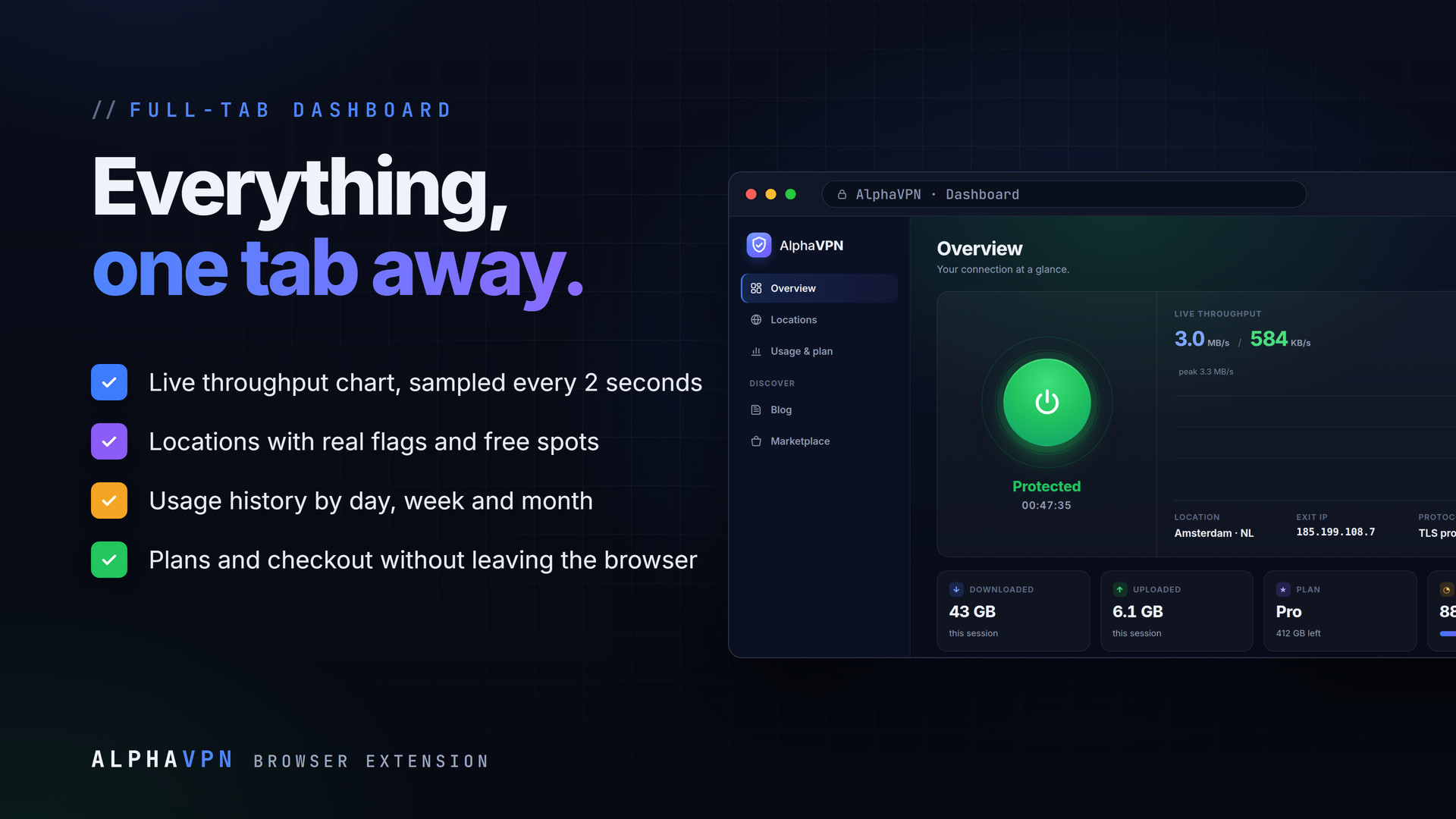
- Full-tab dashboard: Overview, Locations, Usage & plan, Blog, Marketplace
- Live throughput chart sampled every 2 seconds
- Usage history by day, week and month
- Plans and checkout without leaving the browser
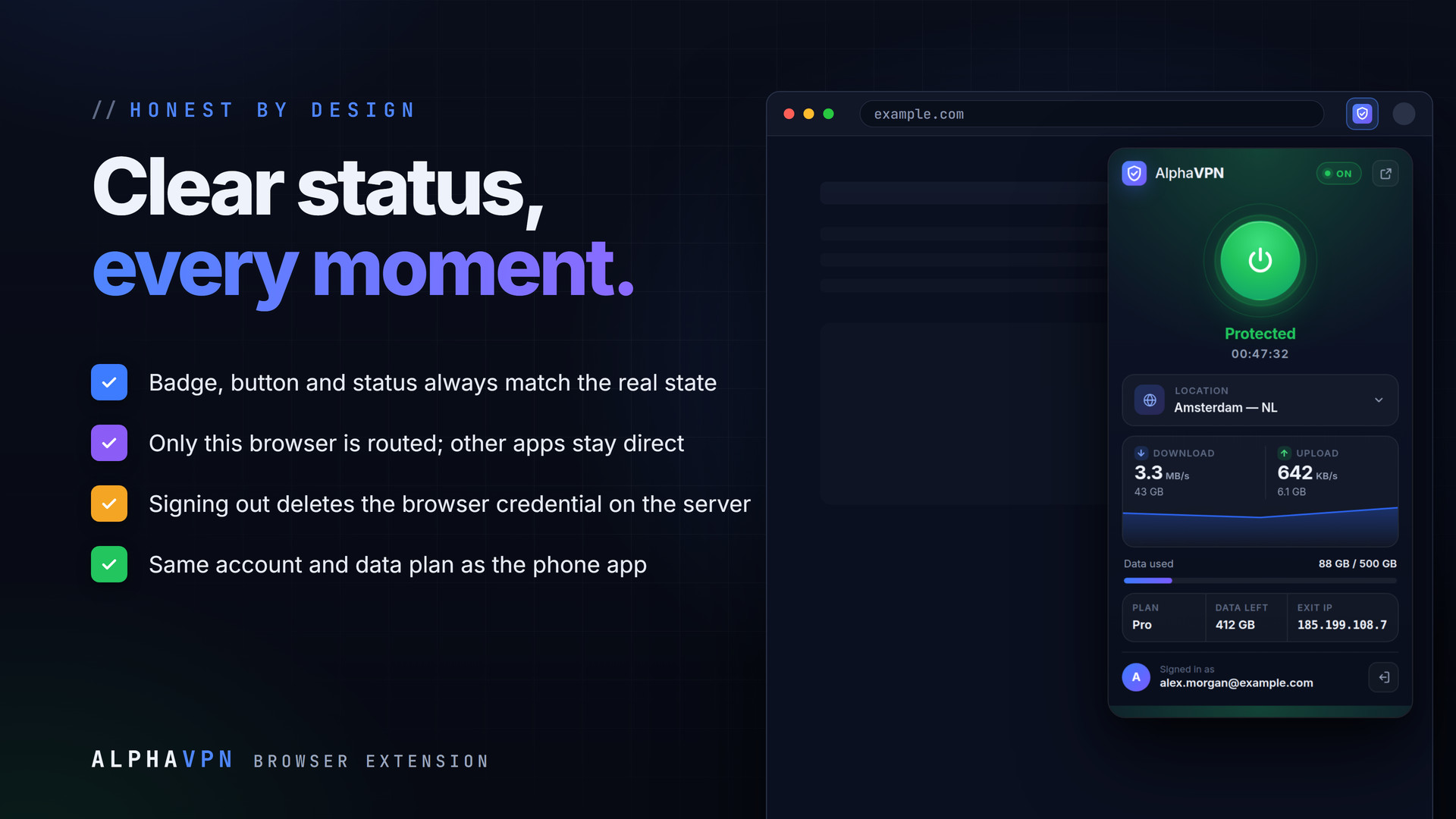
- Honest status: badge, button and status line always match
- Only the browser is routed; other apps keep their own connection
- Signing out deletes the proxy credential on the server
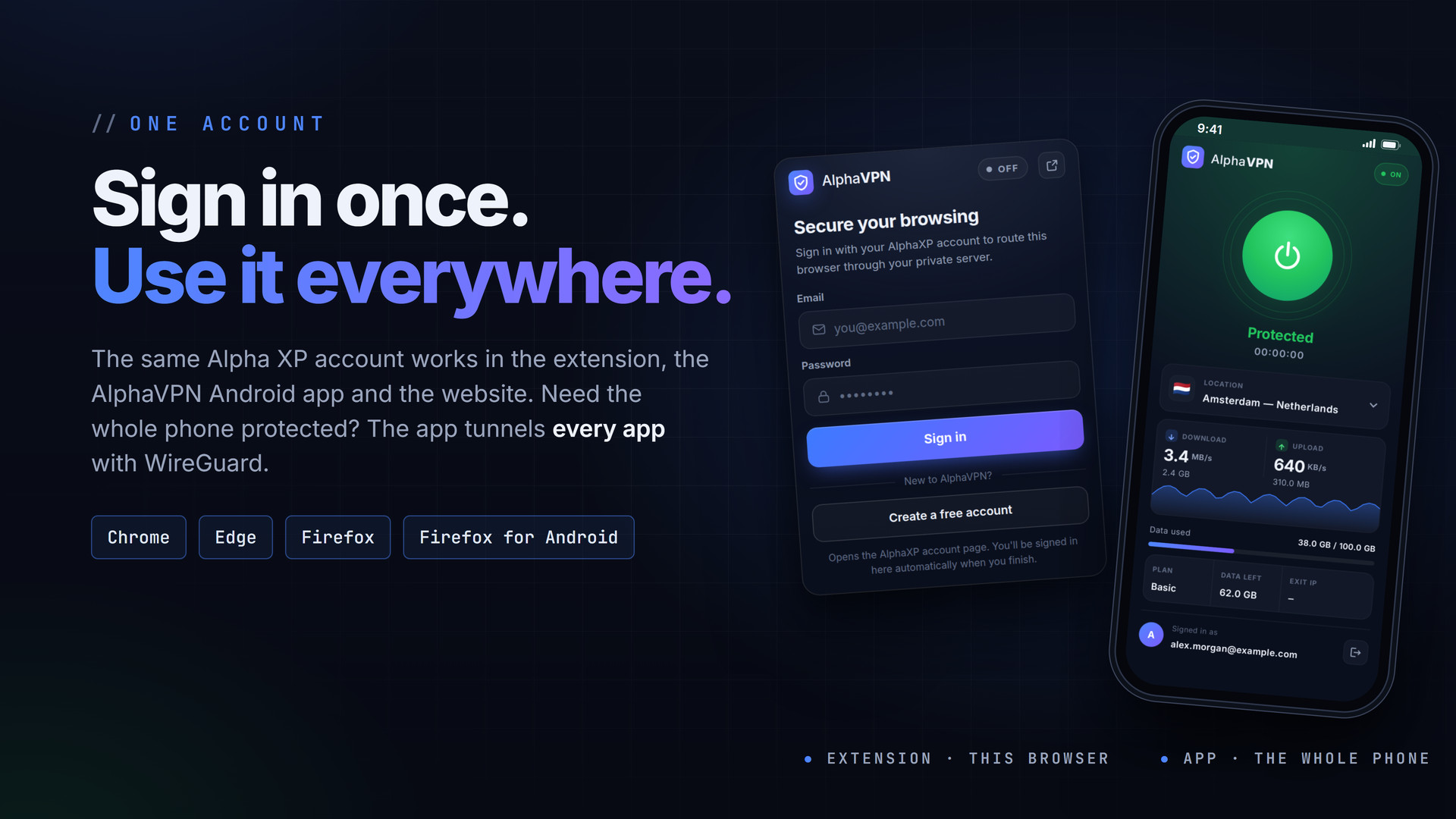
- Same Alpha XP account and plan as the Android app
How It Works
The extension signs in with your Alpha XP account and receives a personal proxy credential. The browser then connects through an authenticated TLS proxy on the AlphaVPN server, and the data it uses counts against the same plan as the phone app. Disconnecting or signing out deletes the credential on the server straight away, so it cannot be reused.
Get It
Firefox (desktop and Android): install it from Firefox Add-ons, or open the signed .xpi from this download in Firefox.
- Chrome / Edge: unzip
AlphaVPN-Chrome-1.3.0.zipinto a folder you keep - Open
chrome://extensions(oredge://extensions) and turn on Developer mode - Click Load unpacked and choose the folder, then pin AlphaVPN to the toolbar
- Click the AlphaVPN icon, sign in or create a free account, and flip the switch
Permissions, Explained
- proxy: send the browser's traffic through the AlphaVPN server while you are connected
- webRequest / webRequestAuthProvider: answer the proxy's sign-in with your personal credential
- storage: remember your sign-in and the chosen location
- All sites: a proxy has to carry every site you open; nothing is read from the pages
Requirements
- Firefox 140 or newer, or Firefox for Android 142 or newer
- Chrome or Microsoft Edge 108 or newer
- An Alpha XP account (free)
What You Get
- AlphaVPN 1.3.0 for Firefox: the signed .xpi from Firefox Add-ons
- AlphaVPN 1.3.0 for Chrome and Edge: the Manifest V3 build, ready to load
- A README with the install steps
The screenshots show the real extension with sample account data.
Everything included
- One-click connect from the toolbar popup
- Live download and upload speed with a sparkline
- Location picker with real country flags; free locations marked
- Data used, data left, plan and exit IP at a glance
- Full-tab dashboard: Overview, Locations, Usage & plan, Blog, Marketplace
- Live throughput chart sampled every 2 seconds
- Usage history by day, week and month
- Plans and checkout without leaving the browser
- Honest status: badge, button and status line always match
- Only the browser is routed; other apps keep their own connection
- Signing out deletes the proxy credential on the server
- Same Alpha XP account and plan as the Android app
Platforms
Requirements
- Firefox 140+ or Firefox for Android 142+
- Chrome or Microsoft Edge 108+
- An Alpha XP account (free)
In the download
Personal
One non-commercial project
- 1 activation seat
- 1 year of updates
- One end product
- Non-commercial use
- Community support
- 14-day refund window
Commercial
Ship paid products
- 5 activation seats
- 1 year of updates
- One paid end product
- Unlimited end users
- Priority support
- Source files
- 14-day refund window
Extended
Resell & white-label
- Unlimited activation seats
- Lifetime updates
- Unlimited end products
- White-label & resell
- 1-hour SLA
- Seat-free team use
- 14-day refund window
One purchase per product, no subscription. Each licence comes with a signed key — 1 seat on Personal, 5 seats on Commercial, unlimited seats on Extended. Paid licences can be refunded within 14 days from your order page.
- v1.3.0LatestOct 4, 2026
- Real country flags on Locations; free locations marked
- Plans with checkout in Usage & plan
- Usage history bars by day, week and month
- v1.2.0Oct 4, 2026
- Full-tab dashboard: Overview, Locations, Usage & plan, Blog and Marketplace
- Newsletter sign-up
- v1.1.0Oct 4, 2026
- Professional redesign with bundled Inter
- v1.0.0Aug 4, 2026
- First release, approved on Firefox Add-ons
Be the first to review AlphaVPN Browser Extension | Chrome, Edge & Firefox — reviews come from customers who bought it, so every one is a verified purchase.
Frequently asked
Does the extension protect my whole computer?
No. Browsers only let an extension set a proxy, so only this browser is routed and other apps keep their normal connection. To protect a whole phone, use the AlphaVPN Android app.
Is it free?
Yes. Sign in with a free Alpha XP account; the extension uses the plan and data allowance of your AlphaVPN account.
Which browsers are supported?
Firefox 140+ on the desktop and Firefox for Android 142+ (signed, from Firefox Add-ons), and Chrome or Edge 108+ (load the unpacked build).
What happens when I sign out?
The browser's proxy credential is deleted on the server straight away, so it cannot be reused.
How do I get the files after paying?
Straight after checkout you land on your order page with the download button and your licence key. A receipt is emailed to you, and every order stays in My library.
Which licence do I need?
Personal — One non-commercial project. Commercial — Ship paid products. Extended — Resell & white-label. The Licences tab compares them side by side.
On how many devices can I activate it?
1 seat on Personal, 5 seats on Commercial, unlimited seats on Extended.
How long do I get updates?
Personal: 1 year of updates, Commercial: 1 year of updates, Extended: lifetime updates, counted from your purchase.
Can I get a refund?
Yes — paid licences can be refunded within 14 days, straight from your order page.
Is the download safe?
The file was scanned with ClamAV when it was published. Its SHA-256 checksum is listed under Features → In the download, so you can verify the file you receive.
Do I need an account?
No. Checkout only needs your email. Signing in keeps all your purchases, keys and downloads together in My library.
More like this
FolderPress — Media Library Folders for WordPress
media library, media folders, folders, file manager, media organizer, image optimization, webp, cdn, share links, private files, two factor…
★★★★★ No reviews yetTTechHarbour$18.00NewAudioLens
Real-time audio analysis: FFT spectrum, onset and beat detection, and a full set of time- and frequency-domain descriptors..
★★★★★ No reviews yetTTechHarbour$14.00NewBlueprintTCP
BlueprintTCP lets you connect to any TCP server and exchange data entirely from Blueprints — no C++ and no networking boilerplate.
★★★★★ No reviews yetTTechHarbour$12.99NewBluetoothLink
Bluetooth Low Energy for Unreal - scan, connect, read, write and subscribe to BLE devices on Android and iOS.
★★★★★ No reviews yetTTechHarbour$11.99